




@rowenamckinnon.bsky.social
Reposted

Canadians! There is a petition to sign to protest Mastercard and Visa's control over the purchase of legal adult content. This is specifically about the Steam & itchio situation, but language protects adult creators.
www.ourcommons.ca/petitions/en...
#nsfw #censorship #canpoli
@acvalens.net
www.ourcommons.ca/petitions/en...
#nsfw #censorship #canpoli
@acvalens.net
Petition e-6695 - Petitions
www.ourcommons.ca
September 3, 2025 at 6:01 PM
Canadians! There is a petition to sign to protest Mastercard and Visa's control over the purchase of legal adult content. This is specifically about the Steam & itchio situation, but language protects adult creators.
www.ourcommons.ca/petitions/en...
#nsfw #censorship #canpoli
@acvalens.net
www.ourcommons.ca/petitions/en...
#nsfw #censorship #canpoli
@acvalens.net
Reposted

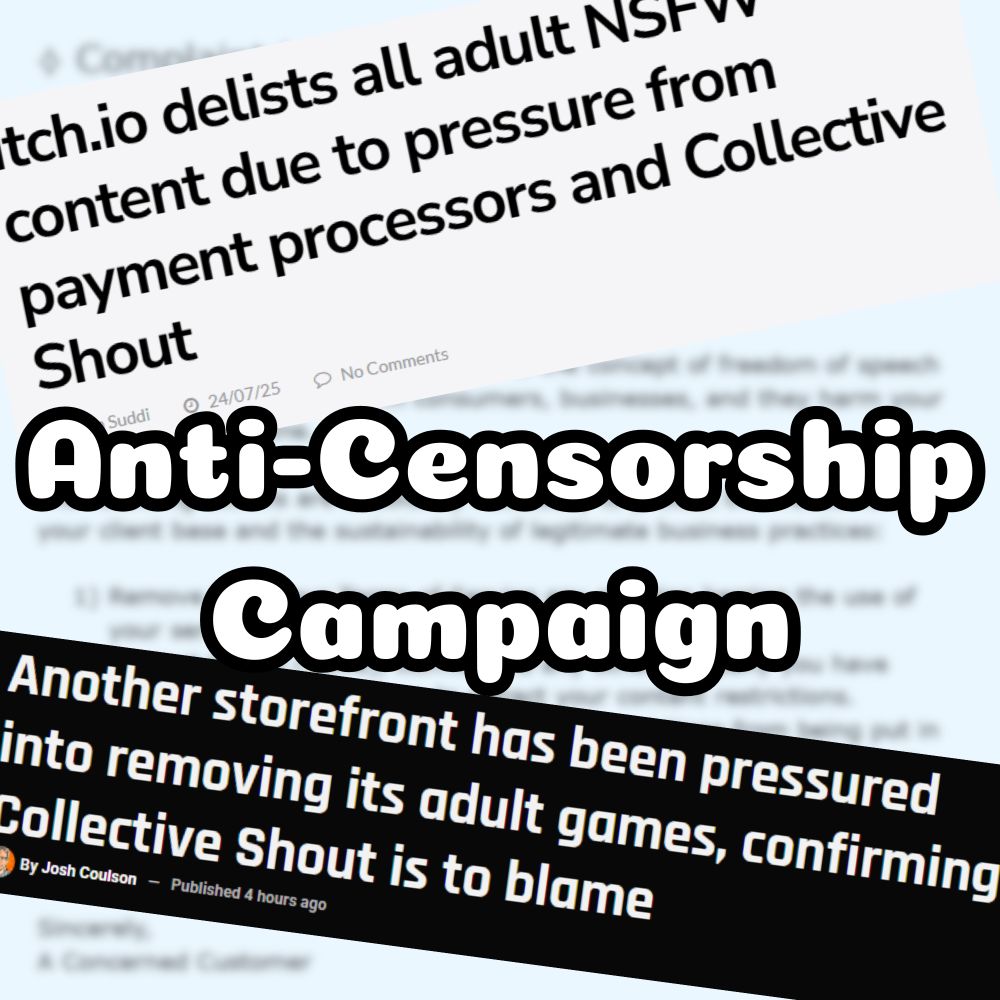
I know we're upset about itch, but they're not the only ones
Payment processors harassed companies bc of a 1,000 email hate campaign
But we can EASILY top 1,000!
I prewrote an email + got the contact info - you just have to send!
↻💬♡ to boost
We CAN make a difference 💕
#itch #censorship
1/🧵
Payment processors harassed companies bc of a 1,000 email hate campaign
But we can EASILY top 1,000!
I prewrote an email + got the contact info - you just have to send!
↻💬♡ to boost
We CAN make a difference 💕
#itch #censorship
1/🧵
July 24, 2025 at 2:19 PM
I know we're upset about itch, but they're not the only ones
Payment processors harassed companies bc of a 1,000 email hate campaign
But we can EASILY top 1,000!
I prewrote an email + got the contact info - you just have to send!
↻💬♡ to boost
We CAN make a difference 💕
#itch #censorship
1/🧵
Payment processors harassed companies bc of a 1,000 email hate campaign
But we can EASILY top 1,000!
I prewrote an email + got the contact info - you just have to send!
↻💬♡ to boost
We CAN make a difference 💕
#itch #censorship
1/🧵
Reposted

We stand together or we all fall.
- NO AI audiobooks
- NO AI covers
- NO AI book trailers
- NO AI character drawings
- NO AI marketing copy
- NO AI “research”
- NO AI editors
- NO AI translation
- NO AI at all
- NO AI audiobooks
- NO AI covers
- NO AI book trailers
- NO AI character drawings
- NO AI marketing copy
- NO AI “research”
- NO AI editors
- NO AI translation
- NO AI at all
Very weird to see writers cheering for A.I. audiobooks. This is the same horrible machine that they want to replace YOU. Audiobook narrators are your peers.
May 14, 2025 at 10:31 AM
We stand together or we all fall.
- NO AI audiobooks
- NO AI covers
- NO AI book trailers
- NO AI character drawings
- NO AI marketing copy
- NO AI “research”
- NO AI editors
- NO AI translation
- NO AI at all
- NO AI audiobooks
- NO AI covers
- NO AI book trailers
- NO AI character drawings
- NO AI marketing copy
- NO AI “research”
- NO AI editors
- NO AI translation
- NO AI at all
Reposted

It’s worth noting that JK Rowling is not only funding meritless legal challenges against trans people until they can appeal up to the court that will back them, she openly gloats about how this is where her money is going. This is what the Harry Potter TV show is bankrolling.

jk rowling funded a case going before the supreme court that argues it should be legal to discriminate against and persecute trans ppl.
yet still we have to listen to ‘centrists’ claiming she isn’t bigoted she just has ‘a difference of opinion’.
no trans ppl have a voice in these proceedings.
yet still we have to listen to ‘centrists’ claiming she isn’t bigoted she just has ‘a difference of opinion’.
no trans ppl have a voice in these proceedings.
April 16, 2025 at 10:27 AM
It’s worth noting that JK Rowling is not only funding meritless legal challenges against trans people until they can appeal up to the court that will back them, she openly gloats about how this is where her money is going. This is what the Harry Potter TV show is bankrolling.
Reposted
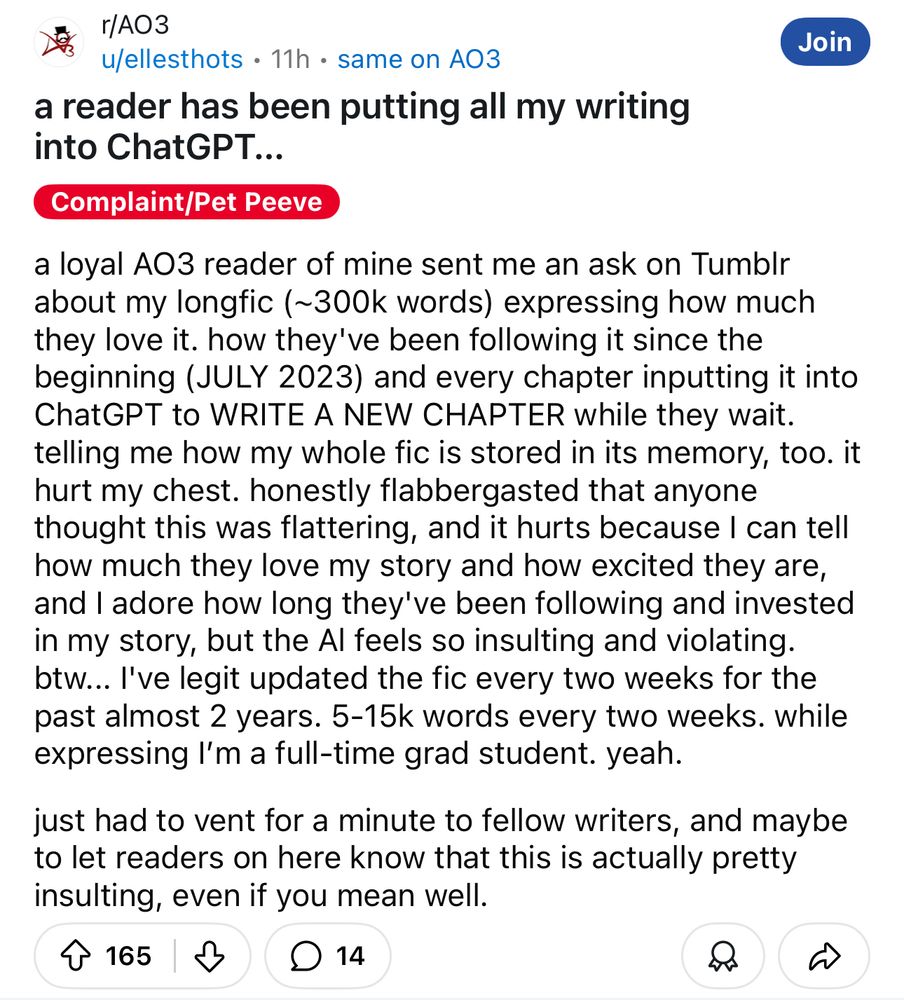
keep ai the FUCK out of fandom and don’t ever fucking do this shit

i can’t believe i have to say this but DO NOT FEED OTHER PEOPLE’S WORK INTO AI. this is awful and heartbreaking.
April 17, 2025 at 12:15 AM
keep ai the FUCK out of fandom and don’t ever fucking do this shit
Reposted
the reason that fandom and fanfiction are “cringey” and “childish” is because fandom spaces are occupied predominantly by women. in this essay i will-
March 8, 2025 at 11:10 PM
the reason that fandom and fanfiction are “cringey” and “childish” is because fandom spaces are occupied predominantly by women. in this essay i will-
Reposted
UM, I had NO idea facebook was tracking everything I did on the internet. EVERYTHING. I have diligently blocked and followed all ways to try to stop this messed up social media from taking from me, but this is the final straw… THESE JERKS! AGH! [screenshots on how to do it in the comments]

January 19, 2025 at 4:00 PM
UM, I had NO idea facebook was tracking everything I did on the internet. EVERYTHING. I have diligently blocked and followed all ways to try to stop this messed up social media from taking from me, but this is the final straw… THESE JERKS! AGH! [screenshots on how to do it in the comments]
Reposted

Writers (rightfully) have concerns about tools monitoring, scraping, or censoring their work.
That's why we updated our privacy policy and terms of service to make sure our stances on privacy (YES), generative AI (NO), and transformative works (❤️ #AO3) are crystal clear. 💎
ellips.us/4glC4Sr
That's why we updated our privacy policy and terms of service to make sure our stances on privacy (YES), generative AI (NO), and transformative works (❤️ #AO3) are crystal clear. 💎
ellips.us/4glC4Sr

December 18, 2024 at 4:16 PM
Writers (rightfully) have concerns about tools monitoring, scraping, or censoring their work.
That's why we updated our privacy policy and terms of service to make sure our stances on privacy (YES), generative AI (NO), and transformative works (❤️ #AO3) are crystal clear. 💎
ellips.us/4glC4Sr
That's why we updated our privacy policy and terms of service to make sure our stances on privacy (YES), generative AI (NO), and transformative works (❤️ #AO3) are crystal clear. 💎
ellips.us/4glC4Sr
Reposted

Fanfic readers are not "consumers". Fanfiction is not "content".
It was not made for you, it was shared with you, which is very different.
You can choose to read it or not. No one is forcing you to.
And yes, readers who like to complain about something they read for free can stay away from my fics.
It was not made for you, it was shared with you, which is very different.
You can choose to read it or not. No one is forcing you to.
And yes, readers who like to complain about something they read for free can stay away from my fics.

You have a lot of valid points, but honestly would you just rather people don't read your fanfiction then? They are also using their time to read your work; so even if they want to have stupid complaints I kind of feel like that's their right as a consumer, no? Can't have it both ways as an artist.
January 2, 2025 at 5:30 PM
Fanfic readers are not "consumers". Fanfiction is not "content".
It was not made for you, it was shared with you, which is very different.
You can choose to read it or not. No one is forcing you to.
And yes, readers who like to complain about something they read for free can stay away from my fics.
It was not made for you, it was shared with you, which is very different.
You can choose to read it or not. No one is forcing you to.
And yes, readers who like to complain about something they read for free can stay away from my fics.
Reposted

Any writers who use Microsoft Word:
On a Mac the steps will be Word > Preferences > Privacy > Manage Connected Experience > say no to all that 🔪
On a Mac the steps will be Word > Preferences > Privacy > Manage Connected Experience > say no to all that 🔪

November 13, 2024 at 9:49 PM
Any writers who use Microsoft Word:
On a Mac the steps will be Word > Preferences > Privacy > Manage Connected Experience > say no to all that 🔪
On a Mac the steps will be Word > Preferences > Privacy > Manage Connected Experience > say no to all that 🔪