




Eric Eggert
@yatil.social
he/him/his
Covid Competent Accessibility Advocado
http://yatil.net
Outline Consulting · Axess Lab
formerly: Knowbility, W3C/WAI
Views are my own.
Ⓥ he/him/his […]
🌉 bridged from ⁂ https://yatil.social/@yatil, follow @ap.brid.gy to interact
Covid Competent Accessibility Advocado
http://yatil.net
Outline Consulting · Axess Lab
formerly: Knowbility, W3C/WAI
Views are my own.
Ⓥ he/him/his […]
🌉 bridged from ⁂ https://yatil.social/@yatil, follow @ap.brid.gy to interact
Hi @zulip! Do you have any information about the accessibility of your application? I am thinking about an Accessibility Conformance Report or a VPAT or a plain accessibility statement. There seems to be no mention of accessibility on your website.
#a11yfoss
#a11yfoss
January 31, 2026 at 11:18 AM
Hi @zulip! Do you have any information about the accessibility of your application? I am thinking about an Accessibility Conformance Report or a VPAT or a plain accessibility statement. There seems to be no mention of accessibility on your website.
#a11yfoss
#a11yfoss
Just reminiscing how it's almost 20 years since this article which made WCAG WG (at the time) improve WCAG 2 into the great standard that it is right now.
I wonder when someone has the guts to do the same for WCAG 3.
https://alistapart.com/article/tohellwithwcag2/
I wonder when someone has the guts to do the same for WCAG 3.
https://alistapart.com/article/tohellwithwcag2/

To Hell with WCAG 2
The Web Content Accessibility Guidelines 1.0 were published in 1999 and quickly grew out of date. The proposed new WCAG 2.0 is the result of five long years’ work by a Web Accessibility Initiative (WAI) committee that never quite got its act together. In an effort to be all things to all web content, the fundamentals of WCAG 2 are nearly impossible for a working standards-compliant developer to understand. WCAG 2 backtracks on basics of responsible web development that are well accepted by standardistas. WCAG 2 is not enough of an improvement and was not worth the wait.
Article Continues Below
Article Continues Below 100 Comments
### Share this:#section1
* Share on Bluesky (Opens in new window) Bluesky
* Share on Mastodon (Opens in new window) Mastodon
* Share on Threads (Opens in new window) Threads
*
Become a patron
Build advanced skills for growing career opportunities. Choose from tracks in content strategy, UX/UI, communication with data, and learning design.
A Book Apart:
Brief books for people who make websites.
## Prepare for disappointment#section2
If you’re a standards-compliant web developer, you already know about web accessibility and are familiar with the only international standard on that topic, the Web Content Accessibility Guidelines. WCAG 1 just celebrated its seventh birthday and is closing in on the end of its life. WCAG 1 badly needs revision.
On 27 April 2006, WAI published the first instalment of the interminable sequence of documents required for the revision, WCAG 2.0, to become a standard.
If you were hoping for a wholesale improvement, you’re going to be disappointed. A lot of loose ends have been tidied up, and many low-priority guidelines are now pretty solid. The problem here is that standardistas already knew what to do to cover the same territory as those low-priority guidelines. Where WCAG 2 breaks down is in the big stuff. Curiously, though, and perhaps due to meticulous editing over the years, the big stuff is well camouflaged and, to an uninformed reader, WCAG 2 seems reasonable. It isn’t, and you as a working standards-compliant developer are going to find it next to impossible to implement WCAG 2.
## Where to find the documents#section3
In the great tradition of the W3C, the actual WCAG 2 documents are confusing and hard to locate. (I’ll also give you pagecounts, as printed to U.S. letter–sized PDF from Safari with unchanged defaults, as well as wordcounts without markup.) I printed and read all three of these documents for this article.
* Web Content Accessibility Guidelines 2.0 is the actual root document and is the only one that is “normative,” i.e., a standard. It’s described, in W3C parlance, as a Last Call Working Draft. (72 pages, 20,800 words)
* Understanding WCAG 2.0 is a document that purports to explain WCAG 2. (165 pages, 51,000 words)
* Techniques for WCAG 2.0 provides “general” techniques. (221 pages, 88,000 words)
When compared against typical page dimensions in books, the three WCAG 2 documents, at 450 pages, exceed the size of each of the books published on the topic of WCAG 1, including mine. Additionally, according to many blog reports (Snook, Clagnut, Sitepoint), Shawn Lawton Henry of the WAI Education & Outreach Working Group cautioned attendees at her South by Southwest 2006 presentation to read only the Understanding document, not the actual spec. Since the Understanding document is more than double the size of what it purports to explain, this itself may indicate a problem with WCAG 2.
There’s a separate document, not updated since November 2005, covering HTML techniques. It isn’t included in this article. Also, “guidelines” in WCAG 1 are now called “success criteria” in WCAG 2, a change in nomenclature I will ignore.
In the discussion below, links to and within these documents were difficult to finesse, given their numerous, but still insufficient, fragment identifiers. In some cases—paging Steve Faulkner!—no sensible `title` attribute was apparent.
## You don’t have a lot of time to comment#section4
After working on WCAG 2 for five years, WAI gave the entire industry and all interested parties, including people with disabilities, a whopping 34 days to comment on WCAG 2 (until 31 May 2006). While that is in excess of the suggested three-week minimum, it isn’t long enough. The Working Group, moreover, would like you to fill out a form, possibly using Excel, for each and every issue you disagree with.
I advise you to simply send mail to public-comments-wcag20@w3.org and read the archives of that mailing list (where it’s impossible to tell exactly who submitted what comment via the WAI form). There’s a lengthy omnibus list of comments received via the WAI form. I also advise people to petition for at least another month’s commenting time, quoting W3C process back to them (viz., comment periods “may last longer if the technical report is complex or has significant external dependencies”).
## The process stinks#section5
And now a word about process, which you have have to appreciate in order to understand the result. The Web Content Accessibility Guidelines Working Group is the worst committee, group, company, or organization I’ve ever worked with. Several of my friends and I were variously ignored; threatened with ejection from the group or actually ejected; and actively harassed. The process is stacked in favour of multinationals with expense accounts who can afford to talk on the phone for two hours a week and jet to world capitals for meetings.
The WCAG development process is inaccessible to anyone who doesn’t speak English. More importantly, it’s inaccessible to some people with disabilities, notably anyone with a reading disability (who must wade through ill-written standards documents and e-mails—there’s already been a complaint) and anyone who’s deaf (who must listen to conference calls). Almost nobody with a learning disability or hearing impairment contributes to the process—because, in practical terms, they can’t.
What WAI is _supposed_ to be doing is improving the web for people with disabilities. Something’s wrong if many participants work in a climate of fear, as they tell me they do. I never hear of similar complaints from WAI’s other groups. WCAG Working Group is a rogue element within the W3C, one that chair Tim Berners-Lee must urgently bring to heel.
The process is broken, so let’s not be surprised that the result of that process is broken, too.
## Less of a travesty, but still a failure#section6
If you ever set aside two hours of your life to read a previous “draft” of WCAG 2, you were probably baffled and/or infuriated. The Working Group has been effective at improving minor guidelines and has excelled at making the whole document seem eminently reasonable. They’ve succeeded spectacularly at burying the lede—hiding the nub of the guidelines deep within the document. They’ve done a beautiful job at making WCAG 2 look like it will actually work. It won’t.
Based on the three documents I read, taking into account both required and suggested practices, let me explain what WCAG _really_ says:
1. Exactly what a “page” is, let alone a “site,” will be a matter of dispute.
2. A future website that complies with WCAG 2 won’t need valid HTML—at all, ever. (More on that later.) You will, however, have to check the DOM outputs of your site in multiple browsers and prove they’re identical.
3. You can still use tables for layout. (And not just _a_ table—table _s_ for layout, plural.)
4. Your page, or any part of it, may blink for up to three seconds. Parts of it may not, however, “flash.”
5. You’ll be able to define entire technologies as a “baseline,” meaning anyone without that technology has little, if any, recourse to complain that your site is inaccessible to them.
6. You’ll be able to define entire directories of your site as off-limits to accessibility (including, in WCAG 2’s own example, all your freestanding videos).
7. If you wish to claim WCAG 2 compliance, you must publish a checklist of declarations more reminiscent of a forced confession than any of the accessibility policies typically found today.
8. Not that anybody ever made them accessible, but if you post videos online, you no longer have to provide audio descriptions for the blind at the lowest “conformance” level. And only prerecorded videos require captions at that level.
9. Your podcasts may have to be remixed so that dialogue is 20 decibels louder than lengthy background noise. (You don’t have to caption or transcribe them, since they aren’t “multimedia” anymore. However, slideshows are now officially deemed to be “video,” which will come as a surprise to Flickr users.)
10. You can put a few hundred navigation links on a single page and do nothing more, but if you have two pages together that have three navigation links each, you must provide a way to skip navigation.
11. You can’t use offscreen positioning to add labels (e.g., to forms) that only some people, like users of assistive technology, can perceive. _Everybody_ has to see them.
12. CSS layouts, particularly those with absolutely-positioned elements that are removed from the document flow, may simply be prohibited at the highest level. In fact, source order must match presentation order even at the lowest level.
13. Also at the highest level, you have to provide a way to find all of the following:
1. Definitions of idioms and “jargon”
2. Expansion of acronyms
3. _Pronunciations_ of some words
14. You also have to provide an alternate document if a reader with a “lower secondary education level” couldn’t understand your main document. (In fact, WCAG 2 repeatedly proposes maintaining separate accessible and inaccessible pages. In some cases, you don’t necessarily have to improve your inaccessible pages as long as you produce another page.)
Since these three documents are “drafts,” _of course_ all the above can change. But really, it won’t. A Last Call Working Draft is viewed as substantially complete. It is “a signal that… the Working Group believes that it has satisfied its relevant technical requirements [and] has satisfied significant dependencies with other groups.” The WCAG Working Group is not going to budge on major issues at this point.
## It’s the definitions that sink it#section7
While WCAG 2 calls for all manner of unrealistic and unproven features, those are not what’s going to sink the guidelines. Something as mundane as definitions will take care of that.
WCAG 1 was strongly HTML-specific. Everybody recognized that as a problem in an age when formats that blind people love to hate, like PDF and Flash, are slowly becoming accessible. So WCAG 2 had to be technology-neutral.
But in so doing, it imagined a parallel universe in which the vast majority of web content _ceased to be_ plain-Jane HTML, CSS, and JavaScript. It envisioned a world in which lots and lots of Flash, PDF, and other, as-yet-uninvented formats were available and intended to be accessible. To accommodate this dreamworld, WCAG 2 was written and rewritten and rerewritten to apply to everything. Along the way, it lost the ability to apply to the real things real developers work on every day—plain-Jane HTML, CSS, and JavaScript.
Pop quiz: What do the following terms, given with their official WCAG 2 definitions, really mean?
> authored unit
> set of material created as a single body by an author
>
> authored component
> an authored unit intended to be used as part of another authored unit
>
> web unit
> a collection of information, consisting of one or more resources, intended to be rendered together, and identified by a single Uniform Resource Identifier (such as URLs)
>
> parsed unambiguously
> parsed into only one data structure
>
> programmatically determined
> determined by software from data provided in a user-agent-supported manner such that the user agents can extract and present this information to users in different modalities
Can you translate any of these terms into words that every reader of this article understands, like “page,” “site,” “valid,” “well-formed,” or “template”? Well, _I_ can’t. Amid all these definitions, where are the templates we use to create sites composed of valid, well-formed pages?
If you’re a standardista working on accessible websites today, are you actually, without even knowing it, an author authoring authored units to be used in authored components in programmatically-determined web units that can be parsed unambiguously?
Take a look at WCAG 2 and you’ll come up with your own checklist of malapropisms and incomprehensible passages. In fact, so much of WCAG 2 is so hard to understand, and almost impossible to apply to real-world websites, that WCAG 2 is no better than its predecessor in one respect—both documents flunk their own guidelines for clear and simple writing.
If _you_ can’t understand the basics of a guideline, and if WCAG 2 in general is so aloof from the real web that it can’t even bother to use words that working developers understand, are you realistically going to be able to _implement_ WCAG 2 on your site? Remember, you cannot officially fall back on the Techniques and Understanding documents for added information. Only the WCAG 2 document itself is “normative.” You sink or swim based solely on that.
And if you have trouble understanding WCAG, does this not imply that someone could come along with a different interpretation and accuse you of violating WCAG, and, by implication, producing an inaccessible site? Since that’s illegal in some parts of the world, a certain degree of clarity is essential, but clarity is something you do _not_ get in WCAG 2.
## Testability#section8
If you slog through WCAG 2, you’ll notice that even something as deceptively simple as that WCAG 1 guideline on clear and simple writing isn’t there. Nor is there anything actually stronger than that guideline. In fact, there’s nothing at all along those lines to be found in WCAG 2’s Principle 3, “Content and controls must be understandable.”
You do, however, have to take fanatical care to mark up foreign-language passages, idioms, and the like, and if your content “requires reading ability more advanced than the lower secondary education level,” you have to provide “supplementary content” that doesn’t require that reading level. If you’re a learning-disabled person, that’s pretty much all WCAG 2 is willing to do for you.
Based on my analysis and on presentations by Gian Sampson-Wild, it seems that dyslexics and others with cognitive disabilities have been sacrificed on the altar of testing. As WCAG 2 tells us:
> All WCAG 2.0 success criteria are testable. While some can be tested by computer programs, others must be tested by qualified human testers. Sometimes, a combination of computer programs and qualified human testers may be used. When people who understand WCAG 2.0 test the same content using the same success criteria, the same results should be obtained with high inter-rater reliability.
“High inter-rater reliability” is not defined. Does it mean eight out of ten people? Six? All ten?
It seems that everybody assumed it would be easy to find “people who understand WCAG 2.0” yet who also _disagree_ that a certain segment of content is clearly and simply written. I assume it was taken as axiomatic that tests of content would seldom achieve “high inter-rater reliability,” which relies on messy human opinion. The Working Group was and is unreasonably fixated on automated testing, in part due to the presence on the Working Group of authors of automated testing applications and algorithms. The group was able to stomach the reality that, for example, `alt` texts can be evaluated only by humans, but was unwilling to accept that the same applies to “content” generally.
It is harsh but fair to observe that WCAG 2 sells out people with learning disabilities so that a tool like Bobby, or a competing or successor tool, can test a larger number of criteria with a higher success rate.
## The creative fiction of multiple levels#section9
WCAG 1 had three levels of “conformance,” which, in typical WAI style, were given a total of six names—Priority 1/Level A, Priority 2/Level AA (annoyingly written as “Double-A” to get around faulty screen-reader pronunciation), and Priority 3/Level AAA (“Triple-A”). Standardistas eventually figured out that Priorities 1 and 2 were what you really needed to make an accessible website; Priority 3 was strictly optional (also onerous and impossible to meet in principle). Even some governments, like Canada’s, require Priority 2 compliance for their own sites, though it is not necessarily achieved.
When experts carry out evaluations of websites against WCAG 1, most of the time they consider the first two priority levels. Few, if any, sites pass Priority 3 evaluation; the Disability Rights Commission and Nomensa found that no sites tested met Priority 3.
To a rational observer, all this means that Priorities 1 and 2 in WCAG 1 are really a single set of rules and Priority 3 is irrelevant and unattainable. Getting this idea through the heads of the Working Group (or rather, through the head of one of the cochairs) was impossible, so in WCAG 2 we’re still stuck with three levels. But get this: All levels are deemed important.
**Level 1 success criteria:**
1. Achieve a minimum level of accessibility.
2. Can reasonably be applied to all web content.
**Level 2 success criteria:**
1. Achieve an enhanced level of accessibility.
2. Can reasonably be applied to all web content.
**Level 3 success criteria:**
1. Achieve additional accessibility enhancements.
2. Cannot necessarily be applied to all web content.
To translate: We poor saps misunderstood WCAG 1’s priority levels to be real _priority levels_. WCAG 2 considers all of its guidelines “essential for some people,” though they’re still broken up into three levels. But actually, if you look closely at the WAI documents:
1. Even if you comply with all three levels in WCAG 2, you may still end up with an inaccessible site.
2. You never have to comply with more than half of the Level 3 guidelines.
3. The WCAG 2 document itself baldly states that “It is not recommended that Triple-A conformance ever be required for entire sites.”
4. In a circular contradiction, Guideline 4.2.4, at Level 3, doesn’t even require you to meet Level 3 in some cases.
Which level would you like to conform to? Please make your selection now.
In a further absurdity, the Working Group couldn’t even finesse its guidelines to apply to all levels. Some guidelines don’t even manifest themselves at Level 1, the lowest level. I did a count:
* Levels 1 + 2 + 3: 7 guidelines
* No Level 1: 1 guideline
* No Level 2: 2 guidelines
* No Level 3: 1 guideline
* Level 1 only: 2 guidelines
* (Level 2 only or Level 3 only: Nil)
## It’s as if web standards never existed#section10
While people like you and me were labouring in the trenches since approximately 1998 to improve web standards—improve support in browsers, improve understanding among authors, improve the basic task of _explaining_ standards—the WCAG Working Group has been off in its parallel universe cooking up guidelines that apply equally ambiguously to everything. But the Working Group certainly did take the time to exterminate some accepted concepts.
Yes, we know already: A site with valid HTML is not automatically accessible. We’ve got a couple of fun little example pages to look at (by Gez Lemon and Bruce Lawson). But that’s all they are—examples. In the real world of clueless tag-soup developers, the growing minority who understand valid HTML are an elite who also understand accessibility. They understand which accessibility features you get for free with valid HTML (like `alt` texts, which—yes, we know already—have to be written correctly). These developers take the time to include the remaining accessibility features anyway.
They also understand that tag soup produces unpredictable results in browsers _and in screen readers_. They know that a single unencoded ampersand, or omitted semicolon, or stray Unicode character on a page may knock it into the land of invalid HTML, but those are trifling examples not found in tag-soup sites like Amazon and eBay. (They know that Amazon and eBay are successful _despite_ their source code.) They know that validity is a fragile thing that indeed _can_ be blown out of the water by something as simple as a character like an _é_ , an ` ` (_sic_), or an `&` in the wrong place. _They know all that._
Nonetheless, valid HTML was a second-level requirement in WCAG 1. You almost never find it in a commercial site—Nomensa’s recent survey, which found four examples out of 99 sites it manually checked, is the highest I’ve ever seen. But, as a requirement, it warned developers that, while tag soup is the norm, it is not what we _want_.
WCAG 2 upends that apple cart completely. You never have to have valid HTML in WCAG 2–compliant sites. All that’s required is that the page be parsed unambiguously (Guideline 4.1—a Level 1 guideline with _no_ Level 2 or 3 guidelines). This is supposed to mean “no improperly-nested elements,” but you’d never know that from the term itself.
In an HTML page, you can keep right on using all the misplaced stray characters you want, but you can’t nest `<p>` inside `<p>`. You do not have to use any elements or attributes required by the specification. You do not have to use elements _according to_ specification. All this spells trouble for the case of forms, an area of constant annoyance for screen-reader users. A document made up of nothing but `div`s and `span`s, if unambiguously parsable, passes WCAG 2 free and clear.
XHTML pages, according to spec, are supposed to stop dead in their tracks at the first ill-formed content, but we know they do not do so in the real world, where XHTML is treated like a kind of HTML with added closing slashes
(save for the tiny few perfectionists who serve XHTML as XML). So in fact this requirement gives XHTML the same pass it gives HTML.
Does any of that really solve the problem? Or does it have enough of an _appearance_ of solving the problem that it could be voted into existence by Working Group members from companies like IBM, Oracle, and SAP, whose software cannot reliably produce genuine valid HTML? (IBM has been actively promoting a DHTML accessibility technique that breaks the HTML spec. Oddly, and futilely, the Techniques document discourages such a thing.)
Do you think WCAG 2’s guideline is good enough to improve the practices of tag-soup developers? Even if valid HTML everywhere all the time is unattainable, the fact remains that, in 2006, we have never had more developers who understand the concept and are trying to make it real on their own sites. WCAG 2 undoes a requirement that, were it retained, could be perfectly timed now.
## Captioning and audio description for multimedia#section11
If there’s any area in which the _application_ of WCAG 1 was a total failure, it’s multimedia. People have been quite happy to ignore the requirements for captions (for the deaf) and audio descriptions (additional narration for the blind), both of which were required at the _lowest_ accessibility level. (Actually, it was worse than that from a deaf person’s perspective. You could get by just with a transcript, not actual captions.)
Captioning and description simply are not found in the wild. When there’s any access at all, it’s through captioning. In this way, online multimedia follows TV, home video, and cinema in major democracies, where captioning is common and description isn’t. (Who can forget the irony of AOL’s head of accessibility, a blind man, announcing captioning on “select” AOL videos, but no audio description at all?)
For a deaf or a blind person who wants to understand multimedia, WCAG 2 offers no real improvement. The transcript-only loophole has been closed, and captions remain a requirement at the lowest level for prerecorded video. But instead of audio description, you can get by with a figment of the Working Group’s imagination called a “full multimedia text alternative including any interaction”. A discredited holdover from WCAG 1, it’s apparently a combination of transcript of dialogue and sound effects (which blind people don’t need), transcript of audio descriptions (which deaf people don’t need), and links to any interactive components in the video.
The whole thing is supposed to be of help to deaf-blind people, who were never surveyed for their preferences, an action I recommended to WAI at a face-to-face meeting in 2003. Nor was any user testing carried out. (That’s all I can tell from published evidence, anyway. I sent e-mail inquiries to deaf-blind organizations in several countries asking if they’d been surveyed or had any opinions, with no response.)
There are about three known examples of such a transcript in the seven-year history of WCAG (e.g., DigNubia). And there really aren’t any HTML semantics for such transcripts, unless you wanted to push the envelope of the definition list (a banned usage in “HTML 5”).
At the next-to-lowest compliance level, suddenly real audio descriptions are required and, again suddenly, live video must be captioned. Go one step higher and you have to _translate_ your video into sign language (which one?) and provide that same imaginary transcript, among other things. You never have to describe live video.
And while I’ve never been a proponent of requiring the hundreds of live online radio stations to caption themselves, certainly prerecorded podcasts are an obvious source of inaccessible multimedia. But actually, multimedia is defined as “audio or video synchronized with another type of media and/or with time-based interactive components.” Your MP3 podcast isn’t synchronized with anything, so it’s exempt. This requirement will satisfy the majority of podcasters who ever even bothered to think about accessibility, pretty much all of whom decided it was too much trouble even if they liked the idea or worked for WAI at the time. The requirement will also ensure that the status quo of inaccessible podcasting remains untouched.
## Further discussion#section12
That’s enough for one article, I think. But that isn’t the end of my comments on WCAG 2; you can check my website for ongoing additions. This article’s comments section, and the tag WCAG2, are other ways to comment.
## Announcing the WCAG Samurai#section13
WCAG 2 is not too broken to fix, but we have no reason to think the WCAG Working Group will actually fix it. The Working Group is too compromised by corporate interests, too wedded to the conclusions we see in the current “draft,” too broken in general. What you see in WCAG 2 now is pretty much what you’re gonna get—permanently.
As such, WCAG 2 will be unusable by real-world developers, _especially_ standards-compliant developers. It is too vague and counterfactual to be a reliable basis for government regulation. It leaves too many loopholes for developers on the hunt for them. WCAG 2 is a failure, and not even a noble one at that.
If this is what we get when WAI tries to rewrite WCAG from scratch, maybe there’s another option. WCAG 2 does not “replace” WCAG 1 any more than XHTML “replaced” HTML. Maybe all we really need to do is to fix the errata in WCAG 1. It’s been discussed before, but a WCAG 1.0 Second Edition or a WCAG 1.1 never happened.
Now, though, I can announce that such errata really _are_ going to be published, and my friends and I are going to do the publishing. After the manner of Zeldman’s CSS Samurai posse, which put CSS layouts on the map for browser makers and developers, the WCAG Samurai will publish errata for, and extensions to, existing accessibility specifications.
Of course we aren’t going to infringe anybody’s copyright, but another thing we’re not going to do is run a totally open process. It’s a viable model for standards development, one I have championed in another context, but in web accessibility it is proven not to work. Membership in WCAG Samurai, as in CSS Samurai, will be by invitation only. If we want you, you’ll hear from us.
Of course this is unfair to say the least, if not actively elitist and hypocritical. Call it as you see it. But this is what we’re going to try in the hopes of _getting the job done_ , which WAI and _its_ model have simply failed to do.
### Like this:#section14
Like Loading...
### Recently by Joe Clark
### Web Standards for E-books
E-books aren't going to replace books. E-books _are_ books, merely with a different form. More and more often, that form is ePub, a format powered by standard XHTML. As such, ePub can benefit from our nearly ten years’ experience building standards-compliant websites. That's great news for publishers and standards-aware web designers. Great news for readers, too. Our favorite genius, Joe Clark, explains the simple why and how.
### Further reading about Accessibility
### Opportunities for AI in Accessibility
Microsoft's Accessibility Innovation Strategist discusses AI's potential for accessibility, emphasizing the need for responsible use and diverse teams to mitigate harm and promote inclusion for people with disabilities.
### Designing Inclusive Content Models
You may not realize it, but your site might be actively discouraging user engagement because your content models are shaped by bias. Daniel Carter and Carra Martinez are here to help you to understand this phenomena and the steps you can take to address it.
alistapart.com
January 31, 2026 at 8:13 AM
Just reminiscing how it's almost 20 years since this article which made WCAG WG (at the time) improve WCAG 2 into the great standard that it is right now.
I wonder when someone has the guts to do the same for WCAG 3.
https://alistapart.com/article/tohellwithwcag2/
I wonder when someone has the guts to do the same for WCAG 3.
https://alistapart.com/article/tohellwithwcag2/
Rocking Mastodon on Linux, like it is intended.
(There are a lot of work things that I need to test out or find alternatives for, or learn command line scripting, I guess. But I'm now committed to giving it a try.)
(There are a lot of work things that I need to test out or find alternatives for, or learn command line scripting, I guess. But I'm now committed to giving it a try.)
January 30, 2026 at 2:17 PM
Rocking Mastodon on Linux, like it is intended.
(There are a lot of work things that I need to test out or find alternatives for, or learn command line scripting, I guess. But I'm now committed to giving it a try.)
(There are a lot of work things that I need to test out or find alternatives for, or learn command line scripting, I guess. But I'm now committed to giving it a try.)
Looks like the campaign to not read WCAG is so successful that there are accessibility people who just now after 17 years have heard about the Non-Interference success criteria.
We have one fundamental document, it’s not that long. Please.
😭
We have one fundamental document, it’s not that long. Please.
😭
January 30, 2026 at 9:30 AM
Looks like the campaign to not read WCAG is so successful that there are accessibility people who just now after 17 years have heard about the Non-Interference success criteria.
We have one fundamental document, it’s not that long. Please.
😭
We have one fundamental document, it’s not that long. Please.
😭
Mit Klimawandelleugnern zu diskutieren ist wie mit einer Taube Schach zu spielen. Es ist so einfach zu beweisen, dass BEVs effizienter sind als eFuels, da braucht’s eigentlich keine Wissenschaftler, sondern Physik-Verständnis aus der 5. Klasse.
Holy […]
[Original post on yatil.social]
Holy […]
[Original post on yatil.social]

January 30, 2026 at 8:59 AM
Mit Klimawandelleugnern zu diskutieren ist wie mit einer Taube Schach zu spielen. Es ist so einfach zu beweisen, dass BEVs effizienter sind als eFuels, da braucht’s eigentlich keine Wissenschaftler, sondern Physik-Verständnis aus der 5. Klasse.
Holy […]
[Original post on yatil.social]
Holy […]
[Original post on yatil.social]
[Callsheet functionality to hide a movie or a TV show (Screenshot with specific movie)]
@caseyliss I don’t want to see one of these movies ever when I open Callsheet, and it would be great if it could be hidden:
@caseyliss I don’t want to see one of these movies ever when I open Callsheet, and it would be great if it could be hidden:

January 30, 2026 at 7:51 AM
[Callsheet functionality to hide a movie or a TV show (Screenshot with specific movie)]
@caseyliss I don’t want to see one of these movies ever when I open Callsheet, and it would be great if it could be hidden:
@caseyliss I don’t want to see one of these movies ever when I open Callsheet, and it would be great if it could be hidden:
RE: https://lgbtqia.space/@Woebin/115977757939661906
Thea is a great person to work with, she 100% knows what she does and is great at organizing the work and giving meaningful feedback. Working with her was a real treat, and I miss working with her every day.
#getfedihired
Thea is a great person to work with, she 100% knows what she does and is great at organizing the work and giving meaningful feedback. Working with her was a real treat, and I miss working with her every day.
#getfedihired
lgbtqia.space
January 29, 2026 at 10:04 AM
RE: https://lgbtqia.space/@Woebin/115977757939661906
Thea is a great person to work with, she 100% knows what she does and is great at organizing the work and giving meaningful feedback. Working with her was a real treat, and I miss working with her every day.
#getfedihired
Thea is a great person to work with, she 100% knows what she does and is great at organizing the work and giving meaningful feedback. Working with her was a real treat, and I miss working with her every day.
#getfedihired
People come to Mastodon and get defensive because it is customary to wear slippers inside here.
And by “wearing slippers”, I mean “writing alternate text”.
#accessibility
And by “wearing slippers”, I mean “writing alternate text”.
#accessibility
January 26, 2026 at 4:49 PM
People come to Mastodon and get defensive because it is customary to wear slippers inside here.
And by “wearing slippers”, I mean “writing alternate text”.
#accessibility
And by “wearing slippers”, I mean “writing alternate text”.
#accessibility
RE: https://mastodon.social/@Moltz/115953823742359296
I have the feeling I have bought my last Apple products. They make me productive and I love how they work for me. But my conscience can’t handle giving this company more money.
I have the feeling I have bought my last Apple products. They make me productive and I love how they work for me. But my conscience can’t handle giving this company more money.
mastodon.social
January 25, 2026 at 8:02 AM
RE: https://mastodon.social/@Moltz/115953823742359296
I have the feeling I have bought my last Apple products. They make me productive and I love how they work for me. But my conscience can’t handle giving this company more money.
I have the feeling I have bought my last Apple products. They make me productive and I love how they work for me. But my conscience can’t handle giving this company more money.
Reposted by Eric Eggert

Not sure how many of you use ChatGTP, but you mind want to scale back.
"The latest model of ChatGPT has begun to cite Elon Musk’s Grokipedia as a source on a wide range of queries, including on Iranian conglomerates and Holocaust deniers, raising concerns about misinformation on the platform […]
"The latest model of ChatGPT has begun to cite Elon Musk’s Grokipedia as a source on a wide range of queries, including on Iranian conglomerates and Holocaust deniers, raising concerns about misinformation on the platform […]
Original post on stefanbohacek.online
stefanbohacek.online
January 24, 2026 at 2:47 PM
Not sure how many of you use ChatGTP, but you mind want to scale back.
"The latest model of ChatGPT has begun to cite Elon Musk’s Grokipedia as a source on a wide range of queries, including on Iranian conglomerates and Holocaust deniers, raising concerns about misinformation on the platform […]
"The latest model of ChatGPT has begun to cite Elon Musk’s Grokipedia as a source on a wide range of queries, including on Iranian conglomerates and Holocaust deniers, raising concerns about misinformation on the platform […]
Oof, looks like the best(?) User Styles/User Scripts app/extension for Safari is not in the App store anymore. I use Cascadea continuously.
Luckily if you bought it before, you can download it from the purchase section of the app store.
Anyone know of good, still developed alternatives? […]
Luckily if you bought it before, you can download it from the purchase section of the app store.
Anyone know of good, still developed alternatives? […]
Original post on yatil.social
yatil.social
January 23, 2026 at 7:41 PM
Oof, looks like the best(?) User Styles/User Scripts app/extension for Safari is not in the App store anymore. I use Cascadea continuously.
Luckily if you bought it before, you can download it from the purchase section of the app store.
Anyone know of good, still developed alternatives? […]
Luckily if you bought it before, you can download it from the purchase section of the app store.
Anyone know of good, still developed alternatives? […]
Reposted by Eric Eggert

With the White House admitting they deliberately post AI deepfakes, I really do not want to hear any complaints about the EU AI Act any more.
From August this year, platforms will have to make sure those are clearly labelled as AI to EU users or will have to remove the posts, or face massive […]
From August this year, platforms will have to make sure those are clearly labelled as AI to EU users or will have to remove the posts, or face massive […]
Original post on mastodon.social
mastodon.social
January 23, 2026 at 3:58 AM
With the White House admitting they deliberately post AI deepfakes, I really do not want to hear any complaints about the EU AI Act any more.
From August this year, platforms will have to make sure those are clearly labelled as AI to EU users or will have to remove the posts, or face massive […]
From August this year, platforms will have to make sure those are clearly labelled as AI to EU users or will have to remove the posts, or face massive […]
Reposted by Eric Eggert

"And these 'AI productivity gains', are they in the room with us right now?"
January 20, 2026 at 5:47 PM
"And these 'AI productivity gains', are they in the room with us right now?"
Zur audible eye roll of the mechanics I had to take to on the phone when they realized the car with the permanent airbag warning light on is electric is something I expected. But then I heard a second eye roll when I said I wasn’t going to drive a car without airbags 45kms to the next dealership […]
Original post on yatil.social
yatil.social
January 21, 2026 at 4:57 PM
Zur audible eye roll of the mechanics I had to take to on the phone when they realized the car with the permanent airbag warning light on is electric is something I expected. But then I heard a second eye roll when I said I wasn’t going to drive a car without airbags 45kms to the next dealership […]
Cool, my banking app lets me now pay with my debit card by double-tapping the iPhone side button. No credit card fees for me anymore!
Of course, while the EU demands that this functionality works on the phone, it is not integrated into the Apple Watch, which is the most convenient way to pay.
Of course, while the EU demands that this functionality works on the phone, it is not integrated into the Apple Watch, which is the most convenient way to pay.
January 21, 2026 at 10:16 AM
Cool, my banking app lets me now pay with my debit card by double-tapping the iPhone side button. No credit card fees for me anymore!
Of course, while the EU demands that this functionality works on the phone, it is not integrated into the Apple Watch, which is the most convenient way to pay.
Of course, while the EU demands that this functionality works on the phone, it is not integrated into the Apple Watch, which is the most convenient way to pay.

[US-pol]
“I feel compelled to invade another country because I did not get a prize from an independent organization based in your country” is so unhinged, it’s almost unbelievable.
“I feel compelled to invade another country because I did not get a prize from an independent organization based in your country” is so unhinged, it’s almost unbelievable.
January 20, 2026 at 7:34 AM
[US-pol]
“I feel compelled to invade another country because I did not get a prize from an independent organization based in your country” is so unhinged, it’s almost unbelievable.
“I feel compelled to invade another country because I did not get a prize from an independent organization based in your country” is so unhinged, it’s almost unbelievable.
One of the weirdest things of using android (on my Boox Note Air 5C) is that there is no consistent way to scroll to the top. Just copy the tap the top bar. behavior of iOS.
January 19, 2026 at 9:45 PM
One of the weirdest things of using android (on my Boox Note Air 5C) is that there is no consistent way to scroll to the top. Just copy the tap the top bar. behavior of iOS.
When people who promote “accessible PDFs” (=screen reader compatible PDFs) now complain about “fake inclusion”, then that is quite funny to me 🥲
January 19, 2026 at 10:12 AM
When people who promote “accessible PDFs” (=screen reader compatible PDFs) now complain about “fake inclusion”, then that is quite funny to me 🥲
I’m looking forward to the “Digital Accessibility Ethics: Disability Inclusion in All Things Tech” book, because I think the conversation about ethics in tech, and especially in accessibility is severely lacking.
(But then I can’t not notice that there is nothing about the ethics of holding […]
(But then I can’t not notice that there is nothing about the ethics of holding […]
Original post on yatil.social
yatil.social
January 18, 2026 at 10:41 AM
I’m looking forward to the “Digital Accessibility Ethics: Disability Inclusion in All Things Tech” book, because I think the conversation about ethics in tech, and especially in accessibility is severely lacking.
(But then I can’t not notice that there is nothing about the ethics of holding […]
(But then I can’t not notice that there is nothing about the ethics of holding […]
App that I want: Analyze my Apple Music Library and give me a list of the albums in MP3 download stores and/or on used CD platforms.
Bonus points for giving me an option to select the albums I want to add to the shopping cart directly.
Bonus points for giving me an option to select the albums I want to add to the shopping cart directly.
January 18, 2026 at 9:23 AM
App that I want: Analyze my Apple Music Library and give me a list of the albums in MP3 download stores and/or on used CD platforms.
Bonus points for giving me an option to select the albums I want to add to the shopping cart directly.
Bonus points for giving me an option to select the albums I want to add to the shopping cart directly.
For me, writing the code, figuring out the puzzle, learning new things, is the joy of programming. I don’t want a robot to do that for me.
It says a lot about software and its quality that we figure out many, maybe most programmers do not care about coding itself.
If that’s the future, prepare […]
It says a lot about software and its quality that we figure out many, maybe most programmers do not care about coding itself.
If that’s the future, prepare […]
Original post on yatil.social
yatil.social
January 18, 2026 at 7:53 AM
For me, writing the code, figuring out the puzzle, learning new things, is the joy of programming. I don’t want a robot to do that for me.
It says a lot about software and its quality that we figure out many, maybe most programmers do not care about coding itself.
If that’s the future, prepare […]
It says a lot about software and its quality that we figure out many, maybe most programmers do not care about coding itself.
If that’s the future, prepare […]

RE: https://mastodon.social/@Gte/115906991057943309
As a potential customer (I have a Setapp Mac+iOS plan, although I am weaning myself off of it, as they have been focusing on “AI” recently and it makes their product worse), the Setapp Mobile addon price never felt attractive to me. It could […]
As a potential customer (I have a Setapp Mac+iOS plan, although I am weaning myself off of it, as they have been focusing on “AI” recently and it makes their product worse), the Setapp Mobile addon price never felt attractive to me. It could […]
Original post on yatil.social
yatil.social
January 16, 2026 at 10:28 PM
RE: https://mastodon.social/@Gte/115906991057943309
As a potential customer (I have a Setapp Mac+iOS plan, although I am weaning myself off of it, as they have been focusing on “AI” recently and it makes their product worse), the Setapp Mobile addon price never felt attractive to me. It could […]
As a potential customer (I have a Setapp Mac+iOS plan, although I am weaning myself off of it, as they have been focusing on “AI” recently and it makes their product worse), the Setapp Mobile addon price never felt attractive to me. It could […]
Reposted by Eric Eggert
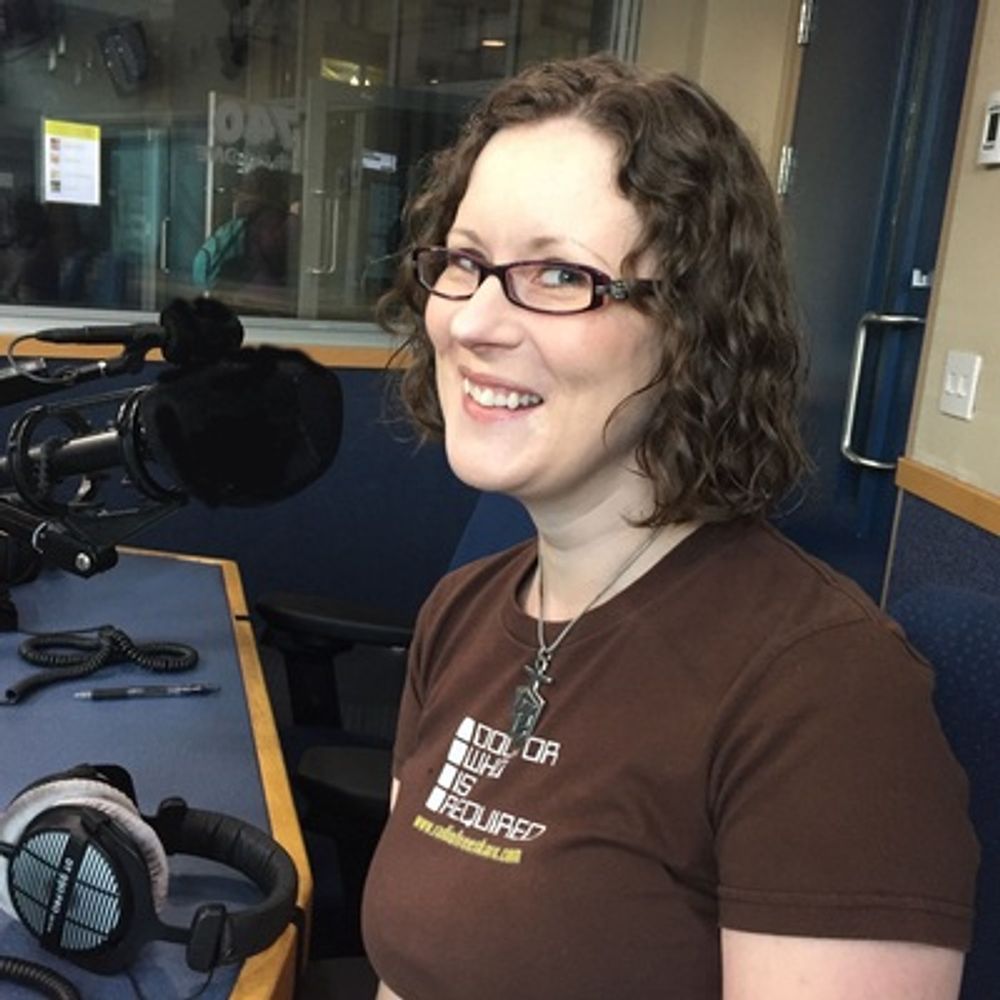
The new podcast I'm editing, WE CONTAIN MULTITUDES, is live! I've been helping my friend Sandra Wong get it off the ground for a few months, and it's SO EXCITING to see the first ep drop at last!
If you'd like to hear author @premeesaurus talk about a passion that's not writing excellent […]
If you'd like to hear author @premeesaurus talk about a passion that's not writing excellent […]
Original post on wandering.shop
wandering.shop
January 16, 2026 at 8:02 PM
The new podcast I'm editing, WE CONTAIN MULTITUDES, is live! I've been helping my friend Sandra Wong get it off the ground for a few months, and it's SO EXCITING to see the first ep drop at last!
If you'd like to hear author @premeesaurus talk about a passion that's not writing excellent […]
If you'd like to hear author @premeesaurus talk about a passion that's not writing excellent […]