



Inogic: Transforming #MSDyn365 #PowerPlatform
@inogic.bsky.social
Explore 15+ #CRM #Dataverse Apps @Maplytics, Doc Mgmt, Visualization, Productivity apps et al. Your go-to for #MSDyn365 #PowerPlatform #AI #Copilot services!
Pinned

Low-code is unlocking a new era where anyone can build:
🤖 Task Bots
✅ Approval Agents
📊 Smart Workflows
Ready to build your next AI agent?
Connect with us: crm@inogic.com OR www.inogic.com/services?utm...
#NoCode #LowCode #InogicSolutions
🤖 Task Bots
✅ Approval Agents
📊 Smart Workflows
Ready to build your next AI agent?
Connect with us: crm@inogic.com OR www.inogic.com/services?utm...
#NoCode #LowCode #InogicSolutions
CRM is live, but daily work feels heavy.
Support should be continuous.
iSupport+ keeps CRM users productive after go-live.
iXtend+ scales delivery capacity without long hiring cycles.
Know More: www.inogic.com/services/
#Dynamics365 #CRMSupport #ScalableDelivery
Support should be continuous.
iSupport+ keeps CRM users productive after go-live.
iXtend+ scales delivery capacity without long hiring cycles.
Know More: www.inogic.com/services/
#Dynamics365 #CRMSupport #ScalableDelivery

January 7, 2026 at 12:51 PM
CRM is live, but daily work feels heavy.
Support should be continuous.
iSupport+ keeps CRM users productive after go-live.
iXtend+ scales delivery capacity without long hiring cycles.
Know More: www.inogic.com/services/
#Dynamics365 #CRMSupport #ScalableDelivery
Support should be continuous.
iSupport+ keeps CRM users productive after go-live.
iXtend+ scales delivery capacity without long hiring cycles.
Know More: www.inogic.com/services/
#Dynamics365 #CRMSupport #ScalableDelivery
From data to decisions 🔮
See how your CRM predicts what’s next - with clarity 🤖
📆 Jan 21 | 🎙️ Live Demo + Q&A
🕒 3 PM AEDT | 11 AM CET | 11 AM EST
👉 Save your seat: www.inogic.com/events-webin...
#Dynamics365 #AIinCRM #Webinar #Prediticeintelligence
See how your CRM predicts what’s next - with clarity 🤖
📆 Jan 21 | 🎙️ Live Demo + Q&A
🕒 3 PM AEDT | 11 AM CET | 11 AM EST
👉 Save your seat: www.inogic.com/events-webin...
#Dynamics365 #AIinCRM #Webinar #Prediticeintelligence

January 6, 2026 at 11:30 PM
From data to decisions 🔮
See how your CRM predicts what’s next - with clarity 🤖
📆 Jan 21 | 🎙️ Live Demo + Q&A
🕒 3 PM AEDT | 11 AM CET | 11 AM EST
👉 Save your seat: www.inogic.com/events-webin...
#Dynamics365 #AIinCRM #Webinar #Prediticeintelligence
See how your CRM predicts what’s next - with clarity 🤖
📆 Jan 21 | 🎙️ Live Demo + Q&A
🕒 3 PM AEDT | 11 AM CET | 11 AM EST
👉 Save your seat: www.inogic.com/events-webin...
#Dynamics365 #AIinCRM #Webinar #Prediticeintelligence
Still fixing #SharePoint permissions every time something changes in #Dynamics365?
That’s risky, slow, and unnecessary.
See how SharePoint Security Sync keeps CRM & SharePoint access perfectly aligned
👉 www.youtube.com/shorts/yvHH9...
#CRMSecurity #DataSecurity #DocumentManagement
That’s risky, slow, and unnecessary.
See how SharePoint Security Sync keeps CRM & SharePoint access perfectly aligned
👉 www.youtube.com/shorts/yvHH9...
#CRMSecurity #DataSecurity #DocumentManagement

How to Auto-Sync Dynamics 365 Security to SharePoint #shortsfeed
Still fixing SharePoint permissions manually after every Dynamics 365 CRM change? That’s time-consuming and risky. In this video, discover how SharePoint Security Sync automatically syncs Dynamics 365 CRM security to SharePoint, ensuring the same users have the same access to records and documents. What SharePoint Security Sync Helps You Do: • Automatically replicate Dynamics 365 security roles in SharePoint • Keep record-level access consistent across CRM and SharePoint • Instantly sync permissions when records are shared or assigned • Eliminate manual SharePoint permission management • Secure CRM documents stored in SharePoint Designed for Dynamics 365 Sales, Customer Service, and Marketing, SharePoint Security Sync ensures a single, unified security model for your CRM and SharePoint document management. Stop fixing SharePoint permissions manually. Start syncing them automatically. #trending #shortsviral #shortsyoutube
www.youtube.com
January 6, 2026 at 7:30 PM
Still fixing #SharePoint permissions every time something changes in #Dynamics365?
That’s risky, slow, and unnecessary.
See how SharePoint Security Sync keeps CRM & SharePoint access perfectly aligned
👉 www.youtube.com/shorts/yvHH9...
#CRMSecurity #DataSecurity #DocumentManagement
That’s risky, slow, and unnecessary.
See how SharePoint Security Sync keeps CRM & SharePoint access perfectly aligned
👉 www.youtube.com/shorts/yvHH9...
#CRMSecurity #DataSecurity #DocumentManagement
Still guessing your next move in CRM? 🤔
Discover Predictive Intelligence in Dynamics 365 with Explainable AI
📆 Jan 21st | 🎙️ Live Demo + Q&A
👉 Register: www.inogic.com/events-webin...
#Predict4Dynamics #PredictiveAI #CRM #Webinar
Discover Predictive Intelligence in Dynamics 365 with Explainable AI
📆 Jan 21st | 🎙️ Live Demo + Q&A
👉 Register: www.inogic.com/events-webin...
#Predict4Dynamics #PredictiveAI #CRM #Webinar
January 6, 2026 at 5:30 PM
Still guessing your next move in CRM? 🤔
Discover Predictive Intelligence in Dynamics 365 with Explainable AI
📆 Jan 21st | 🎙️ Live Demo + Q&A
👉 Register: www.inogic.com/events-webin...
#Predict4Dynamics #PredictiveAI #CRM #Webinar
Discover Predictive Intelligence in Dynamics 365 with Explainable AI
📆 Jan 21st | 🎙️ Live Demo + Q&A
👉 Register: www.inogic.com/events-webin...
#Predict4Dynamics #PredictiveAI #CRM #Webinar
Still relying on static data for decisions?
See how Maps + Copilot change the game inside Dynamics 365 👇@Maplytics
www.maplytics.com/blog/5-reaso...
#Maplytics #Copilot #Dynamics365 #GeoIntelligence
See how Maps + Copilot change the game inside Dynamics 365 👇@Maplytics
www.maplytics.com/blog/5-reaso...
#Maplytics #Copilot #Dynamics365 #GeoIntelligence

5 Reasons Why Maps Teamed with Copilot is a Game-Changer - Blog | Maplytics
In this blog, explore the five reasons why Maps teamed with Copilot is truly a game-changer for modern businesses.
www.maplytics.com
January 6, 2026 at 5:30 PM
Still relying on static data for decisions?
See how Maps + Copilot change the game inside Dynamics 365 👇@Maplytics
www.maplytics.com/blog/5-reaso...
#Maplytics #Copilot #Dynamics365 #GeoIntelligence
See how Maps + Copilot change the game inside Dynamics 365 👇@Maplytics
www.maplytics.com/blog/5-reaso...
#Maplytics #Copilot #Dynamics365 #GeoIntelligence
If marketing data isn’t feeding your pipeline, it’s wasted.
Here’s how Mailchimp + Dynamics 365 fix that 👇
🔗 www.inogic.com/blog/2025/12...
#MailchimpIntegration #Dynamics365 #MarketingAutomation #EmailMarketing
Here’s how Mailchimp + Dynamics 365 fix that 👇
🔗 www.inogic.com/blog/2025/12...
#MailchimpIntegration #Dynamics365 #MarketingAutomation #EmailMarketing

The Complete Guide to Dynamics 365 CRM + Mailchimp Integration (2026) - Microsoft Dynamics 365 CRM Tips and Tricks
Businesses today run on two essential engines: customer relationship management (CRM) and email marketing automation. While Dynamics 365 CRM organizes, segments, and nurtures your customer data, Mailchimp powers impactful email campaigns. But when these two platforms run separately, teams lose time, data gets duplicated, and insights become fragmented. Integrating Dynamics 365 CRM with Mailchimp solves
www.inogic.com
January 6, 2026 at 3:30 PM
If marketing data isn’t feeding your pipeline, it’s wasted.
Here’s how Mailchimp + Dynamics 365 fix that 👇
🔗 www.inogic.com/blog/2025/12...
#MailchimpIntegration #Dynamics365 #MarketingAutomation #EmailMarketing
Here’s how Mailchimp + Dynamics 365 fix that 👇
🔗 www.inogic.com/blog/2025/12...
#MailchimpIntegration #Dynamics365 #MarketingAutomation #EmailMarketing
Automating Business PDFs Using Azure Document Intelligence and Power Automate
www.inogic.com/blog/2025/12...
#PowerAutomate #AzureAI #DocumentAutomation
www.inogic.com/blog/2025/12...
#PowerAutomate #AzureAI #DocumentAutomation

Automating Business PDFs Using Azure Document Intelligence and Power Automate - Microsoft Dynamics 365 CRM Tips and Tricks
In today’s data-driven enterprises, critical business information often arrives in the form of PDFs—bank statements, invoices, policy documents, reports, and contracts. Although these files contain valuable information, turning them into structured, reusable data or finalized business documents often requires significant manual effort and is highly error-prone. By leveraging Azure Document Intelligence (for PDF data extraction),
www.inogic.com
January 6, 2026 at 11:30 AM
Automating Business PDFs Using Azure Document Intelligence and Power Automate
www.inogic.com/blog/2025/12...
#PowerAutomate #AzureAI #DocumentAutomation
www.inogic.com/blog/2025/12...
#PowerAutomate #AzureAI #DocumentAutomation
If your documents aren’t searchable, your CRM isn’t helping.
See how SharePoint metadata works seamlessly with Dynamics 365 👇
▶️ www.youtube.com/watch
#Dynamics365 #SharePointIntegration #DocumentManagement
See how SharePoint metadata works seamlessly with Dynamics 365 👇
▶️ www.youtube.com/watch
#Dynamics365 #SharePointIntegration #DocumentManagement
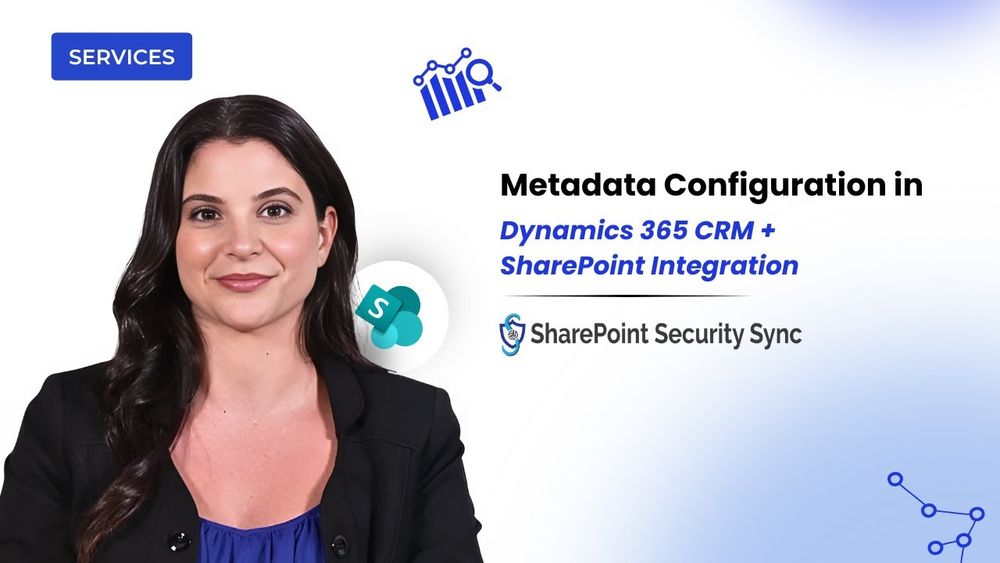
How to Configure SharePoint Metadata in Dynamics 365 CRM
In this technical walkthrough, we break down one of the most powerful yet often overlooked components of Dynamics 365 CRM and SharePoint integration — Metadata configuration. What is Metadata in SharePoint? Metadata is data about your documents, details like Email, Country, Document Type, or any business field you rely on. Instead of leaving files scattered or unnamed, metadata attaches meaningful information to every document, making it searchable, structured, and instantly identifiable. Why Metadata Matters in SharePoint + Dynamics 365 CRM Integration Managing documents inside Dynamics 365 can get messy - files pile up, details get missed, and it becomes harder to locate the right document when you need it. By enabling Metadata, SharePoint Security Sync organizes documents automatically in SharePoint, ensuring every file carries the correct CRM context, such as Email or Country. This leads to: • Better document searchability • Cleaner, structured storage • Accurate context mapping • Seamless sync between CRM fields and SharePoint columns • reduced manual effort and errors What the Video Covers – Step-by-Step Configuration In this demo, you’ll learn exactly how to set up and use the Metadata feature: Create Metadata Columns in SharePoint: We begin by adding a SharePoint column (e.g., Email) and preparing fields like Country, Boolean, option sets, and more for mapping. Enable Metadata in Dynamics 365 CRM: Inside Entity Configuration, we turn on metadata preferences and ensure the selected entity is ready for mapping. Map CRM Fields to SharePoint Columns: Under Metadata Configuration, we map fields, emphasizing that CRM field names and SharePoint column names must match exactly, including case sensitivity. Create a CRM Record & Upload Documents: After filling fields like Email and Country, we upload a document using the Attach2Dynamics interface. The metadata replicates instantly into SharePoint, as shown live in the demo. Real-Time Metadata Updates: You’ll also see how metadata can be edited directly from the Attach2Dynamics UI, and how any change syncs immediately with SharePoint for consistent and accurate document context. By the end of the video, you’ll understand how Metadata ensures every document stays relevant, structured, and context-rich, giving your CRM–SharePoint document management a smarter, automated foundation. Try SharePoint Security Sync today and experience organized, metadata-driven document handling firsthand! #demovideos #viralvideo #trending #videos
www.youtube.com
January 6, 2026 at 7:30 AM
If your documents aren’t searchable, your CRM isn’t helping.
See how SharePoint metadata works seamlessly with Dynamics 365 👇
▶️ www.youtube.com/watch
#Dynamics365 #SharePointIntegration #DocumentManagement
See how SharePoint metadata works seamlessly with Dynamics 365 👇
▶️ www.youtube.com/watch
#Dynamics365 #SharePointIntegration #DocumentManagement
User adoption drives real CRM value.
Here’s why monitoring it matters in Dynamics 365 👇@msdynamicsworld
Know more 👇
msdynamicsworld.com/blog-post/wh...
#Dynamics365 #CRMAdoption #Efficiency
Here’s why monitoring it matters in Dynamics 365 👇@msdynamicsworld
Know more 👇
msdynamicsworld.com/blog-post/wh...
#Dynamics365 #CRMAdoption #Efficiency

Why User Adoption Monitoring Matters in Dynamics 365 CRM
“Why aren’t people using CRM the way we expected?” is a question many managers ask after investing time and money into Microsoft Dynamics 365. Teams log in, data exists, reports get generated, yet something feels off. Sales updates are missing, customer details are incomplete, and leadership struggles to trust the numbers. The challenge isn’t the system itself, but the lack of visibility into how it’s actually being used daily.
msdynamicsworld.com
January 6, 2026 at 5:30 AM
User adoption drives real CRM value.
Here’s why monitoring it matters in Dynamics 365 👇@msdynamicsworld
Know more 👇
msdynamicsworld.com/blog-post/wh...
#Dynamics365 #CRMAdoption #Efficiency
Here’s why monitoring it matters in Dynamics 365 👇@msdynamicsworld
Know more 👇
msdynamicsworld.com/blog-post/wh...
#Dynamics365 #CRMAdoption #Efficiency
Dynamics 365 doesn’t fail — teams get stuck.
The right support makes all the difference 👇
www.inogic.com/services/ins...
#Dynamics365 #MicrosoftCRM #CRMAdoption
The right support makes all the difference 👇
www.inogic.com/services/ins...
#Dynamics365 #MicrosoftCRM #CRMAdoption

Dynamics 365 Managed Professional Services Support - Inogic
How to Unlock Your Plan Flexible 6-Month Plans, offering Priority Support, Proactive Guidance, and Expert Consulting to make the most of your Dynamics 365. Where Are You in Your Dynamics 365 Journey? Get Back on Track The Challenge Adoption is low, and CRM feels like a burden instead of a tool. The Solution With 40 […]
www.inogic.com
January 6, 2026 at 3:30 AM
Dynamics 365 doesn’t fail — teams get stuck.
The right support makes all the difference 👇
www.inogic.com/services/ins...
#Dynamics365 #MicrosoftCRM #CRMAdoption
The right support makes all the difference 👇
www.inogic.com/services/ins...
#Dynamics365 #MicrosoftCRM #CRMAdoption
Static or Dynamic Segments? A Complete Guide for Customer Insights – Journeys
www.inogic.com/blog/2025/12...
#CustomerInsights #D365 #Copilot
www.inogic.com/blog/2025/12...
#CustomerInsights #D365 #Copilot

Static or Dynamic Segments? A Complete Guide for Customer Insights – Journeys - Microsoft Dynamics 365 CRM Tips and Tricks
Dynamics 365 Customer Insights – Journeys is one of the most preferred modules offered by Microsoft, which provides a flexible platform that enables organizations to engage their audience across every stage of the customer journey. It empowers businesses to create personalized, timely, and meaningful interactions based on customer behavior and preferences. As we all know,
www.inogic.com
January 5, 2026 at 11:30 PM
Static or Dynamic Segments? A Complete Guide for Customer Insights – Journeys
www.inogic.com/blog/2025/12...
#CustomerInsights #D365 #Copilot
www.inogic.com/blog/2025/12...
#CustomerInsights #D365 #Copilot
Stop guessing. Start predicting. 📊
See how Explainable AI brings clarity to Dynamics 365 predictive intelligence
📆 Jan 21st
🎙️ Live Demo + Q&A
👉 Save your seat 👇
www.inogic.com/events-webin...
#AIinCRM #Predict4Dynamics #Webinar #Dynamics365
See how Explainable AI brings clarity to Dynamics 365 predictive intelligence
📆 Jan 21st
🎙️ Live Demo + Q&A
👉 Save your seat 👇
www.inogic.com/events-webin...
#AIinCRM #Predict4Dynamics #Webinar #Dynamics365
January 5, 2026 at 7:31 PM
Stop guessing. Start predicting. 📊
See how Explainable AI brings clarity to Dynamics 365 predictive intelligence
📆 Jan 21st
🎙️ Live Demo + Q&A
👉 Save your seat 👇
www.inogic.com/events-webin...
#AIinCRM #Predict4Dynamics #Webinar #Dynamics365
See how Explainable AI brings clarity to Dynamics 365 predictive intelligence
📆 Jan 21st
🎙️ Live Demo + Q&A
👉 Save your seat 👇
www.inogic.com/events-webin...
#AIinCRM #Predict4Dynamics #Webinar #Dynamics365
Ever realize you missed a CRM update after it mattered?
Fix that. Set up smart alerts & notifications in Dynamics 365 👇
👉 www.inogic.com/blog/2025/12...
#MicrosoftDynamics365 #CRMAlerts #CRMNotifications #CRMTools
Fix that. Set up smart alerts & notifications in Dynamics 365 👇
👉 www.inogic.com/blog/2025/12...
#MicrosoftDynamics365 #CRMAlerts #CRMNotifications #CRMTools

The Ultimate Guide to Setting Up Alerts & Notifications in Dynamics 365 CRM - Microsoft Dynamics 365 CRM Tips and Tricks
In many businesses, important updates in Dynamics 365 CRM go unnoticed. One delayed update can cost a deal, damage customer trust, or slow down decision-making. Sales teams miss important lead updates, service teams fail to act on escalations, and marketing teams lose track of campaign responses. Common Challenges Teams Face with Alerts in CRM
www.inogic.com
January 5, 2026 at 5:30 PM
Ever realize you missed a CRM update after it mattered?
Fix that. Set up smart alerts & notifications in Dynamics 365 👇
👉 www.inogic.com/blog/2025/12...
#MicrosoftDynamics365 #CRMAlerts #CRMNotifications #CRMTools
Fix that. Set up smart alerts & notifications in Dynamics 365 👇
👉 www.inogic.com/blog/2025/12...
#MicrosoftDynamics365 #CRMAlerts #CRMNotifications #CRMTools
#PowerApps Grid Container: A Better Way to Build Responsive Canvas Apps
www.inogic.com/blog/2025/12...
#PowerPlatform #CanvasApps #ResponsiveDesign #LowCode
www.inogic.com/blog/2025/12...
#PowerPlatform #CanvasApps #ResponsiveDesign #LowCode

Power Apps Grid Container: A Better Way to Build Responsive Canvas Apps - Microsoft Dynamics 365 CRM Tips and Tricks
Microsoft is always rolling out updates to improve the Dynamics and Power Apps experience. Recently, Microsoft introduced Grid Containers in Power Apps. Grid Containers are an improved version of the standard horizontal and vertical containers. They make it easier to design app layouts by letting you define rows and columns, similar to how tables work.
www.inogic.com
January 5, 2026 at 3:30 PM
#PowerApps Grid Container: A Better Way to Build Responsive Canvas Apps
www.inogic.com/blog/2025/12...
#PowerPlatform #CanvasApps #ResponsiveDesign #LowCode
www.inogic.com/blog/2025/12...
#PowerPlatform #CanvasApps #ResponsiveDesign #LowCode
Modern marketing needs real-time visibility.
View #Mailchimp journey data directly inside your CRM 👇
🎥 www.youtube.com/shorts/WfxVs...
#MarketingAnalytics #CRMWorkflows #CRMAutomation #DynamicsCRM
View #Mailchimp journey data directly inside your CRM 👇
🎥 www.youtube.com/shorts/WfxVs...
#MarketingAnalytics #CRMWorkflows #CRMAutomation #DynamicsCRM

Track Mailchimp Customer Journeys Inside Dynamics 365 CRM
If you're running automated Customer Journey email campaigns in Mailchimp but your Dynamics 365 CRM shows zero engagement data—you’re not alone. Marketing4Dynamics fixes this by syncing your Mailchimp Customer Journey activities straight into Dynamics 365. 🔥 Track opens, clicks, triggers & journey stages inside CRM 📌 See every customer’s journey history on their timeline 🚀 Give sales the real engagement data they need to follow up smarter Bring your Customer Journey insights where they matter—inside Dynamics 365. #trending #shortsfeed #shorts #shortsviral #shortvideo #shortsyoutube
www.youtube.com
December 30, 2025 at 11:30 PM
Modern marketing needs real-time visibility.
View #Mailchimp journey data directly inside your CRM 👇
🎥 www.youtube.com/shorts/WfxVs...
#MarketingAnalytics #CRMWorkflows #CRMAutomation #DynamicsCRM
View #Mailchimp journey data directly inside your CRM 👇
🎥 www.youtube.com/shorts/WfxVs...
#MarketingAnalytics #CRMWorkflows #CRMAutomation #DynamicsCRM
From Azure Maps to MapCopilot and smarter territory planning — @Maplytics made 2025 count 📍
Here’s the recap + what’s next for 2026 👇
www.inogic.com/blog/2025/12...
#Dynamics365 #GeoIntelligence #AIInnovation #CRMTools
Here’s the recap + what’s next for 2026 👇
www.inogic.com/blog/2025/12...
#Dynamics365 #GeoIntelligence #AIInnovation #CRMTools

Maplytics 2025 RoundUp and the Road to 2026 - Microsoft Dynamics 365 CRM Tips and Tricks
2025 was a remarkable year for Maplytics. Across product innovation, AI breakthroughs, and meaningful engagement with the broader CRM community, Maplytics re-emphasized how location analytics and intelligent automation can transform everyday business operations. As enterprises continue to embrace digital transformation and data-driven decision-making, Maplytics has positioned itself at the forefront of end-to-end geo-mapping and analytical
www.inogic.com
December 30, 2025 at 7:30 PM
From Azure Maps to MapCopilot and smarter territory planning — @Maplytics made 2025 count 📍
Here’s the recap + what’s next for 2026 👇
www.inogic.com/blog/2025/12...
#Dynamics365 #GeoIntelligence #AIInnovation #CRMTools
Here’s the recap + what’s next for 2026 👇
www.inogic.com/blog/2025/12...
#Dynamics365 #GeoIntelligence #AIInnovation #CRMTools
Build AI-Powered Apps in Minutes with Power Apps Vibe: A Complete Guide
www.inogic.com/blog/2025/12...
#ai #powerapps #lowcode #Dynamics365 #PowerPlatform
www.inogic.com/blog/2025/12...
#ai #powerapps #lowcode #Dynamics365 #PowerPlatform

Build AI-Powered Apps in Minutes with Power Apps Vibe: A Complete Guide (Preview) - Microsoft Dynamics 365 CRM Tips and Tricks
If you’ve ever tried building apps with Microsoft Power Apps, you know the process: creating tables, designing screens, adding controls, connecting data, and writing formulas. While the traditional app-building process is effective, it can also be time-consuming and complex. But now, imagine this: You simply describe the app you need, and within minutes, Power Apps
www.inogic.com
December 30, 2025 at 5:30 PM
Build AI-Powered Apps in Minutes with Power Apps Vibe: A Complete Guide
www.inogic.com/blog/2025/12...
#ai #powerapps #lowcode #Dynamics365 #PowerPlatform
www.inogic.com/blog/2025/12...
#ai #powerapps #lowcode #Dynamics365 #PowerPlatform
Turn CRM data into confident predictions.
Predict4Dynamics delivers explainable AI forecasting inside Dynamics 365 ⚡
▶️ www.youtube.com/watch
#PredictiveAnalytics #Dynamics365 #AIinCRM
Predict4Dynamics delivers explainable AI forecasting inside Dynamics 365 ⚡
▶️ www.youtube.com/watch
#PredictiveAnalytics #Dynamics365 #AIinCRM

Predict4Dynamics – Predictive Analytics with Explainable AI Forecasting for Dynamics 365 CRM #ai
Your CRM knows your past. But what if it could predict your future? Welcome to Predict4Dynamics — an AI predictive analytics and Explainable AI Forecasting solution for Microsoft Dynamics 365 CRM that helps you see beyond the numbers and act with foresight. Discover how Predict4Dynamics transforms the way you plan, sell, and grow: Predict sales trends before they happen. Identify high-converting leads using ML-driven models. Forecast revenue and demand with accuracy. Make data-driven decisions right inside Dynamics 365. Empower teams with AI insights that drive real business impact. Whether you’re a sales manager looking for precision forecasting, a business leader aiming to drive predictable growth, or a CRM professional tired of reactive decision-making, Predict4Dynamics is built for you. 💡 No more guesswork. No more missed opportunities. Just clear, actionable predictions — powered by AI and seamlessly integrated with your Dynamics 365 CRM. Why You’ll Need It: Predict4Dynamics isn’t just another analytics tool. It’s your AI & ML-based predictor for smarter decisions, optimized planning, and confident growth. Designed for forward-thinking organizations ready to move from insight to foresight. For more details visit: https://www.inogic.com/product/productivity-apps/predictive-ai-plan-forecast-analytics-dynamics-365/ 🔗 Stay tuned for launch! 📅 Be among the first to experience the future of predictive CRM. Book a demo | Subscribe for updates | Follow for more Dynamics 365 innovations #Predict4Dynamics #ai #tech #dynamics365 #microsoft #dataanalysis #crm
www.youtube.com
December 30, 2025 at 3:30 PM
Turn CRM data into confident predictions.
Predict4Dynamics delivers explainable AI forecasting inside Dynamics 365 ⚡
▶️ www.youtube.com/watch
#PredictiveAnalytics #Dynamics365 #AIinCRM
Predict4Dynamics delivers explainable AI forecasting inside Dynamics 365 ⚡
▶️ www.youtube.com/watch
#PredictiveAnalytics #Dynamics365 #AIinCRM
User adoption drives real CRM value.
Here’s why monitoring it matters in Dynamics 365 👇@msdynamicsworld
Know more 👇
msdynamicsworld.com/blog-post/wh...
#Dynamics365 #CRMAdoption #Efficiency
Here’s why monitoring it matters in Dynamics 365 👇@msdynamicsworld
Know more 👇
msdynamicsworld.com/blog-post/wh...
#Dynamics365 #CRMAdoption #Efficiency
Why User Adoption Monitoring Matters in Dynamics 365 CRM
“Why aren’t people using CRM the way we expected?” is a question many managers ask after investing time and money into Microsoft Dynamics 365. Teams log in, data exists, reports get generated, yet something feels off. Sales updates are missing, customer details are incomplete, and leadership struggles to trust the numbers. The challenge isn’t the system itself, but the lack of visibility into how it’s actually being used daily.
msdynamicsworld.com
December 30, 2025 at 11:30 AM
User adoption drives real CRM value.
Here’s why monitoring it matters in Dynamics 365 👇@msdynamicsworld
Know more 👇
msdynamicsworld.com/blog-post/wh...
#Dynamics365 #CRMAdoption #Efficiency
Here’s why monitoring it matters in Dynamics 365 👇@msdynamicsworld
Know more 👇
msdynamicsworld.com/blog-post/wh...
#Dynamics365 #CRMAdoption #Efficiency
How to Automate Formula Writing in Power Automate Using Copilot
www.inogic.com/blog/2025/12...
#PowerAutomate #Dynamics365 #AiAutomate #Copilot
www.inogic.com/blog/2025/12...
#PowerAutomate #Dynamics365 #AiAutomate #Copilot

How to Automate Formula Writing in Power Automate Using Copilot - Microsoft Dynamics 365 CRM Tips and Tricks
As developers, we use Power Automate to handle everyday tasks and automate small parts of our work. Flows help reduce manual effort, improve accuracy, and make repeated tasks run smoothly. But just like many of us experience, we often face one big challenge, i.e., writing expressions. Expressions may look small, but they require time and
www.inogic.com
December 30, 2025 at 7:30 AM
How to Automate Formula Writing in Power Automate Using Copilot
www.inogic.com/blog/2025/12...
#PowerAutomate #Dynamics365 #AiAutomate #Copilot
www.inogic.com/blog/2025/12...
#PowerAutomate #Dynamics365 #AiAutomate #Copilot
Projects stalled because you can’t scale your team fast enough?
Partner with us for experienced dedicated FTE devs who deliver reliably.
👉 www.inogic.com/services/dev...
#TeamScaling #PowerPlatform #CRM
Partner with us for experienced dedicated FTE devs who deliver reliably.
👉 www.inogic.com/services/dev...
#TeamScaling #PowerPlatform #CRM

Dedicated FTE Developers | Inogic
In Dedicated FTE Development, Inogic aligns its Dynamics 365 and Power Platform specialists with a customer’s existing technological platforms, services, and processes.
www.inogic.com
December 30, 2025 at 5:30 AM
Projects stalled because you can’t scale your team fast enough?
Partner with us for experienced dedicated FTE devs who deliver reliably.
👉 www.inogic.com/services/dev...
#TeamScaling #PowerPlatform #CRM
Partner with us for experienced dedicated FTE devs who deliver reliably.
👉 www.inogic.com/services/dev...
#TeamScaling #PowerPlatform #CRM
How to Download Large Files from Dynamics 365 CRM Using BlocksDownloadRequest API
www.inogic.com/blog/2025/12...
#Dynamics365 #CRMDevelopment #PowerPlatform
www.inogic.com/blog/2025/12...
#Dynamics365 #CRMDevelopment #PowerPlatform

How to Download Large Files from Dynamics 365 CRM Using BlocksDownloadRequest API - Microsoft Dynamics 365 CRM Tips and Tricks
Introduction When working with large files in Microsoft Dataverse (Dynamics 365 CRM), standard download methods often fail due to payload size limits, network interruptions, or memory overload. To address these challenges, Dataverse provides a chunked, block-based download mechanism through APIs such as: InitializeFileBlocksDownloadRequest InitializeAttachmentBlocksDownloadRequest InitializeAnnotationBlocksDownloadRequest This method is the recommended and most reliable way to
www.inogic.com
December 30, 2025 at 3:30 AM
How to Download Large Files from Dynamics 365 CRM Using BlocksDownloadRequest API
www.inogic.com/blog/2025/12...
#Dynamics365 #CRMDevelopment #PowerPlatform
www.inogic.com/blog/2025/12...
#Dynamics365 #CRMDevelopment #PowerPlatform
Folder chaos slows teams down.
See how metadata brings structure and fast search to SharePoint + Dynamics 365 🔍
▶️ www.youtube.com/watch
#CRMTools #SharePointIntegration #ProductivityTips
See how metadata brings structure and fast search to SharePoint + Dynamics 365 🔍
▶️ www.youtube.com/watch
#CRMTools #SharePointIntegration #ProductivityTips
How to Configure SharePoint Metadata in Dynamics 365 CRM
In this technical walkthrough, we break down one of the most powerful yet often overlooked components of Dynamics 365 CRM and SharePoint integration — Metadata configuration. What is Metadata in SharePoint? Metadata is data about your documents, details like Email, Country, Document Type, or any business field you rely on. Instead of leaving files scattered or unnamed, metadata attaches meaningful information to every document, making it searchable, structured, and instantly identifiable. Why Metadata Matters in SharePoint + Dynamics 365 CRM Integration Managing documents inside Dynamics 365 can get messy - files pile up, details get missed, and it becomes harder to locate the right document when you need it. By enabling Metadata, SharePoint Security Sync organizes documents automatically in SharePoint, ensuring every file carries the correct CRM context, such as Email or Country. This leads to: • Better document searchability • Cleaner, structured storage • Accurate context mapping • Seamless sync between CRM fields and SharePoint columns • reduced manual effort and errors What the Video Covers – Step-by-Step Configuration In this demo, you’ll learn exactly how to set up and use the Metadata feature: Create Metadata Columns in SharePoint: We begin by adding a SharePoint column (e.g., Email) and preparing fields like Country, Boolean, option sets, and more for mapping. Enable Metadata in Dynamics 365 CRM: Inside Entity Configuration, we turn on metadata preferences and ensure the selected entity is ready for mapping. Map CRM Fields to SharePoint Columns: Under Metadata Configuration, we map fields, emphasizing that CRM field names and SharePoint column names must match exactly, including case sensitivity. Create a CRM Record & Upload Documents: After filling fields like Email and Country, we upload a document using the Attach2Dynamics interface. The metadata replicates instantly into SharePoint, as shown live in the demo. Real-Time Metadata Updates: You’ll also see how metadata can be edited directly from the Attach2Dynamics UI, and how any change syncs immediately with SharePoint for consistent and accurate document context. By the end of the video, you’ll understand how Metadata ensures every document stays relevant, structured, and context-rich, giving your CRM–SharePoint document management a smarter, automated foundation. Try SharePoint Security Sync today and experience organized, metadata-driven document handling firsthand! #demovideos #viralvideo #trending #videos
www.youtube.com
December 29, 2025 at 11:30 PM
Folder chaos slows teams down.
See how metadata brings structure and fast search to SharePoint + Dynamics 365 🔍
▶️ www.youtube.com/watch
#CRMTools #SharePointIntegration #ProductivityTips
See how metadata brings structure and fast search to SharePoint + Dynamics 365 🔍
▶️ www.youtube.com/watch
#CRMTools #SharePointIntegration #ProductivityTips
Wishing you smarter routes and happier holidays 🎄📍
A festive note from the @Maplytics team 👇
www.maplytics.com/blog/wishing...
#SmarterRoutes #RouteOptimization #AzureMaps #GeoMapping
A festive note from the @Maplytics team 👇
www.maplytics.com/blog/wishing...
#SmarterRoutes #RouteOptimization #AzureMaps #GeoMapping

Wishing You Smarter Routes and Happier Holidays - Blog | Maplytics
Season’s Greetings from Your Maplytics Family
www.maplytics.com
December 29, 2025 at 7:30 PM
Wishing you smarter routes and happier holidays 🎄📍
A festive note from the @Maplytics team 👇
www.maplytics.com/blog/wishing...
#SmarterRoutes #RouteOptimization #AzureMaps #GeoMapping
A festive note from the @Maplytics team 👇
www.maplytics.com/blog/wishing...
#SmarterRoutes #RouteOptimization #AzureMaps #GeoMapping
How #CopilotStudio Leverages Deep Reasoning for Intelligent Support Operations
www.inogic.com/blog/2025/12...
#AIinSupport #IntelligentAutomation #Dynamics365
www.inogic.com/blog/2025/12...
#AIinSupport #IntelligentAutomation #Dynamics365

How Copilot Studio Leverages Deep Reasoning for Intelligent Support Operations - Microsoft Dynamics 365 CRM Tips and Tricks
Deep Reasoning in Microsoft Copilot Studio enables AI agents to analyze multi-step support scenarios, evaluate historical case data, apply business rules, and recommend well-reasoned actions similar to how an experienced support specialist thinks. AI agents are becoming a core part of customer service operations, but traditional conversational models often struggle when scenarios become complex, like
www.inogic.com
December 29, 2025 at 5:30 PM
How #CopilotStudio Leverages Deep Reasoning for Intelligent Support Operations
www.inogic.com/blog/2025/12...
#AIinSupport #IntelligentAutomation #Dynamics365
www.inogic.com/blog/2025/12...
#AIinSupport #IntelligentAutomation #Dynamics365