




นกปั้นลี้ภัย
@torinokpun.bsky.social
สร้างเผื่อทวิตล่มไว้ค่ะ วาดรูปเล่นและบ่นหิวทั่วไป ชอบแมวและสัตว์น่ารัก ติดตามงานartต่างๆ (ov o
Reposted by นกปั้นลี้ภัย

📢 1.63 is rolling out now (3/4)
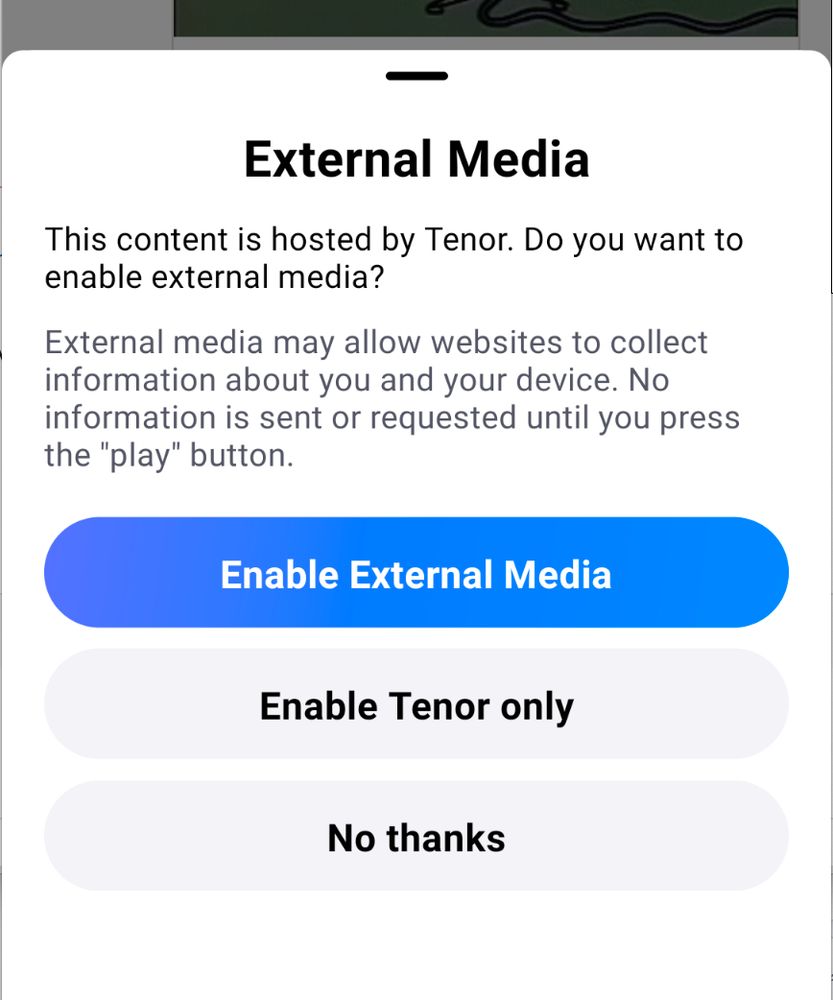
Another @haileyok.com contribution: the embedded media player now supports gifs from GIPHY and Tenor, videos from Vimeo, and songs from Apple music.
Since these players reach out to third party services, there’s also now a consent modal.
Another @haileyok.com contribution: the embedded media player now supports gifs from GIPHY and Tenor, videos from Vimeo, and songs from Apple music.
Since these players reach out to third party services, there’s also now a consent modal.


January 9, 2024 at 11:49 PM
📢 1.63 is rolling out now (3/4)
Another @haileyok.com contribution: the embedded media player now supports gifs from GIPHY and Tenor, videos from Vimeo, and songs from Apple music.
Since these players reach out to third party services, there’s also now a consent modal.
Another @haileyok.com contribution: the embedded media player now supports gifs from GIPHY and Tenor, videos from Vimeo, and songs from Apple music.
Since these players reach out to third party services, there’s also now a consent modal.
Reposted by นกปั้นลี้ภัย
📢 1.61 is rolling out now (2/3)
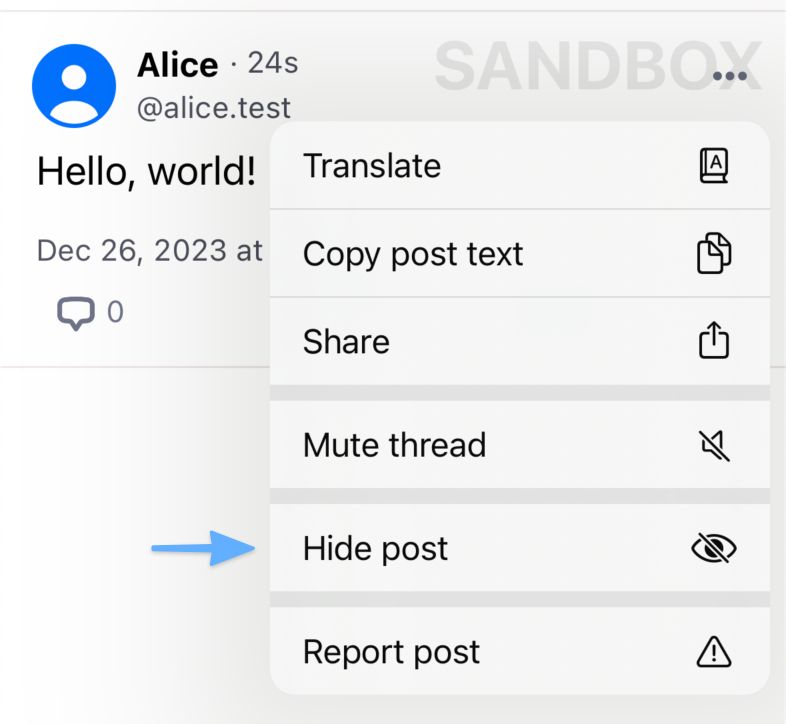
You can now “Hide Post” if there’s something you don’t want to see again. It will be removed from your feeds and put behind a mask if you visit it directly.
(This feature is in beta; hidden posts are not yet synced between your devices.)
You can now “Hide Post” if there’s something you don’t want to see again. It will be removed from your feeds and put behind a mask if you visit it directly.
(This feature is in beta; hidden posts are not yet synced between your devices.)
December 26, 2023 at 7:09 PM
📢 1.61 is rolling out now (2/3)
You can now “Hide Post” if there’s something you don’t want to see again. It will be removed from your feeds and put behind a mask if you visit it directly.
(This feature is in beta; hidden posts are not yet synced between your devices.)
You can now “Hide Post” if there’s something you don’t want to see again. It will be removed from your feeds and put behind a mask if you visit it directly.
(This feature is in beta; hidden posts are not yet synced between your devices.)
Reposted by นกปั้นลี้ภัย
📢 1.57 Additional Updates
• Replies to blocked users will no longer show in your feeds
• Unread notifications now behave a little better
• User lists can now be muted/unmuted or blocked/unblocked like moderation lists
• Moderation labels on quoted posts correctly apply to the quote now
4/4
• Replies to blocked users will no longer show in your feeds
• Unread notifications now behave a little better
• User lists can now be muted/unmuted or blocked/unblocked like moderation lists
• Moderation labels on quoted posts correctly apply to the quote now
4/4
December 11, 2023 at 6:07 PM
📢 1.57 Additional Updates
• Replies to blocked users will no longer show in your feeds
• Unread notifications now behave a little better
• User lists can now be muted/unmuted or blocked/unblocked like moderation lists
• Moderation labels on quoted posts correctly apply to the quote now
4/4
• Replies to blocked users will no longer show in your feeds
• Unread notifications now behave a little better
• User lists can now be muted/unmuted or blocked/unblocked like moderation lists
• Moderation labels on quoted posts correctly apply to the quote now
4/4
Reposted by นกปั้นลี้ภัย
📢 1.57 Thread Reply Controls
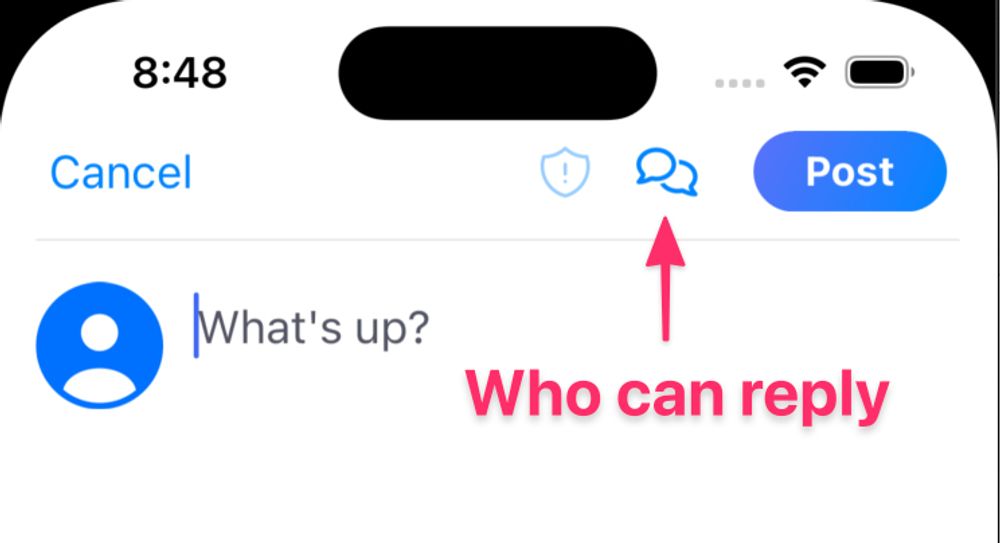
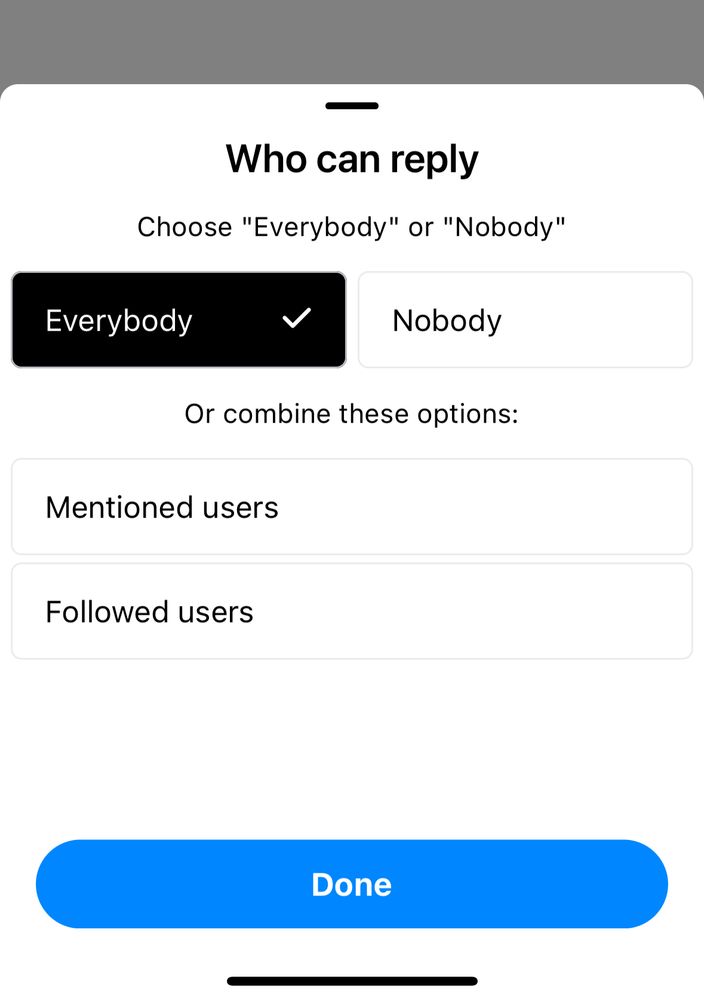
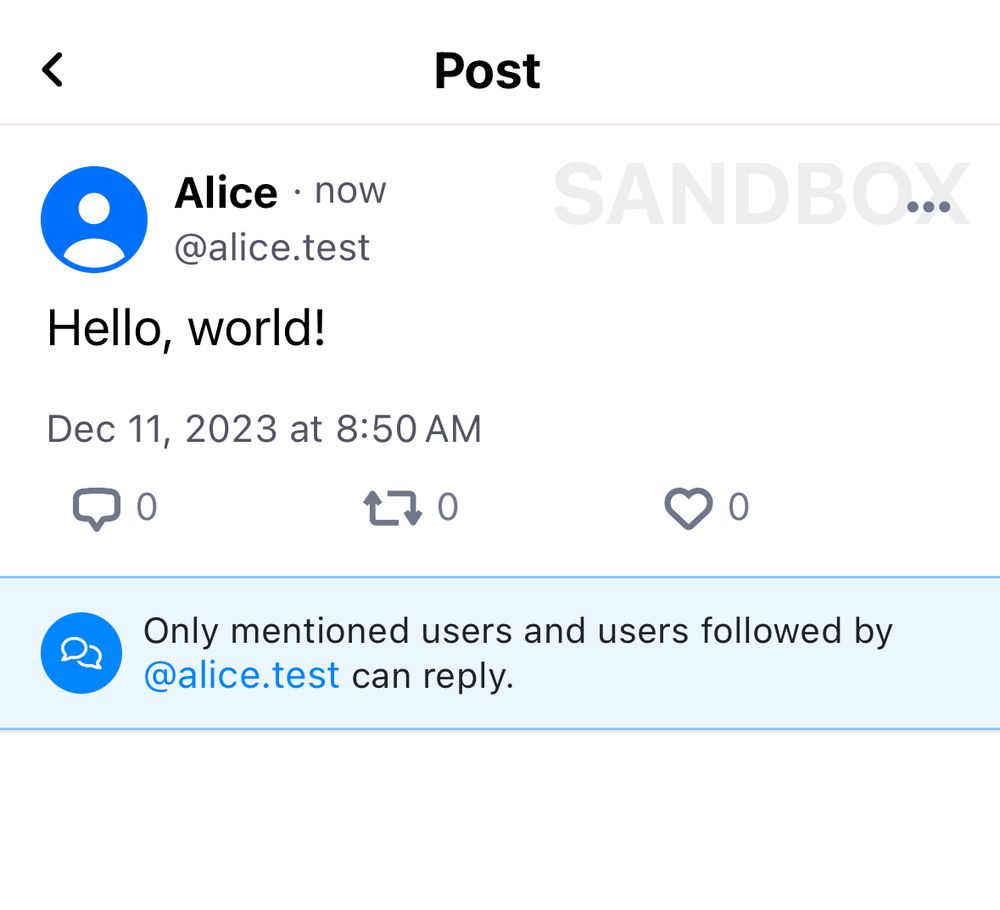
When you compose a post, you can now choose who is allowed to reply to your posts. Options include nobody, mentioned users, followed users, and members of lists you’ve created. 2/4
When you compose a post, you can now choose who is allowed to reply to your posts. Options include nobody, mentioned users, followed users, and members of lists you’ve created. 2/4
December 11, 2023 at 6:02 PM
📢 1.57 Thread Reply Controls
When you compose a post, you can now choose who is allowed to reply to your posts. Options include nobody, mentioned users, followed users, and members of lists you’ve created. 2/4
When you compose a post, you can now choose who is allowed to reply to your posts. Options include nobody, mentioned users, followed users, and members of lists you’ve created. 2/4
Reposted by นกปั้นลี้ภัย
📢 1.57 Logged-out visibility
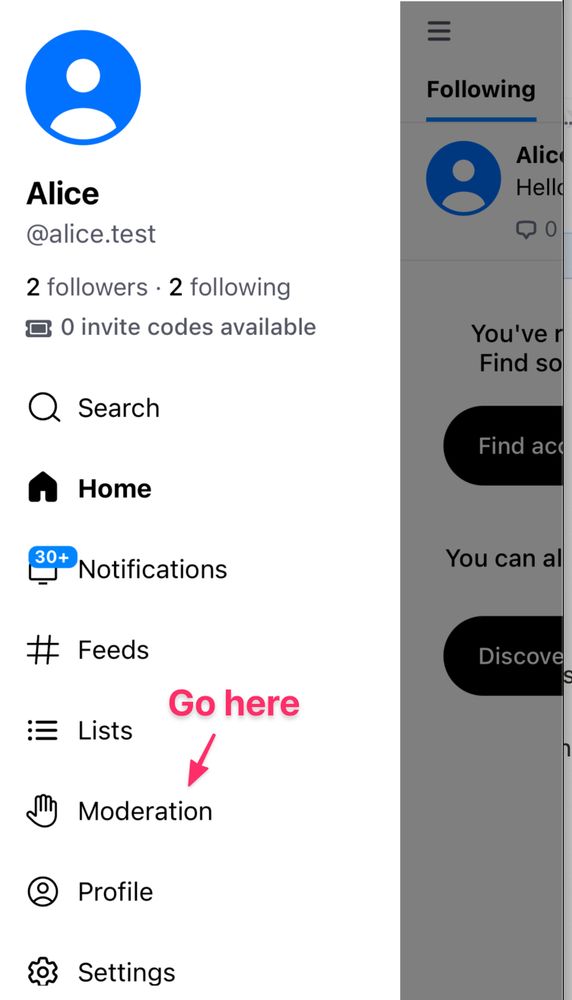
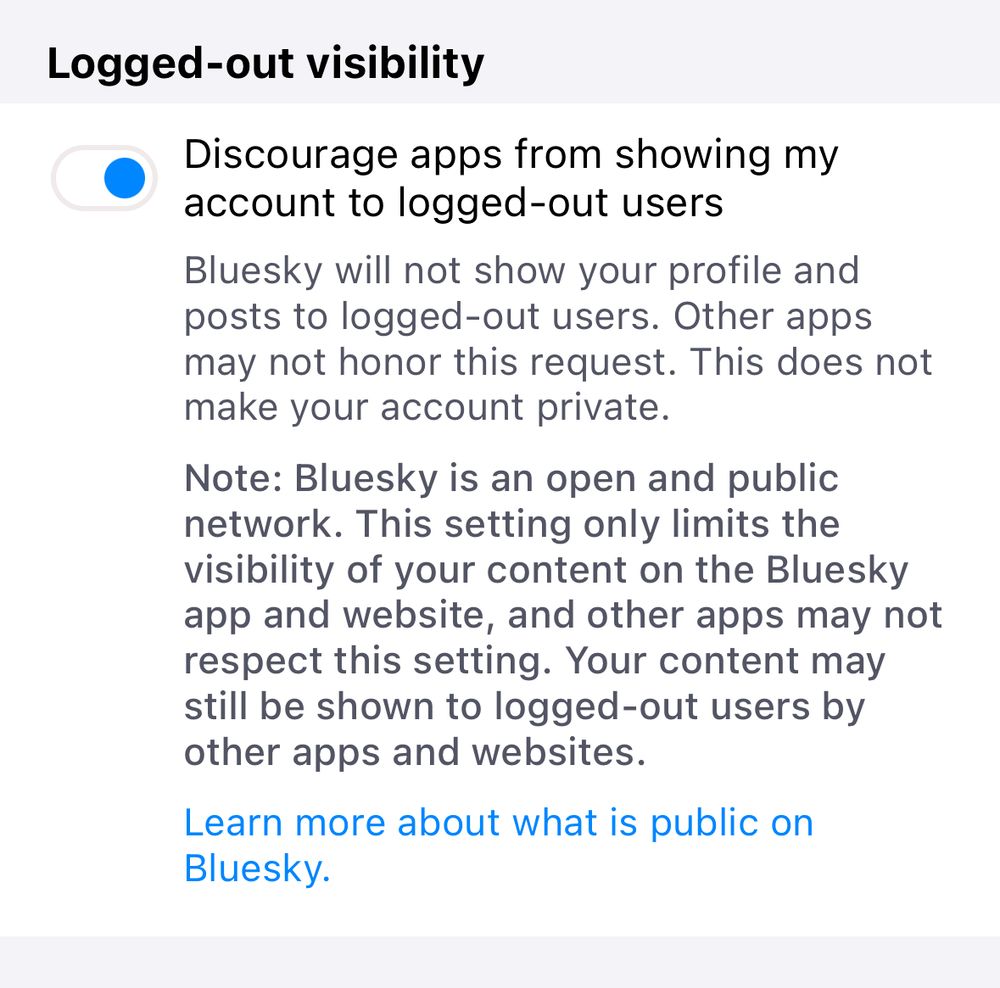
Next week the Bluesky app and website will enable logged-out viewing. If you dont want Bluesky to show your content, you can select this new option in the Moderation screen.
Remember Bluesky is a public network. This setting only adds friction to seeing your posts. 3/4
Next week the Bluesky app and website will enable logged-out viewing. If you dont want Bluesky to show your content, you can select this new option in the Moderation screen.
Remember Bluesky is a public network. This setting only adds friction to seeing your posts. 3/4
December 11, 2023 at 6:06 PM
📢 1.57 Logged-out visibility
Next week the Bluesky app and website will enable logged-out viewing. If you dont want Bluesky to show your content, you can select this new option in the Moderation screen.
Remember Bluesky is a public network. This setting only adds friction to seeing your posts. 3/4
Next week the Bluesky app and website will enable logged-out viewing. If you dont want Bluesky to show your content, you can select this new option in the Moderation screen.
Remember Bluesky is a public network. This setting only adds friction to seeing your posts. 3/4
Reposted by นกปั้นลี้ภัย
Another in-progress feature coming soon is reply controls, so users can set who can reply to their posts — for example, only people you follow, users on a certain list, etc.
November 30, 2023 at 6:25 PM
Another in-progress feature coming soon is reply controls, so users can set who can reply to their posts — for example, only people you follow, users on a certain list, etc.
Reposted by นกปั้นลี้ภัย

ไม่มีภาพนะ+ใช้สกายฟี้ด
ก่อนอื่นคือเตรียมของก่อน
- กด ••• → Copy JSON โพสต์ที่เราอยากปักหมุดบนฟี้ด
- ได้อะไรยาว ๆ มา → ดูแค่แถว "uri" เก็บส่วน at://... เอาไว้
- Add Block → ตั้งค่าเป็น Input - Single Post
- ย้ายบล็อกสร้างใหม่ไปไว้ท้ายสุด
- ในช่อง Post URI ใส่ส่วน at://... ที่เก็บมาลงไป
ละมันก็จะเอาโพสต์ที่เราต้องการไว้บนสุดของฟี้ด เป็นการปักหมุดค่ะ
ก่อนอื่นคือเตรียมของก่อน
- กด ••• → Copy JSON โพสต์ที่เราอยากปักหมุดบนฟี้ด
- ได้อะไรยาว ๆ มา → ดูแค่แถว "uri" เก็บส่วน at://... เอาไว้
- Add Block → ตั้งค่าเป็น Input - Single Post
- ย้ายบล็อกสร้างใหม่ไปไว้ท้ายสุด
- ในช่อง Post URI ใส่ส่วน at://... ที่เก็บมาลงไป
ละมันก็จะเอาโพสต์ที่เราต้องการไว้บนสุดของฟี้ด เป็นการปักหมุดค่ะ
November 16, 2023 at 8:35 AM
ไม่มีภาพนะ+ใช้สกายฟี้ด
ก่อนอื่นคือเตรียมของก่อน
- กด ••• → Copy JSON โพสต์ที่เราอยากปักหมุดบนฟี้ด
- ได้อะไรยาว ๆ มา → ดูแค่แถว "uri" เก็บส่วน at://... เอาไว้
- Add Block → ตั้งค่าเป็น Input - Single Post
- ย้ายบล็อกสร้างใหม่ไปไว้ท้ายสุด
- ในช่อง Post URI ใส่ส่วน at://... ที่เก็บมาลงไป
ละมันก็จะเอาโพสต์ที่เราต้องการไว้บนสุดของฟี้ด เป็นการปักหมุดค่ะ
ก่อนอื่นคือเตรียมของก่อน
- กด ••• → Copy JSON โพสต์ที่เราอยากปักหมุดบนฟี้ด
- ได้อะไรยาว ๆ มา → ดูแค่แถว "uri" เก็บส่วน at://... เอาไว้
- Add Block → ตั้งค่าเป็น Input - Single Post
- ย้ายบล็อกสร้างใหม่ไปไว้ท้ายสุด
- ในช่อง Post URI ใส่ส่วน at://... ที่เก็บมาลงไป
ละมันก็จะเอาโพสต์ที่เราต้องการไว้บนสุดของฟี้ด เป็นการปักหมุดค่ะ