



Chris Plonski
@peonkun.bsky.social
Passively here. Let’s connect on Threads 🤙 @peonkun


🏳️ #AppleFreeform isn’t a whiteboard.
It’s your visual second brain.
→ Infinite canvas
→ Cross-board linking
→ Scenes
→ Real thinking structure
Here’s how I actually use it 👇
It’s your visual second brain.
→ Infinite canvas
→ Cross-board linking
→ Scenes
→ Real thinking structure
Here’s how I actually use it 👇


October 1, 2025 at 8:04 AM
🏳️ #AppleFreeform isn’t a whiteboard.
It’s your visual second brain.
→ Infinite canvas
→ Cross-board linking
→ Scenes
→ Real thinking structure
Here’s how I actually use it 👇
It’s your visual second brain.
→ Infinite canvas
→ Cross-board linking
→ Scenes
→ Real thinking structure
Here’s how I actually use it 👇

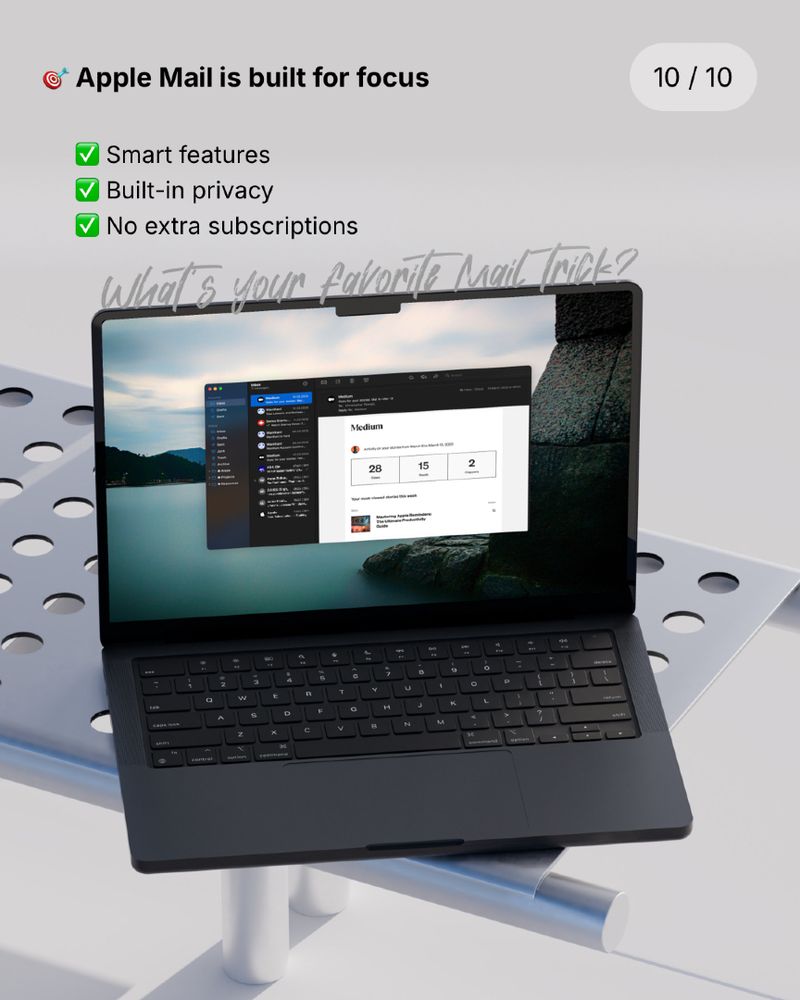


💌 #AppleMail is way more powerful than people think.
You just need to unlock it:
→ Undo Send
→ Schedule later
→ Smart rules
→ Follow-up reminders
→ Signatures
No subscriptions. All built-in.
You just need to unlock it:
→ Undo Send
→ Schedule later
→ Smart rules
→ Follow-up reminders
→ Signatures
No subscriptions. All built-in.


September 24, 2025 at 8:04 AM
💌 #AppleMail is way more powerful than people think.
You just need to unlock it:
→ Undo Send
→ Schedule later
→ Smart rules
→ Follow-up reminders
→ Signatures
No subscriptions. All built-in.
You just need to unlock it:
→ Undo Send
→ Schedule later
→ Smart rules
→ Follow-up reminders
→ Signatures
No subscriptions. All built-in.


📆 #AppleCalendar isn’t basic. You’re just not using it right.
✅ Google & Outlook sync
✅ Drag & drop events
✅ Join meetings in 1 tap
✅ Travel + weather tracking
✅ Reminders integration
✅ Keyboard shortcuts
All built in. All free.
Let it work for you — not against you.
✅ Google & Outlook sync
✅ Drag & drop events
✅ Join meetings in 1 tap
✅ Travel + weather tracking
✅ Reminders integration
✅ Keyboard shortcuts
All built in. All free.
Let it work for you — not against you.


September 17, 2025 at 8:04 AM
📆 #AppleCalendar isn’t basic. You’re just not using it right.
✅ Google & Outlook sync
✅ Drag & drop events
✅ Join meetings in 1 tap
✅ Travel + weather tracking
✅ Reminders integration
✅ Keyboard shortcuts
All built in. All free.
Let it work for you — not against you.
✅ Google & Outlook sync
✅ Drag & drop events
✅ Join meetings in 1 tap
✅ Travel + weather tracking
✅ Reminders integration
✅ Keyboard shortcuts
All built in. All free.
Let it work for you — not against you.

From zero to 110+ members in no time. Thank you for building this with me. 🙏

September 12, 2025 at 8:04 AM
From zero to 110+ members in no time. Thank you for building this with me. 🙏
Join the Community!

September 11, 2025 at 8:04 AM
Join the Community!
Coaching, Community, Courses, Curations — all in one system.
→ Built with native tools.
→ Designed for clarity.
→ Built with native tools.
→ Designed for clarity.


September 11, 2025 at 8:03 AM
Coaching, Community, Courses, Curations — all in one system.
→ Built with native tools.
→ Designed for clarity.
→ Built with native tools.
→ Designed for clarity.
🚀 Just launched PeonkunOS.
My new home for all things Apple Productivity.
🎥 Walkthrough now live.
My new home for all things Apple Productivity.
🎥 Walkthrough now live.


September 11, 2025 at 8:03 AM
🚀 Just launched PeonkunOS.
My new home for all things Apple Productivity.
🎥 Walkthrough now live.
My new home for all things Apple Productivity.
🎥 Walkthrough now live.

September 9, 2025 at 8:03 AM
🎥 Just uploaded this.
I finally dared to show my face on camera.
Check out my first few Shorts and let me know what you think:
👉 https://www.youtube.com/@peonkun
I finally dared to show my face on camera.
Check out my first few Shorts and let me know what you think:
👉 https://www.youtube.com/@peonkun

August 5, 2025 at 2:04 PM
🎥 Just uploaded this.
I finally dared to show my face on camera.
Check out my first few Shorts and let me know what you think:
👉 https://www.youtube.com/@peonkun
I finally dared to show my face on camera.
Check out my first few Shorts and let me know what you think:
👉 https://www.youtube.com/@peonkun
🧠 Your calendar shows how you spend your time —
but it also reveals how it makes you feel.
Try this:
Color-code your events by energy, not category.
🟩 Restorative
🟨 Neutral
🟥 Draining
At the end of the week, ask yourself:
“What kind of life am I actually scheduling?”
👇 Ever tried this approach?
but it also reveals how it makes you feel.
Try this:
Color-code your events by energy, not category.
🟩 Restorative
🟨 Neutral
🟥 Draining
At the end of the week, ask yourself:
“What kind of life am I actually scheduling?”
👇 Ever tried this approach?


August 4, 2025 at 8:02 AM
🧠 Your calendar shows how you spend your time —
but it also reveals how it makes you feel.
Try this:
Color-code your events by energy, not category.
🟩 Restorative
🟨 Neutral
🟥 Draining
At the end of the week, ask yourself:
“What kind of life am I actually scheduling?”
👇 Ever tried this approach?
but it also reveals how it makes you feel.
Try this:
Color-code your events by energy, not category.
🟩 Restorative
🟨 Neutral
🟥 Draining
At the end of the week, ask yourself:
“What kind of life am I actually scheduling?”
👇 Ever tried this approach?
💻 Your Mac is more powerful than you think — not in speed, but in focus.
Try combining these 3 features:
• Do Not Disturb
• Fullscreen apps
• Desktop Spaces
Together, they create a visual context that tells your brain: “Stay. Right. Here.”
👇 What’s your favorite Mac focus setup?
Try combining these 3 features:
• Do Not Disturb
• Fullscreen apps
• Desktop Spaces
Together, they create a visual context that tells your brain: “Stay. Right. Here.”
👇 What’s your favorite Mac focus setup?


July 31, 2025 at 8:02 AM
💻 Your Mac is more powerful than you think — not in speed, but in focus.
Try combining these 3 features:
• Do Not Disturb
• Fullscreen apps
• Desktop Spaces
Together, they create a visual context that tells your brain: “Stay. Right. Here.”
👇 What’s your favorite Mac focus setup?
Try combining these 3 features:
• Do Not Disturb
• Fullscreen apps
• Desktop Spaces
Together, they create a visual context that tells your brain: “Stay. Right. Here.”
👇 What’s your favorite Mac focus setup?
🤚 Did you know you can drag emails directly into #AppleCalendar?
A hidden gem for email warriors.
This only works on macOS — and it’s so underrated.
A hidden gem for email warriors.
This only works on macOS — and it’s so underrated.

July 29, 2025 at 8:02 AM
🤚 Did you know you can drag emails directly into #AppleCalendar?
A hidden gem for email warriors.
This only works on macOS — and it’s so underrated.
A hidden gem for email warriors.
This only works on macOS — and it’s so underrated.
🔔 Native. Offline. Instant.
#AppleReminders continues to surprise me.
Have you used location-based tasks?
#AppleReminders continues to surprise me.
Have you used location-based tasks?

July 28, 2025 at 8:02 AM
🔔 Native. Offline. Instant.
#AppleReminders continues to surprise me.
Have you used location-based tasks?
#AppleReminders continues to surprise me.
Have you used location-based tasks?
Sometimes productivity isn’t about more features.
It’s about using what you already have.
#AppleProductivity
It’s about using what you already have.
#AppleProductivity

July 25, 2025 at 8:02 AM
Sometimes productivity isn’t about more features.
It’s about using what you already have.
#AppleProductivity
It’s about using what you already have.
#AppleProductivity
You don’t need to file every thought instantly.
💭 Just give it a place to land.
What’s your default #AppleNotes folder called?👇
💭 Just give it a place to land.
What’s your default #AppleNotes folder called?👇

July 23, 2025 at 8:02 AM
You don’t need to file every thought instantly.
💭 Just give it a place to land.
What’s your default #AppleNotes folder called?👇
💭 Just give it a place to land.
What’s your default #AppleNotes folder called?👇
🪧💭 #AppleFreeform isn’t about visuals
It’s about detaching from the rules.
I drop:
• Sticky words
• Quotes
• Screenshots
• Shapes with no meaning (yet)
Because sometimes design thinking starts
where no structure exists.
It’s about detaching from the rules.
I drop:
• Sticky words
• Quotes
• Screenshots
• Shapes with no meaning (yet)
Because sometimes design thinking starts
where no structure exists.

July 15, 2025 at 8:02 AM
🪧💭 #AppleFreeform isn’t about visuals
It’s about detaching from the rules.
I drop:
• Sticky words
• Quotes
• Screenshots
• Shapes with no meaning (yet)
Because sometimes design thinking starts
where no structure exists.
It’s about detaching from the rules.
I drop:
• Sticky words
• Quotes
• Screenshots
• Shapes with no meaning (yet)
Because sometimes design thinking starts
where no structure exists.
⌚️ #AppleNotes is my time machine.
Some of my best notes are years old.
🚫 I don’t update them.
✅ I revisit them.
Because seeing your past thoughts untouched
is like rereading old journal entries.
Notes doesn’t just hold info.
It holds evolution.
Some of my best notes are years old.
🚫 I don’t update them.
✅ I revisit them.
Because seeing your past thoughts untouched
is like rereading old journal entries.
Notes doesn’t just hold info.
It holds evolution.

July 13, 2025 at 8:02 AM
⌚️ #AppleNotes is my time machine.
Some of my best notes are years old.
🚫 I don’t update them.
✅ I revisit them.
Because seeing your past thoughts untouched
is like rereading old journal entries.
Notes doesn’t just hold info.
It holds evolution.
Some of my best notes are years old.
🚫 I don’t update them.
✅ I revisit them.
Because seeing your past thoughts untouched
is like rereading old journal entries.
Notes doesn’t just hold info.
It holds evolution.
🪧 #AppleFreeform as my “What If” space
Freeform isn’t part of my productivity stack.
It’s outside of it.
No rules. No pressure.
Just “what if…”
It’s where things start before they’re ready. ✨
Freeform isn’t part of my productivity stack.
It’s outside of it.
No rules. No pressure.
Just “what if…”
It’s where things start before they’re ready. ✨

July 12, 2025 at 8:02 AM
🪧 #AppleFreeform as my “What If” space
Freeform isn’t part of my productivity stack.
It’s outside of it.
No rules. No pressure.
Just “what if…”
It’s where things start before they’re ready. ✨
Freeform isn’t part of my productivity stack.
It’s outside of it.
No rules. No pressure.
Just “what if…”
It’s where things start before they’re ready. ✨