



@nyxa5.bsky.social
We need those little trucks in Asia. Talk about utilitarian design.

November 9, 2025 at 3:14 PM
We need those little trucks in Asia. Talk about utilitarian design.

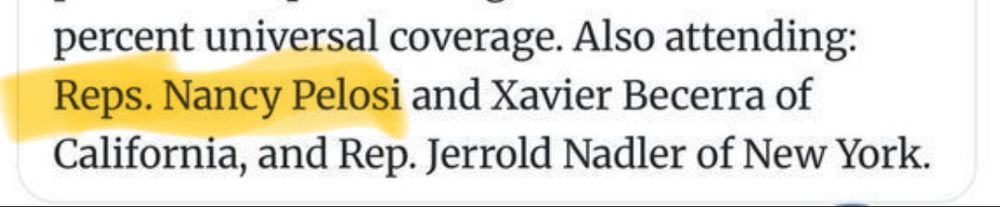
Huh. Bernie and Nancy Pelosi?
October 4, 2025 at 3:59 AM
Huh. Bernie and Nancy Pelosi?

Why do I get a sense of Deja Vu?

September 17, 2025 at 11:45 PM
Why do I get a sense of Deja Vu?
We've all been there. ;)

September 2, 2025 at 3:43 PM
We've all been there. ;)


August 8, 2025 at 12:29 AM

July 23, 2025 at 9:34 PM

How to turn off Direct Message/Chat in BlueSky.
1. Tap on Chat in the left Sidebar.
2. Next to “New Chat” button on top, click on the hard to see slidebar icon.
3. Select the options to allow/block messages. No one obviously blocks all Chat/Direct Messages.
1. Tap on Chat in the left Sidebar.
2. Next to “New Chat” button on top, click on the hard to see slidebar icon.
3. Select the options to allow/block messages. No one obviously blocks all Chat/Direct Messages.

January 10, 2025 at 5:58 PM
How to turn off Direct Message/Chat in BlueSky.
1. Tap on Chat in the left Sidebar.
2. Next to “New Chat” button on top, click on the hard to see slidebar icon.
3. Select the options to allow/block messages. No one obviously blocks all Chat/Direct Messages.
1. Tap on Chat in the left Sidebar.
2. Next to “New Chat” button on top, click on the hard to see slidebar icon.
3. Select the options to allow/block messages. No one obviously blocks all Chat/Direct Messages.


Appreciate the “sweet cat” description on the Alt text, despite the misbehavior.

November 24, 2024 at 12:52 PM
Appreciate the “sweet cat” description on the Alt text, despite the misbehavior.


Reminds me of the Daily Tar Heel cover, which was par excellence bar none.

November 20, 2024 at 4:28 PM
Reminds me of the Daily Tar Heel cover, which was par excellence bar none.
Going to check next year if ChatGPT still says Trump is not a convicted rapist (sorta).

November 19, 2024 at 7:21 PM
Going to check next year if ChatGPT still says Trump is not a convicted rapist (sorta).