




Linearity
@linearityhq.bsky.social
Design & Animation apps for Apple devices.
Made for illustrators, designers and creative professionals.
Made for illustrators, designers and creative professionals.
If you need a dose of creative inspiration today, this behind-the-scenes look at Paris Pastel is such a good read.
👉 Dive into the story: www.linearity.io/blog/inside-...
👉 Dive into the story: www.linearity.io/blog/inside-...
www.linearity.io
November 21, 2025 at 2:41 PM
If you need a dose of creative inspiration today, this behind-the-scenes look at Paris Pastel is such a good read.
👉 Dive into the story: www.linearity.io/blog/inside-...
👉 Dive into the story: www.linearity.io/blog/inside-...
Okay friends… we did a thing. We gave our website some love 🧡
The new look is live here: www.linearity.io
Go check it out and tell us what you think!
The new look is live here: www.linearity.io
Go check it out and tell us what you think!

Linearity: Professional Vector Design & Animation Tools for Apple Devices | Linearity
Design & animation apps for Apple devices. Made for illustrators, designers and creative professionals. Design with precision, create with ease. Get started for free!
www.linearity.io
November 20, 2025 at 2:44 PM
Okay friends… we did a thing. We gave our website some love 🧡
The new look is live here: www.linearity.io
Go check it out and tell us what you think!
The new look is live here: www.linearity.io
Go check it out and tell us what you think!
Linearity Curve & Move 6.1 is out!
Check out the full changelog on our blog👀https://linearity.io/blog/what-s-new-in-curve-move-6-1/
Check out the full changelog on our blog👀https://linearity.io/blog/what-s-new-in-curve-move-6-1/

October 14, 2025 at 1:31 PM
Linearity Curve & Move 6.1 is out!
Check out the full changelog on our blog👀https://linearity.io/blog/what-s-new-in-curve-move-6-1/
Check out the full changelog on our blog👀https://linearity.io/blog/what-s-new-in-curve-move-6-1/
Fun fact: In September, Linearity Curve received its 1st download from the country of Wallis and Futuna 🍾

October 8, 2025 at 2:05 PM
Fun fact: In September, Linearity Curve received its 1st download from the country of Wallis and Futuna 🍾
Guess what? Linearity Curve just got named App of the Day #OnTheAppStore 🌟
Big thanks to everyone who’s on this journey with us!
Big thanks to everyone who’s on this journey with us!
October 7, 2025 at 11:54 AM
Guess what? Linearity Curve just got named App of the Day #OnTheAppStore 🌟
Big thanks to everyone who’s on this journey with us!
Big thanks to everyone who’s on this journey with us!
Linearity just got a new look — Liquid Glass.
www.linearity.io/blog/lineari...
#LiquidGlass #AppleIntelligence #VectorDesign #DesignTools #WWDC25 #apple #ios26 #ipados26 #macos26 #iosupdate
www.linearity.io/blog/lineari...
#LiquidGlass #AppleIntelligence #VectorDesign #DesignTools #WWDC25 #apple #ios26 #ipados26 #macos26 #iosupdate

Linearity Curve Updates to Apple’s Liquid Glass UI
Experience Curve’s fresh Liquid Glass UI on iOS 26, iPadOS 26 & macOS 26. Cleaner design, smarter tools, and on-device Apple Intelligence.
www.linearity.io
September 16, 2025 at 2:30 PM
Linearity just got a new look — Liquid Glass.
www.linearity.io/blog/lineari...
#LiquidGlass #AppleIntelligence #VectorDesign #DesignTools #WWDC25 #apple #ios26 #ipados26 #macos26 #iosupdate
www.linearity.io/blog/lineari...
#LiquidGlass #AppleIntelligence #VectorDesign #DesignTools #WWDC25 #apple #ios26 #ipados26 #macos26 #iosupdate
✨🚀 Linearity Curve 6.0.0 has LANDED 🚀✨
youtu.be/Fhtar1UIP68
youtu.be/Fhtar1UIP68

Linearity Curve 6.0.0 with Liquid Glass has LANDED!
YouTube video by Linearity
youtu.be
September 16, 2025 at 2:27 PM
✨🚀 Linearity Curve 6.0.0 has LANDED 🚀✨
youtu.be/Fhtar1UIP68
youtu.be/Fhtar1UIP68
Linearity Move is currently the #1 app for “motion design” on the App Store! 🎉 We’re excited to keep improving the app based on your feedback. Next up: Timeline improvements, Lottie export and new presets!

September 11, 2025 at 2:43 PM
Linearity Move is currently the #1 app for “motion design” on the App Store! 🎉 We’re excited to keep improving the app based on your feedback. Next up: Timeline improvements, Lottie export and new presets!
✨ Something BIG is coming to Linearity ✨
We’ve embraced Apple’s brand-new #LiquidGlass design system — a cleaner, faster, more modern UI that makes design feel effortless. The new UI will roll out once Apple officially releases OS 26. Stay tuned 🚀 #wwdc25 #ios26 #ipados26 #macos26 #iosupdate
We’ve embraced Apple’s brand-new #LiquidGlass design system — a cleaner, faster, more modern UI that makes design feel effortless. The new UI will roll out once Apple officially releases OS 26. Stay tuned 🚀 #wwdc25 #ios26 #ipados26 #macos26 #iosupdate

September 10, 2025 at 3:47 PM
✨ Something BIG is coming to Linearity ✨
We’ve embraced Apple’s brand-new #LiquidGlass design system — a cleaner, faster, more modern UI that makes design feel effortless. The new UI will roll out once Apple officially releases OS 26. Stay tuned 🚀 #wwdc25 #ios26 #ipados26 #macos26 #iosupdate
We’ve embraced Apple’s brand-new #LiquidGlass design system — a cleaner, faster, more modern UI that makes design feel effortless. The new UI will roll out once Apple officially releases OS 26. Stay tuned 🚀 #wwdc25 #ios26 #ipados26 #macos26 #iosupdate
Building an app for #Shipaton or working on app projects in general?
Animate your app screens in minutes with Linearity Move! Turn recordings into smooth vector preview videos — swap in your screens, tweak layouts, add animations, and export ready to share: youtu.be/7Fse2nkgYeg
@revenuecat.com
Animate your app screens in minutes with Linearity Move! Turn recordings into smooth vector preview videos — swap in your screens, tweak layouts, add animations, and export ready to share: youtu.be/7Fse2nkgYeg
@revenuecat.com

Create Stunning App Preview Videos with Linearity Move – Step-by-Step Guide
YouTube video by Linearity
youtu.be
August 21, 2025 at 12:36 PM
Building an app for #Shipaton or working on app projects in general?
Animate your app screens in minutes with Linearity Move! Turn recordings into smooth vector preview videos — swap in your screens, tweak layouts, add animations, and export ready to share: youtu.be/7Fse2nkgYeg
@revenuecat.com
Animate your app screens in minutes with Linearity Move! Turn recordings into smooth vector preview videos — swap in your screens, tweak layouts, add animations, and export ready to share: youtu.be/7Fse2nkgYeg
@revenuecat.com
Linearity Curve 5.36 is here! What’s new? Check it out👇
August 21, 2025 at 11:16 AM
Linearity Curve 5.36 is here! What’s new? Check it out👇
Reposted by Linearity

🎨 @linearityhq.bsky.social brings pro-level design to everyone, right on your Mac, iPad, or iPhone. Their tools help #Shipaton hackathon builders create UI graphics, logos, and animated stories fast.

July 28, 2025 at 9:30 AM
🎨 @linearityhq.bsky.social brings pro-level design to everyone, right on your Mac, iPad, or iPhone. Their tools help #Shipaton hackathon builders create UI graphics, logos, and animated stories fast.
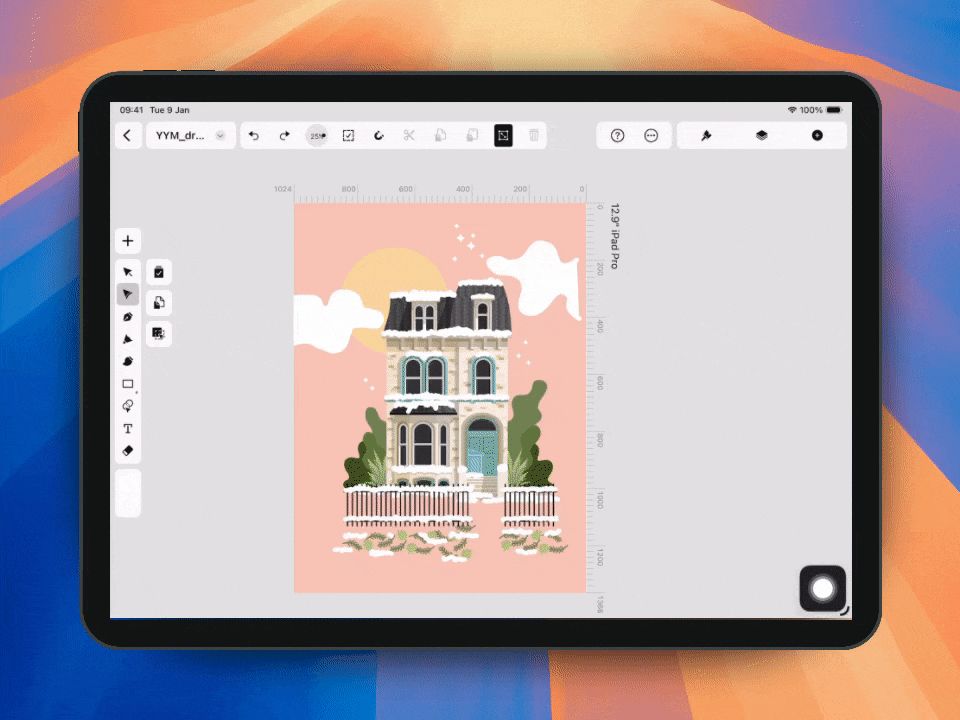
That moment when your vector path just clicks!
Close any open path by dragging one end to the other — you’ll see the matching node highlight in yellow before snapping together. Release to close the path instantly!
Close any open path by dragging one end to the other — you’ll see the matching node highlight in yellow before snapping together. Release to close the path instantly!
July 25, 2025 at 11:29 AM
That moment when your vector path just clicks!
Close any open path by dragging one end to the other — you’ll see the matching node highlight in yellow before snapping together. Release to close the path instantly!
Close any open path by dragging one end to the other — you’ll see the matching node highlight in yellow before snapping together. Release to close the path instantly!
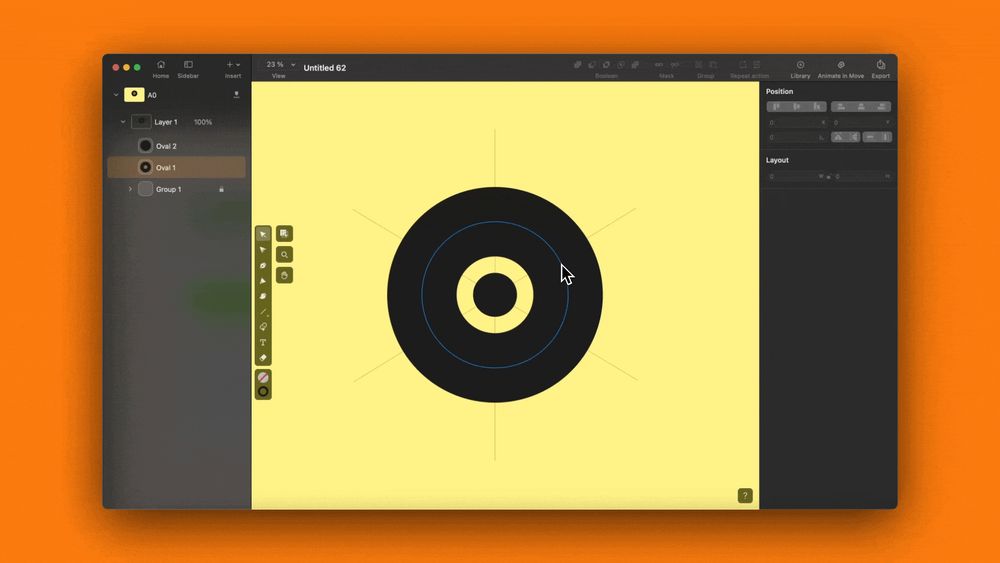
More control when editing paths! We’ve added a segment delete mode: use Shift + Delete on Mac (or the quick action in the Node tool) to delete a segment without reconnecting the remaining nodes. It works on both open and closed paths and leaves you with open curves.
July 24, 2025 at 1:52 PM
More control when editing paths! We’ve added a segment delete mode: use Shift + Delete on Mac (or the quick action in the Node tool) to delete a segment without reconnecting the remaining nodes. It works on both open and closed paths and leaves you with open curves.
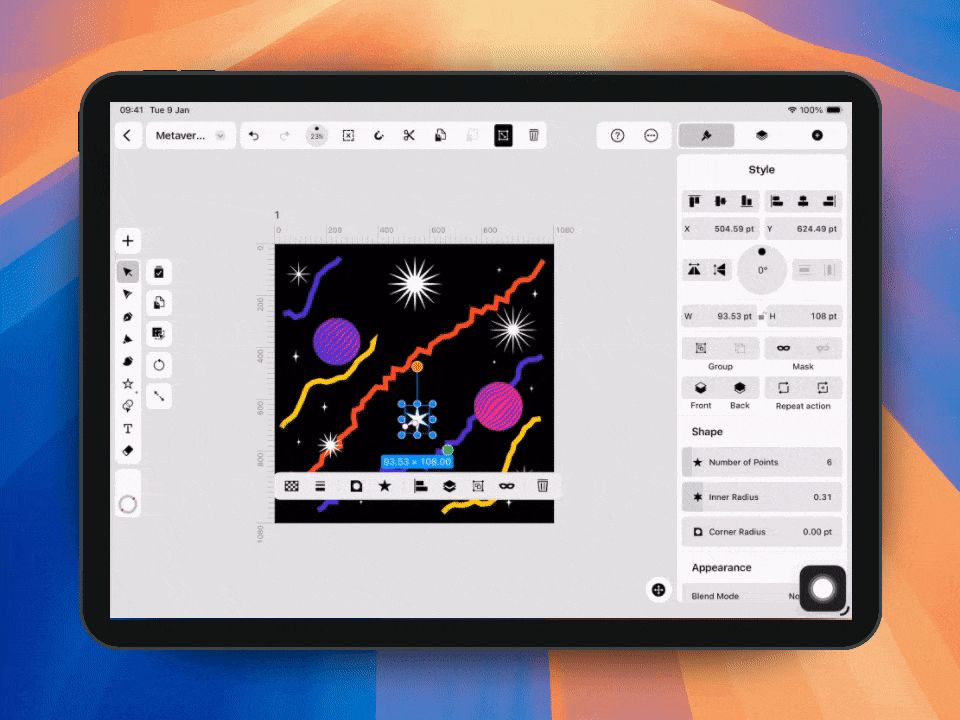
New in Linearity! You can now edit stars directly on the canvas, just like rectangles⭐️
Grab the handles to adjust the number of points, inner radius and corner radius right there on the canvas.
You can also tweak individual corners:
- On iPad: hold a finger
- On Mac: hold Option (⌥)
Grab the handles to adjust the number of points, inner radius and corner radius right there on the canvas.
You can also tweak individual corners:
- On iPad: hold a finger
- On Mac: hold Option (⌥)
July 23, 2025 at 12:26 PM
New in Linearity! You can now edit stars directly on the canvas, just like rectangles⭐️
Grab the handles to adjust the number of points, inner radius and corner radius right there on the canvas.
You can also tweak individual corners:
- On iPad: hold a finger
- On Mac: hold Option (⌥)
Grab the handles to adjust the number of points, inner radius and corner radius right there on the canvas.
You can also tweak individual corners:
- On iPad: hold a finger
- On Mac: hold Option (⌥)
Wrapped up all the goodies in one place 👇
Catch up on everything new in Linearity Curve 5.34 — from smarter selection to cleaner canvases and a bunch of editing boosts.
www.linearity.io/blog/lineari...
Catch up on everything new in Linearity Curve 5.34 — from smarter selection to cleaner canvases and a bunch of editing boosts.
www.linearity.io/blog/lineari...

Design with Precision: What’s New in Linearity Curve 5.34
Smarter artboards, cleaner path editing, and smoother canvas interactions — design with total control.
www.linearity.io
July 17, 2025 at 1:22 PM
Wrapped up all the goodies in one place 👇
Catch up on everything new in Linearity Curve 5.34 — from smarter selection to cleaner canvases and a bunch of editing boosts.
www.linearity.io/blog/lineari...
Catch up on everything new in Linearity Curve 5.34 — from smarter selection to cleaner canvases and a bunch of editing boosts.
www.linearity.io/blog/lineari...
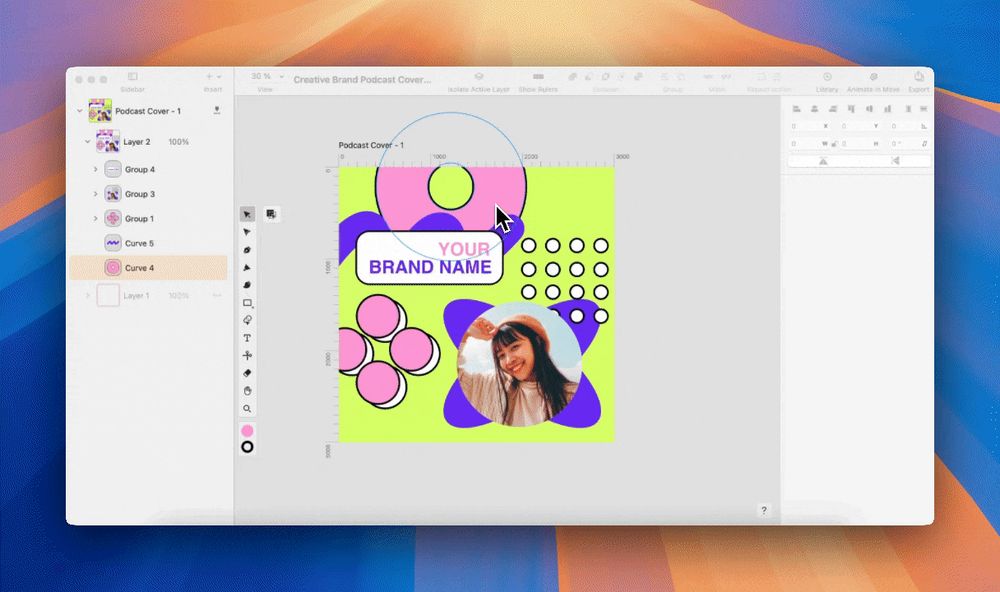
Color Picker update: default and custom palettes now live in one dropdown. No more extra clicks between tabs. Ready for more updates?
July 16, 2025 at 11:26 AM
Color Picker update: default and custom palettes now live in one dropdown. No more extra clicks between tabs. Ready for more updates?
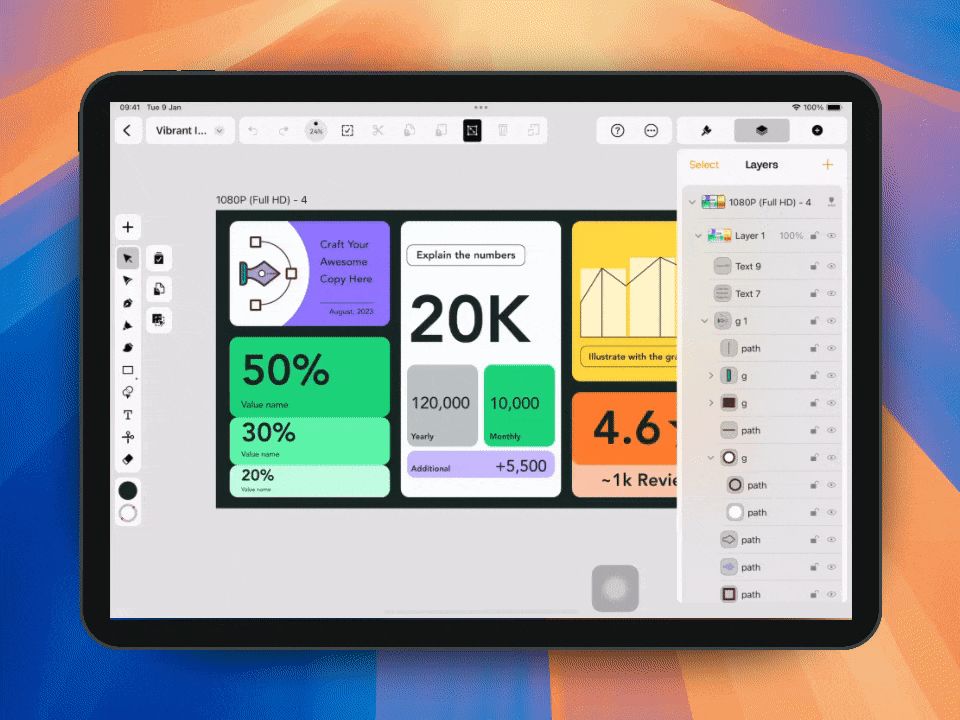
No more wrestling with layers. You can now directly select inner elements inside artboards without selecting the artboard itself. This prevents accidental group selection.
July 15, 2025 at 12:27 PM
No more wrestling with layers. You can now directly select inner elements inside artboards without selecting the artboard itself. This prevents accidental group selection.
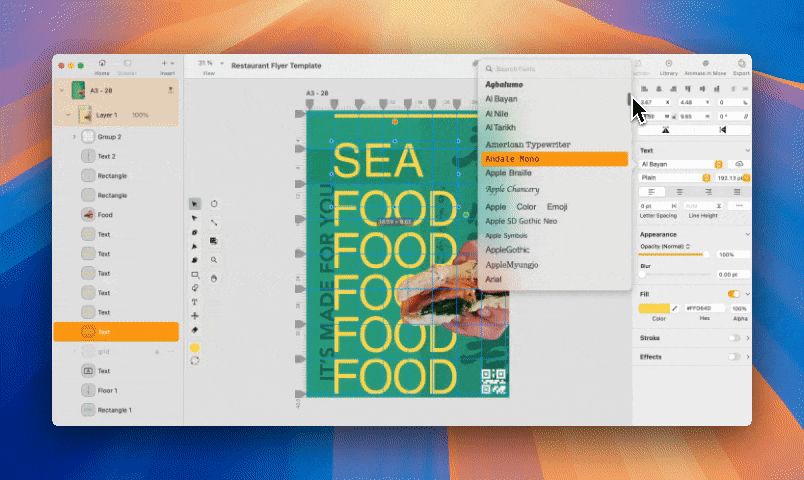
We’ve improved font sorting! Now fonts are grouped by family and sorted by style (like regular, bold, italic) inside each group.
July 11, 2025 at 11:06 AM
We’ve improved font sorting! Now fonts are grouped by family and sorted by style (like regular, bold, italic) inside each group.
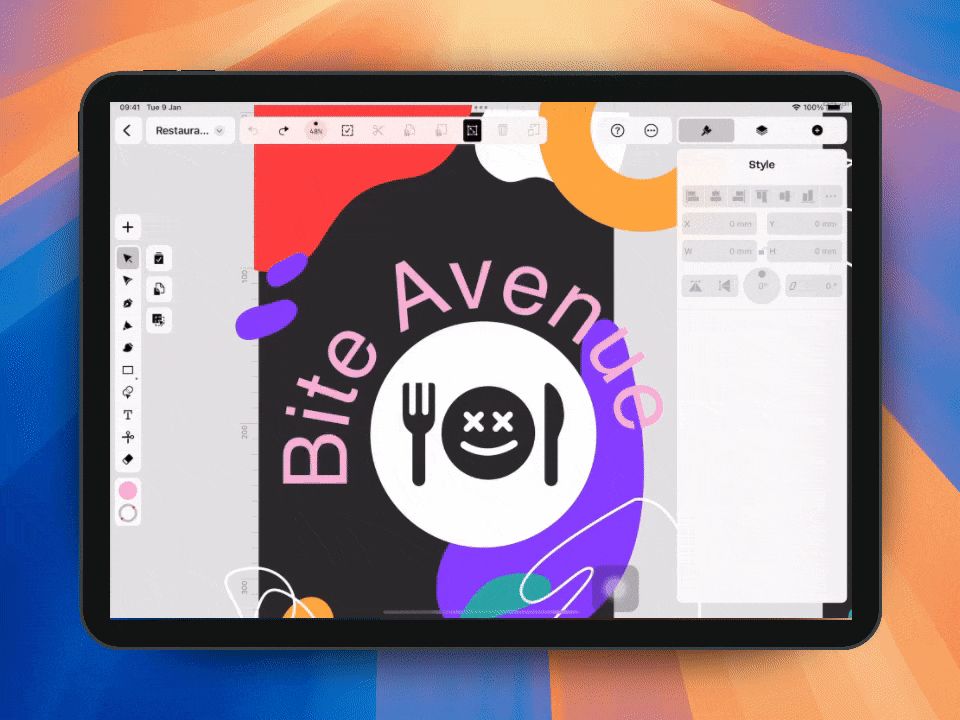
Font picking on iOS got much easier to work with. The Font Picker now shows your selected text inside the picker, making it simpler to preview fonts in context without guesswork. We’ve also brought back the recently used fonts list, now at the top for quicker access to fonts you actually use.
July 9, 2025 at 9:12 AM
Font picking on iOS got much easier to work with. The Font Picker now shows your selected text inside the picker, making it simpler to preview fonts in context without guesswork. We’ve also brought back the recently used fonts list, now at the top for quicker access to fonts you actually use.
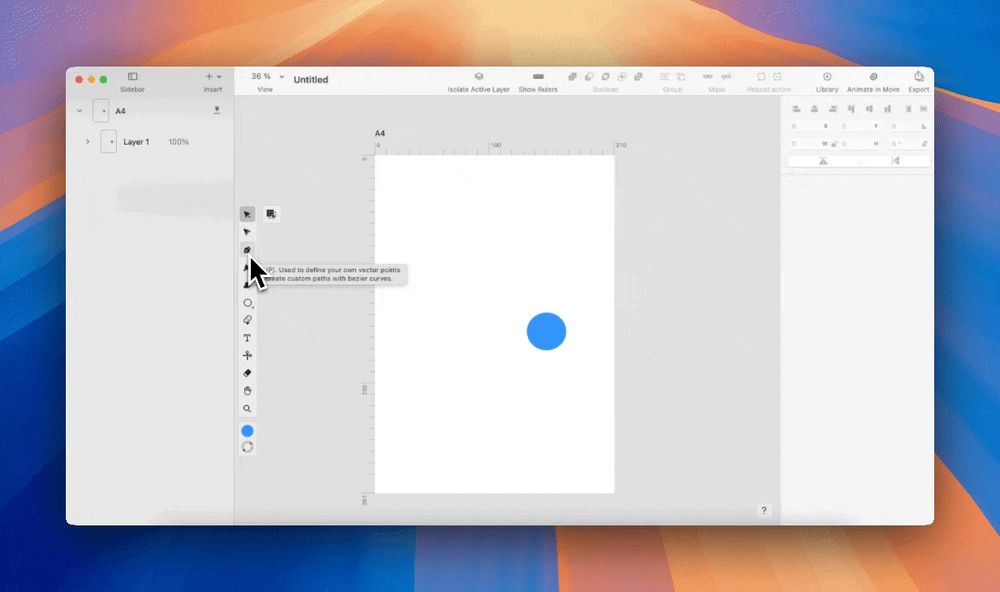
If you use guides or grids, Pen Tool snapping now helps keep your work clean and aligned. You can snap to edges, anchor points and guides while drawing with the Pen Tool. Draw paths more precisely!
July 8, 2025 at 8:13 AM
If you use guides or grids, Pen Tool snapping now helps keep your work clean and aligned. You can snap to edges, anchor points and guides while drawing with the Pen Tool. Draw paths more precisely!
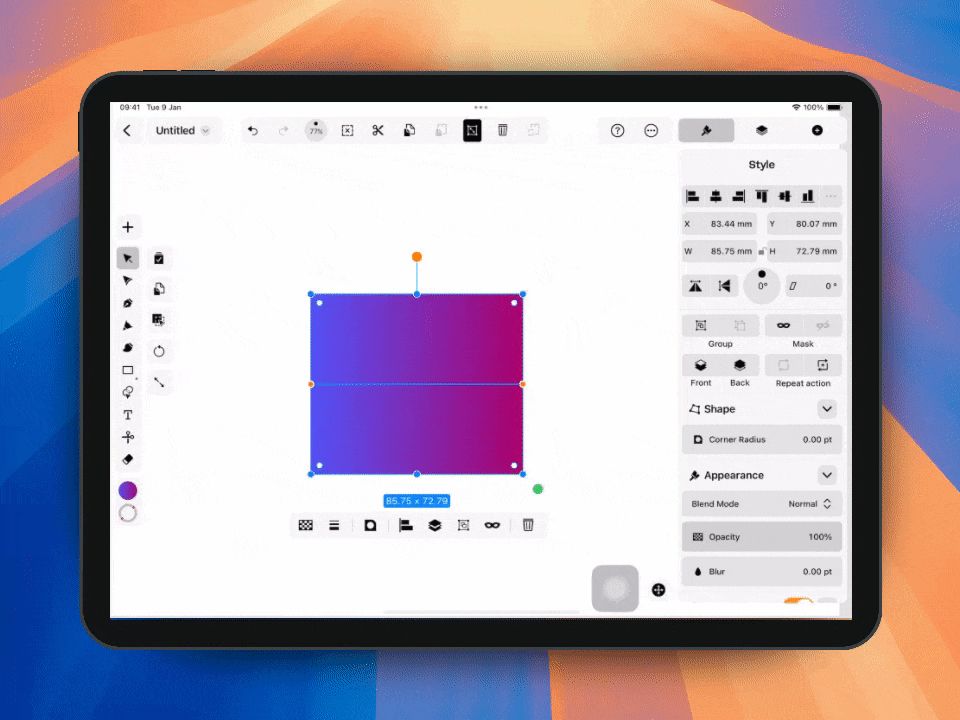
Did you know? You can now adjust corner radius directly on the canvas. Rectangles have visible corner handles. Just drag them to change the radius visually without opening the Inspector.
July 7, 2025 at 11:20 AM
Did you know? You can now adjust corner radius directly on the canvas. Rectangles have visible corner handles. Just drag them to change the radius visually without opening the Inspector.
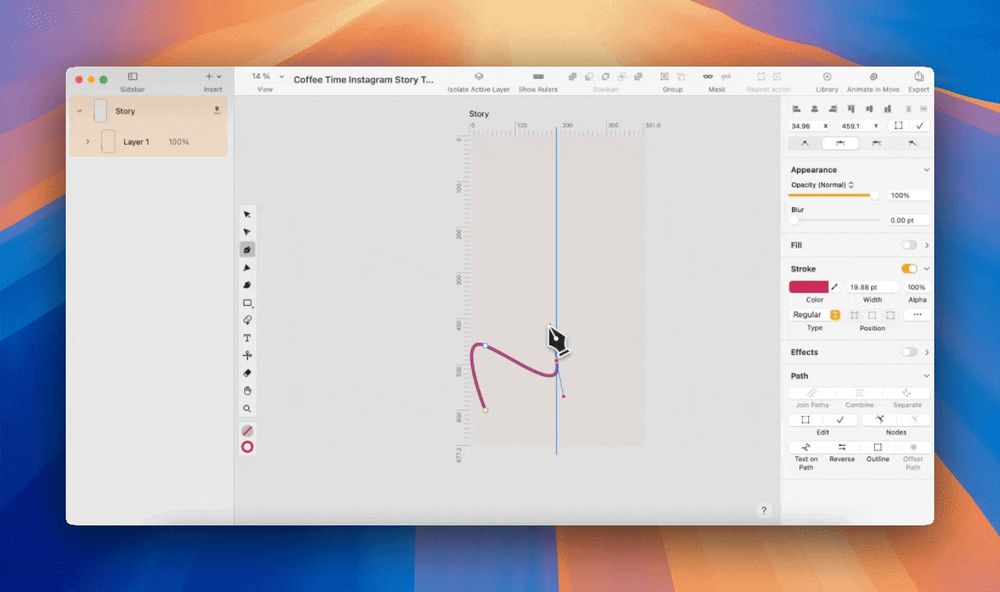
Drawing got more intuitive on Mac! With the Pen Tool, you now get a live preview of the next segment before placing a point giving you more precision with every curve.
July 4, 2025 at 9:47 AM
Drawing got more intuitive on Mac! With the Pen Tool, you now get a live preview of the next segment before placing a point giving you more precision with every curve.
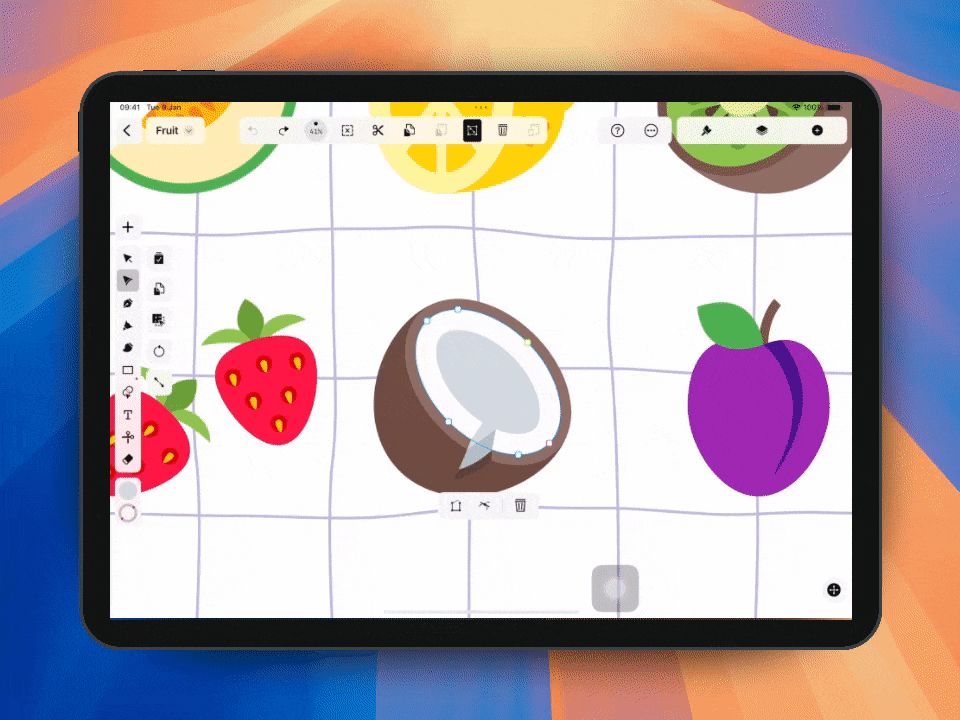
Quick node editing on iPad got easier. Now you can delete nodes and switch corner types right on the canvas. Makes tweaking your designs way quicker and smoother!
July 3, 2025 at 9:45 AM
Quick node editing on iPad got easier. Now you can delete nodes and switch corner types right on the canvas. Makes tweaking your designs way quicker and smoother!
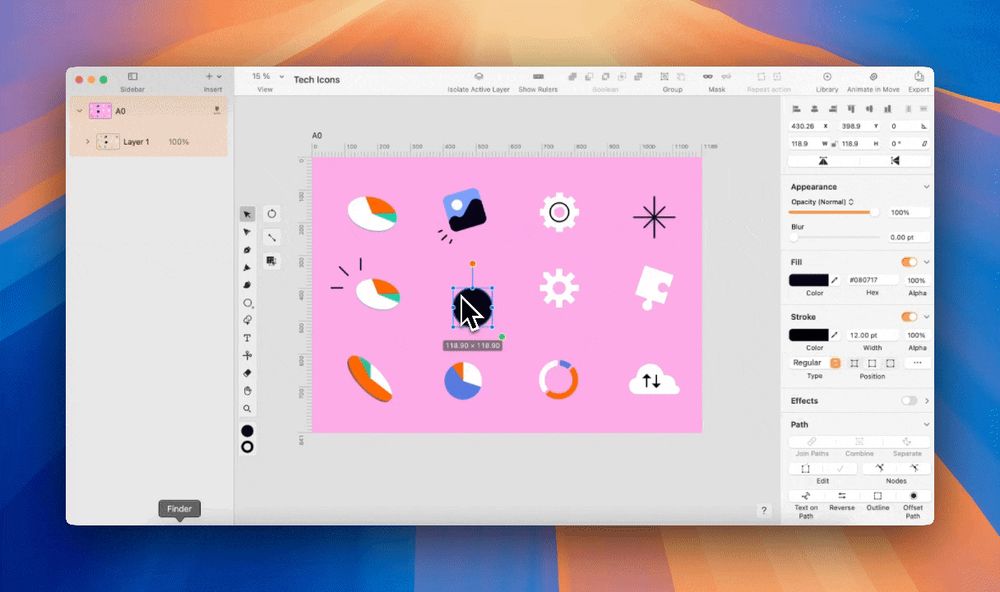
The fewer clicks, the better. Now you can place any shape with a single tap! The shape is inserted at default size and the tool switches to selection mode automatically.
July 2, 2025 at 8:53 AM
The fewer clicks, the better. Now you can place any shape with a single tap! The shape is inserted at default size and the tool switches to selection mode automatically.