




Kayla Cinnamon ☕️
@kaylacinnamon.bsky.social
Senior Developer Advocate at Microsoft, former PM for Windows Terminal, Microsoft PowerToys, Cascadia Code, and Windows developer experiences 👩💻✨
These are my minions 👾
(I'm vibe coding a website to keep track of all of my crafting projects)
((I have 3746 features I want to add so I'm kicking off GitHub Copilot cloud agents to help me out))
#vscode #githubcopilot
(I'm vibe coding a website to keep track of all of my crafting projects)
((I have 3746 features I want to add so I'm kicking off GitHub Copilot cloud agents to help me out))
#vscode #githubcopilot

November 14, 2025 at 10:09 PM
These are my minions 👾
(I'm vibe coding a website to keep track of all of my crafting projects)
((I have 3746 features I want to add so I'm kicking off GitHub Copilot cloud agents to help me out))
#vscode #githubcopilot
(I'm vibe coding a website to keep track of all of my crafting projects)
((I have 3746 features I want to add so I'm kicking off GitHub Copilot cloud agents to help me out))
#vscode #githubcopilot
Waiting for someone to float down in a bubble or fly over on a broom 🫧
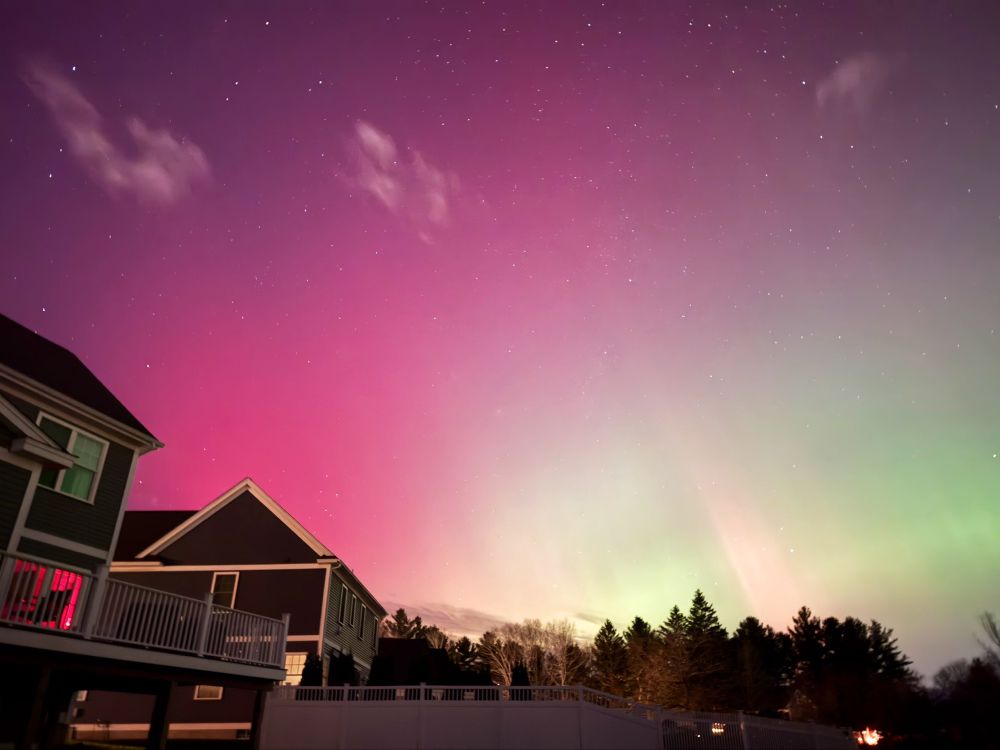
November 12, 2025 at 3:37 AM
Waiting for someone to float down in a bubble or fly over on a broom 🫧

Hey Windows Terminal fans! We've been playing around with Terminal Chat in the Canary builds and we'd love your feedback 😊
Have you tried Terminal Chat? Do you find having GitHub Copilot in a pane in Terminal useful? Are there other features you want to see here? Let us know!
Have you tried Terminal Chat? Do you find having GitHub Copilot in a pane in Terminal useful? Are there other features you want to see here? Let us know!

October 10, 2025 at 4:31 PM
Hey Windows Terminal fans! We've been playing around with Terminal Chat in the Canary builds and we'd love your feedback 😊
Have you tried Terminal Chat? Do you find having GitHub Copilot in a pane in Terminal useful? Are there other features you want to see here? Let us know!
Have you tried Terminal Chat? Do you find having GitHub Copilot in a pane in Terminal useful? Are there other features you want to see here? Let us know!
The little terminal that could 💖 so proud to be a part of this amazing community awarding Windows Terminal with 100K GitHub stars 🌟

September 9, 2025 at 6:34 PM
The little terminal that could 💖 so proud to be a part of this amazing community awarding Windows Terminal with 100K GitHub stars 🌟
I know it’s early but my Halloween decor is already up 🐈⬛

September 7, 2025 at 5:32 PM
I know it’s early but my Halloween decor is already up 🐈⬛
We are so back 😎
August 20, 2025 at 9:01 PM
We are so back 😎
This took me 5 months to make, please enjoy
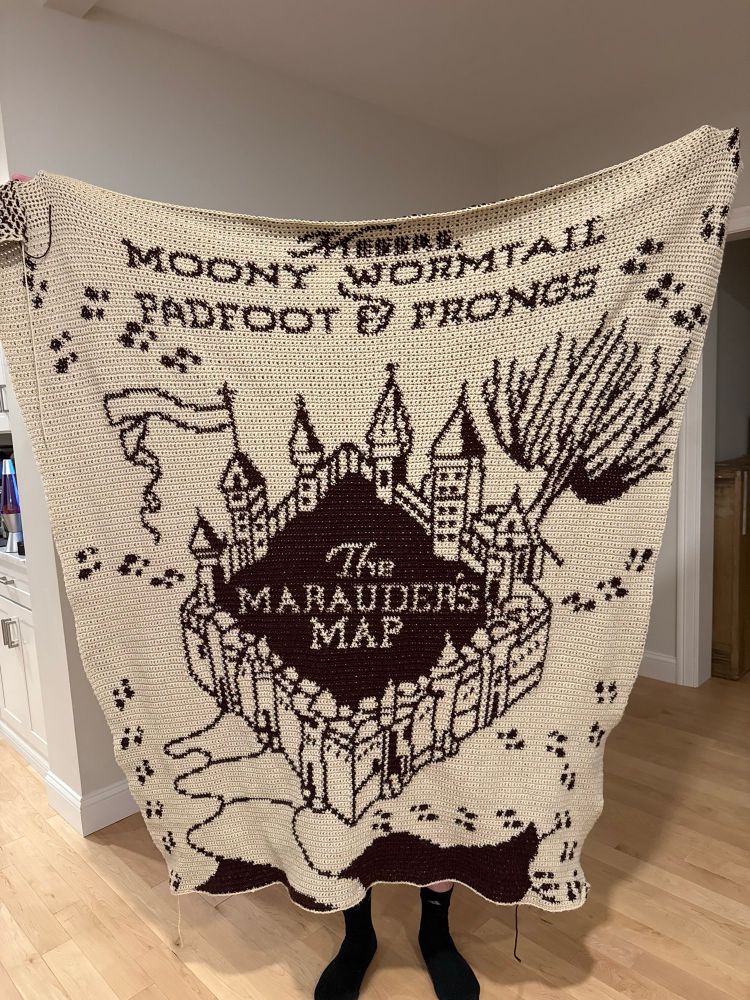
July 19, 2025 at 1:37 AM
This took me 5 months to make, please enjoy
From top to bottom it’s Olive, Mocha, and Bean 🐈⬛🐈🐈

May 23, 2025 at 9:00 PM
From top to bottom it’s Olive, Mocha, and Bean 🐈⬛🐈🐈
Missed my cats at #MSBuild so I brought them with me in VS Code ☺️ courtesy of the VS Code Pets extension by @anthonypjshaw.bsky.social!
May 23, 2025 at 8:42 PM
Missed my cats at #MSBuild so I brought them with me in VS Code ☺️ courtesy of the VS Code Pets extension by @anthonypjshaw.bsky.social!
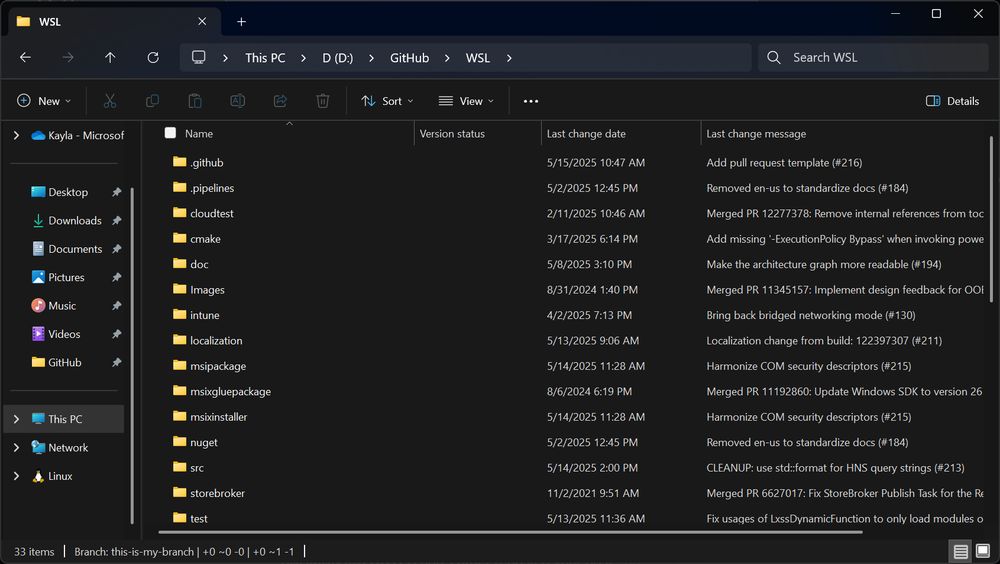
Windows Advanced settings is here! We restructured the For Developers page and added new features such as File Explorer with version control 🚀
Easily view your Git information directly in columns within File Explorer! 🔥
Easily view your Git information directly in columns within File Explorer! 🔥
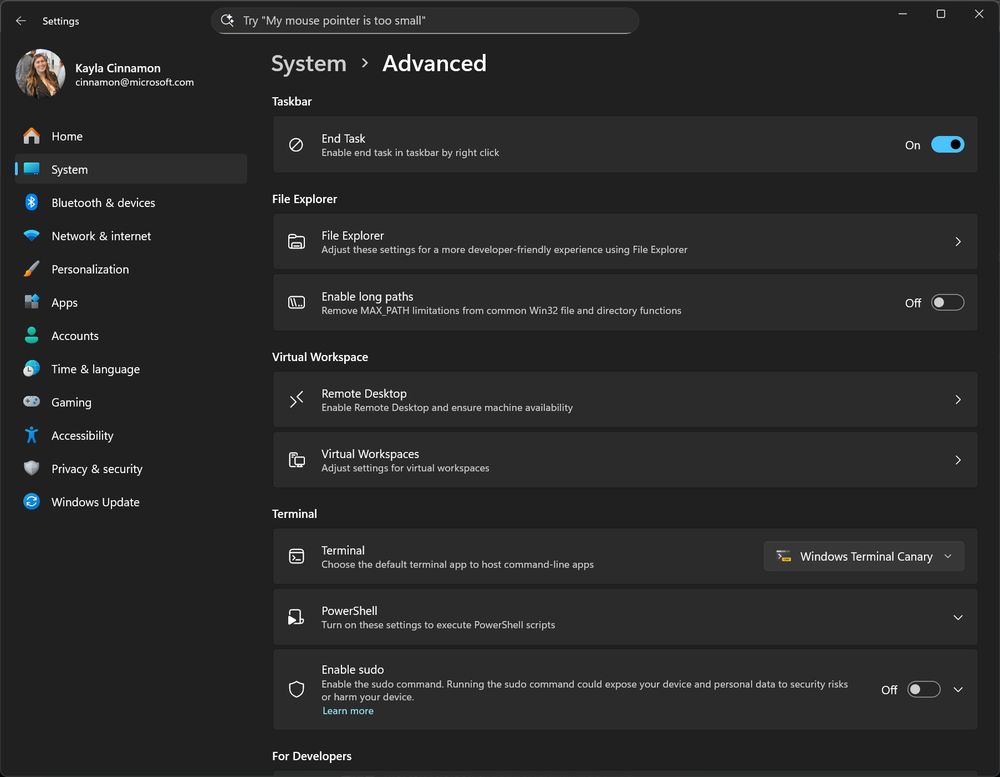
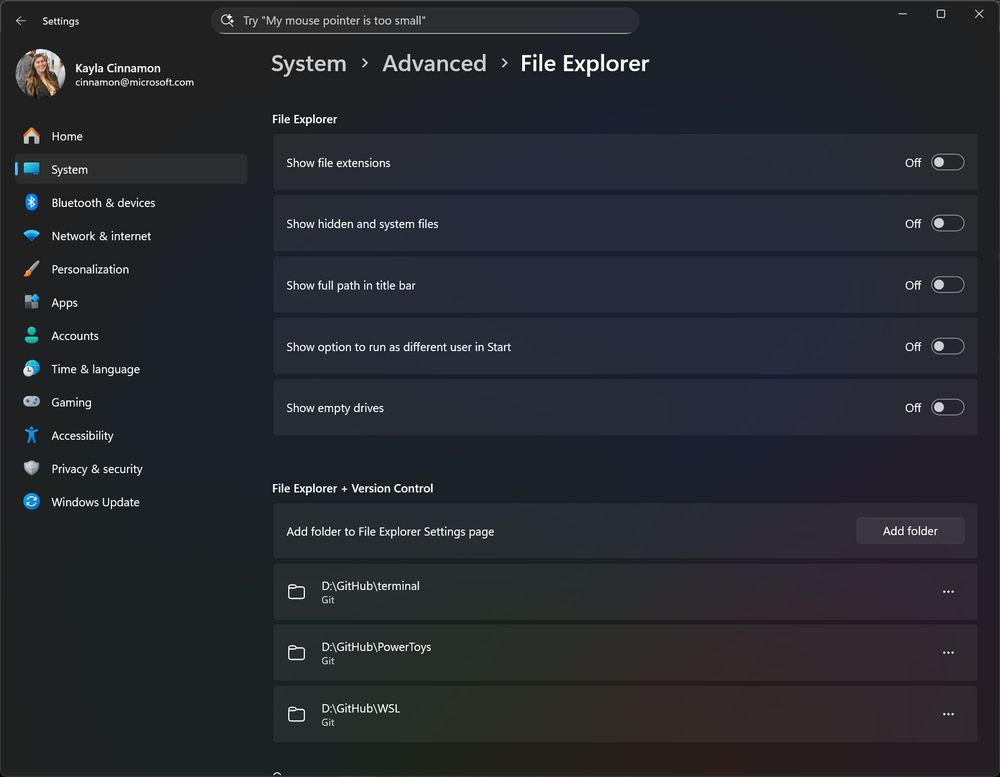
May 19, 2025 at 4:24 PM
Windows Advanced settings is here! We restructured the For Developers page and added new features such as File Explorer with version control 🚀
Easily view your Git information directly in columns within File Explorer! 🔥
Easily view your Git information directly in columns within File Explorer! 🔥
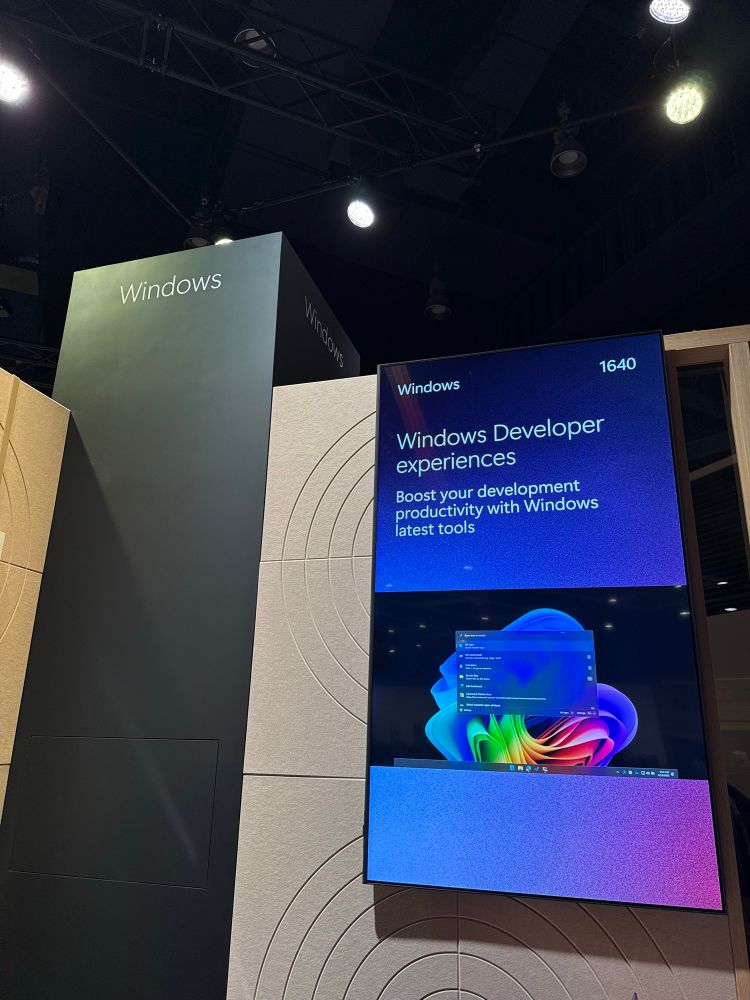
Come by the Windows Developer experiences booth at #MSBuild! We’d love to talk to you about your dev workflow!
We work on all things Terminal, WSL, PowerToys, WinGet, and of course Windows 💙
We work on all things Terminal, WSL, PowerToys, WinGet, and of course Windows 💙
May 19, 2025 at 3:20 PM
Come by the Windows Developer experiences booth at #MSBuild! We’d love to talk to you about your dev workflow!
We work on all things Terminal, WSL, PowerToys, WinGet, and of course Windows 💙
We work on all things Terminal, WSL, PowerToys, WinGet, and of course Windows 💙
Want to quickly reference your GitHub issues and pull requests from the Command Palette? Check out this new extension!
github.com/microsoft/Cm...
github.com/microsoft/Cm...
April 1, 2025 at 6:22 PM
Want to quickly reference your GitHub issues and pull requests from the Command Palette? Check out this new extension!
github.com/microsoft/Cm...
github.com/microsoft/Cm...
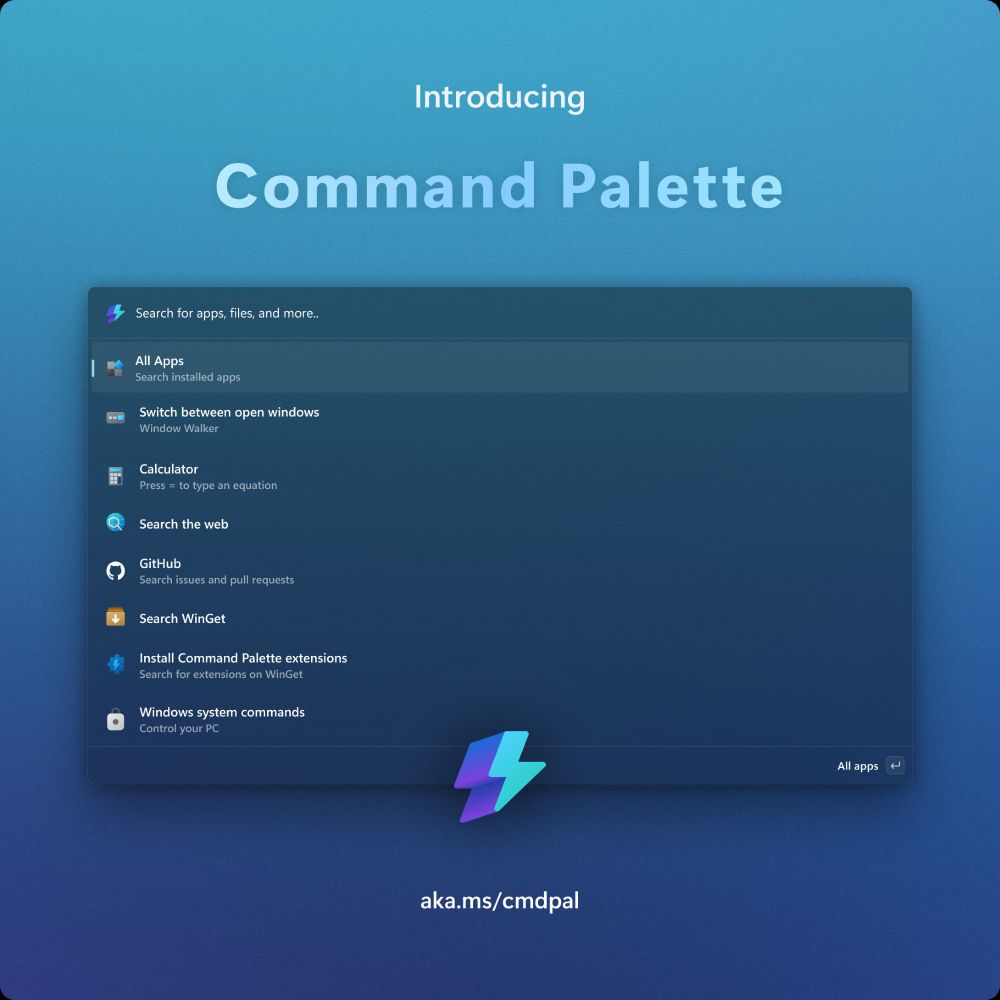
The Command Palette is out now inside PowerToys! Check out v0.90 to get this latest utility - the evolution of PowerToys Run with a full extensibility model ⚡⚡
github.com/microsoft/Po...
github.com/microsoft/Po...
March 31, 2025 at 11:34 PM
The Command Palette is out now inside PowerToys! Check out v0.90 to get this latest utility - the evolution of PowerToys Run with a full extensibility model ⚡⚡
github.com/microsoft/Po...
github.com/microsoft/Po...
Coming to #GDC? I’ll be at the Xbox booth with @denelon.bsky.social chatting about all things game development on Windows! Come by and say hi! 💚

March 17, 2025 at 7:50 PM
Coming to #GDC? I’ll be at the Xbox booth with @denelon.bsky.social chatting about all things game development on Windows! Come by and say hi! 💚
We're looking into revamping the Keyboard Manager UX in PowerToys! Take a look at this issue and let us know what you think! 🤗
github.com/microsoft/Po...
github.com/microsoft/Po...
March 7, 2025 at 3:34 PM
We're looking into revamping the Keyboard Manager UX in PowerToys! Take a look at this issue and let us know what you think! 🤗
github.com/microsoft/Po...
github.com/microsoft/Po...
Reunited with the Windows Terminal devs and we're cooking up something new. Here's a sneak peek of installing a winget package through a new utility coming soon to PowerToys:
P.S. this is live working code 😉
P.S. this is live working code 😉
February 13, 2025 at 4:22 PM
Reunited with the Windows Terminal devs and we're cooking up something new. Here's a sneak peek of installing a winget package through a new utility coming soon to PowerToys:
P.S. this is live working code 😉
P.S. this is live working code 😉
Peep the Clippy clip 📎

January 25, 2025 at 8:52 PM
Peep the Clippy clip 📎
🎁 Day 25 - Run v2 (coming soon!) 🎁
PowerToys Run is getting a major refresh in 2025. We've heard your feedback and are revamping the UI and adding full extensibility support! Stay tuned and keep an eye on our GitHub for more news! #PowerToysAdvent github.com/microsoft/po...
PowerToys Run is getting a major refresh in 2025. We've heard your feedback and are revamping the UI and adding full extensibility support! Stay tuned and keep an eye on our GitHub for more news! #PowerToysAdvent github.com/microsoft/po...
December 25, 2024 at 5:09 PM
🎁 Day 25 - Run v2 (coming soon!) 🎁
PowerToys Run is getting a major refresh in 2025. We've heard your feedback and are revamping the UI and adding full extensibility support! Stay tuned and keep an eye on our GitHub for more news! #PowerToysAdvent github.com/microsoft/po...
PowerToys Run is getting a major refresh in 2025. We've heard your feedback and are revamping the UI and adding full extensibility support! Stay tuned and keep an eye on our GitHub for more news! #PowerToysAdvent github.com/microsoft/po...
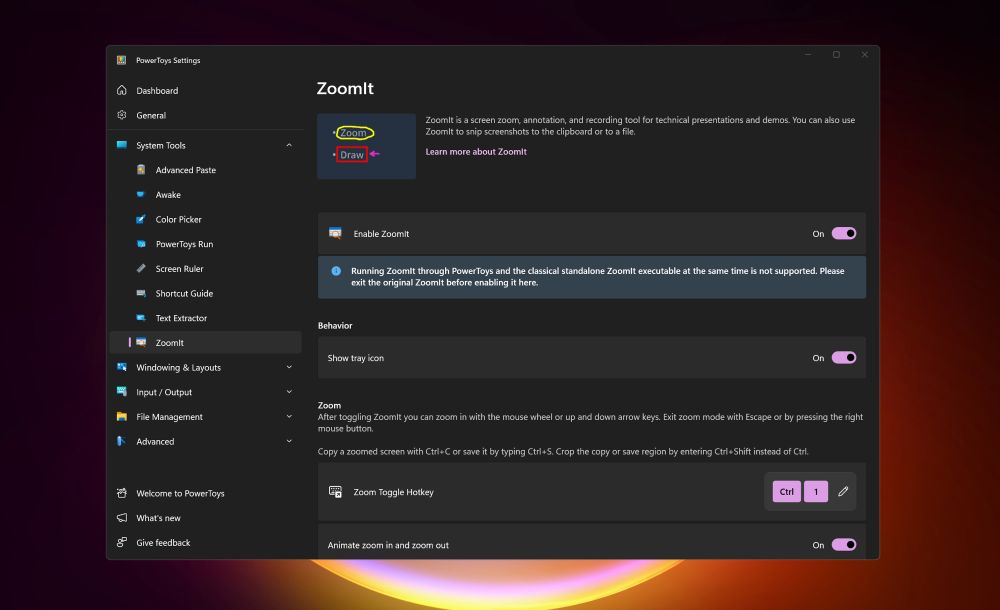
🎁 Day 24 - ZoomIt (coming soon!) 🎁
Use Sysinternals ZoomIt in PowerToys to up your presentation game with zoom and annotation capabilities! Coming to a PowerToys release very soon! #PowerToysAdvent
Use Sysinternals ZoomIt in PowerToys to up your presentation game with zoom and annotation capabilities! Coming to a PowerToys release very soon! #PowerToysAdvent
December 24, 2024 at 6:34 PM
🎁 Day 24 - ZoomIt (coming soon!) 🎁
Use Sysinternals ZoomIt in PowerToys to up your presentation game with zoom and annotation capabilities! Coming to a PowerToys release very soon! #PowerToysAdvent
Use Sysinternals ZoomIt in PowerToys to up your presentation game with zoom and annotation capabilities! Coming to a PowerToys release very soon! #PowerToysAdvent
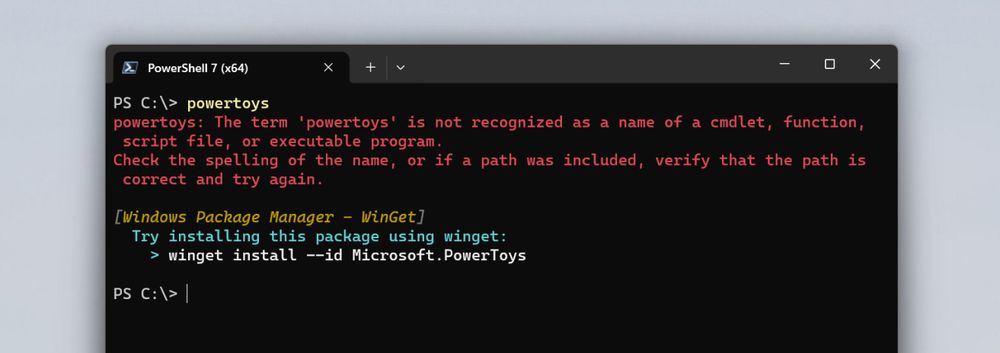
🎁 Day 23 - Command Not Found 🎁
Enable Command Not Found to get WinGet command recommendations in PowerShell for when an executable is not found and throws an error! #PowerToysAdvent
learn.microsoft.com/windows/powe...
Enable Command Not Found to get WinGet command recommendations in PowerShell for when an executable is not found and throws an error! #PowerToysAdvent
learn.microsoft.com/windows/powe...
December 23, 2024 at 7:41 PM
🎁 Day 23 - Command Not Found 🎁
Enable Command Not Found to get WinGet command recommendations in PowerShell for when an executable is not found and throws an error! #PowerToysAdvent
learn.microsoft.com/windows/powe...
Enable Command Not Found to get WinGet command recommendations in PowerShell for when an executable is not found and throws an error! #PowerToysAdvent
learn.microsoft.com/windows/powe...
🎁 Day 22 - Find My Mouse 🎁
Hit Ctrl twice to use Find My Mouse and spotlight where your mouse is on the screen! #PowerToysAdvent
learn.microsoft.com/windows/powe...
Hit Ctrl twice to use Find My Mouse and spotlight where your mouse is on the screen! #PowerToysAdvent
learn.microsoft.com/windows/powe...
December 22, 2024 at 6:25 PM
🎁 Day 22 - Find My Mouse 🎁
Hit Ctrl twice to use Find My Mouse and spotlight where your mouse is on the screen! #PowerToysAdvent
learn.microsoft.com/windows/powe...
Hit Ctrl twice to use Find My Mouse and spotlight where your mouse is on the screen! #PowerToysAdvent
learn.microsoft.com/windows/powe...
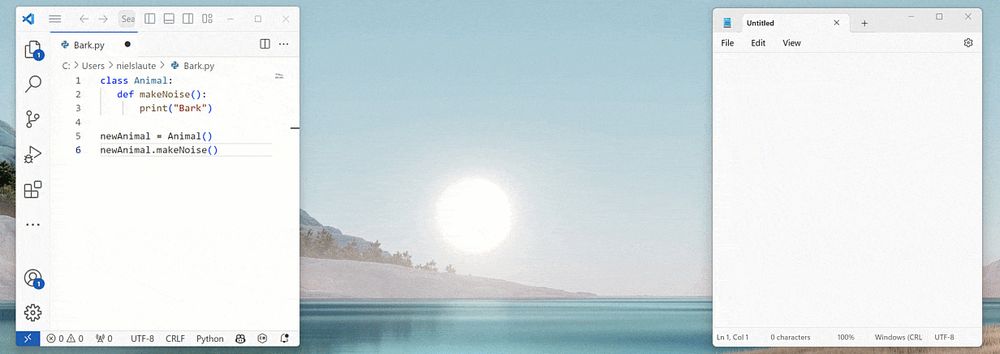
🎁 Day 21 - Advanced Paste 🎁
Use Win+Shift+V to open Advanced Paste and paste the content from your clipboard into any format you need using AI! #PowerToysAdvent
learn.microsoft.com/windows/powe...
Use Win+Shift+V to open Advanced Paste and paste the content from your clipboard into any format you need using AI! #PowerToysAdvent
learn.microsoft.com/windows/powe...
December 21, 2024 at 6:15 PM
🎁 Day 21 - Advanced Paste 🎁
Use Win+Shift+V to open Advanced Paste and paste the content from your clipboard into any format you need using AI! #PowerToysAdvent
learn.microsoft.com/windows/powe...
Use Win+Shift+V to open Advanced Paste and paste the content from your clipboard into any format you need using AI! #PowerToysAdvent
learn.microsoft.com/windows/powe...
🎁 Day 20 - Always On Top 🎁
Use Win+Ctrl+T to pin a window above all others with Always On Top! #PowerToysAdvent
learn.microsoft.com/windows/powe...
Use Win+Ctrl+T to pin a window above all others with Always On Top! #PowerToysAdvent
learn.microsoft.com/windows/powe...

December 20, 2024 at 6:09 PM
🎁 Day 20 - Always On Top 🎁
Use Win+Ctrl+T to pin a window above all others with Always On Top! #PowerToysAdvent
learn.microsoft.com/windows/powe...
Use Win+Ctrl+T to pin a window above all others with Always On Top! #PowerToysAdvent
learn.microsoft.com/windows/powe...
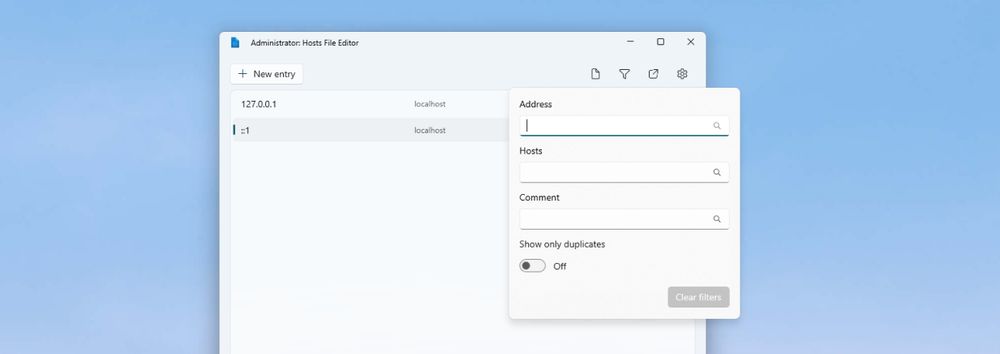
🎁 Day 19 - Hosts File Editor 🎁
Easily edit your hosts file using Hosts File Editor! #PowerToysAdvent
learn.microsoft.com/windows/powe...
Easily edit your hosts file using Hosts File Editor! #PowerToysAdvent
learn.microsoft.com/windows/powe...
December 19, 2024 at 5:27 PM
🎁 Day 19 - Hosts File Editor 🎁
Easily edit your hosts file using Hosts File Editor! #PowerToysAdvent
learn.microsoft.com/windows/powe...
Easily edit your hosts file using Hosts File Editor! #PowerToysAdvent
learn.microsoft.com/windows/powe...