


@geiros.bsky.social
Reposted

If you use Firefox:
Go into Settings, in the search bar type "Sidebar" and select "Show Sidebar." At the bottom of the sidebar, click "Customize Sidebar" (the little gear icon) and un-check the "AI Chatbot" box.
Go into Settings, in the search bar type "Sidebar" and select "Show Sidebar." At the bottom of the sidebar, click "Customize Sidebar" (the little gear icon) and un-check the "AI Chatbot" box.

mozilla has a rich history of shooting themselves in the foot
thankfully most of the ml stuff can be disabled through about:config
thankfully most of the ml stuff can be disabled through about:config

Some users report Firefox scoffing CPU power
: You guessed it: looks like it's a so-called AI
www.theregister.com
August 14, 2025 at 3:36 AM
If you use Firefox:
Go into Settings, in the search bar type "Sidebar" and select "Show Sidebar." At the bottom of the sidebar, click "Customize Sidebar" (the little gear icon) and un-check the "AI Chatbot" box.
Go into Settings, in the search bar type "Sidebar" and select "Show Sidebar." At the bottom of the sidebar, click "Customize Sidebar" (the little gear icon) and un-check the "AI Chatbot" box.
Reposted

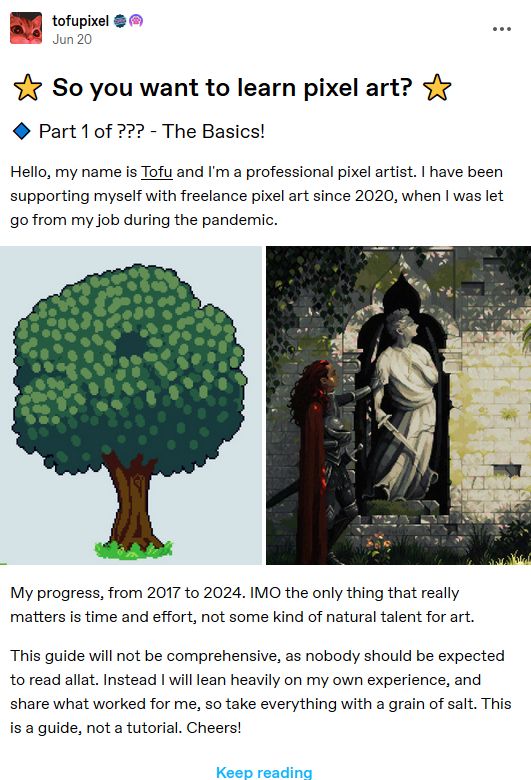
I never posted this here, but I made a pretty big write-up over on Tumblr for anyone interested in learning #pixelart!
It's a guide on software, fundamentals, jargon and resources.
Since links are legal on Bsky I can share it: www.tumblr.com/tofupixel/75...
#tutorial
Hope someone finds it useful!
It's a guide on software, fundamentals, jargon and resources.
Since links are legal on Bsky I can share it: www.tumblr.com/tofupixel/75...
#tutorial
Hope someone finds it useful!
November 2, 2024 at 9:32 AM
I never posted this here, but I made a pretty big write-up over on Tumblr for anyone interested in learning #pixelart!
It's a guide on software, fundamentals, jargon and resources.
Since links are legal on Bsky I can share it: www.tumblr.com/tofupixel/75...
#tutorial
Hope someone finds it useful!
It's a guide on software, fundamentals, jargon and resources.
Since links are legal on Bsky I can share it: www.tumblr.com/tofupixel/75...
#tutorial
Hope someone finds it useful!
Bluesky now has over 10 million users, and I was #3.914.041!

September 17, 2024 at 2:24 PM
Bluesky now has over 10 million users, and I was #3.914.041!