


Nagoya University
@en.nagoya-u.ac.jp
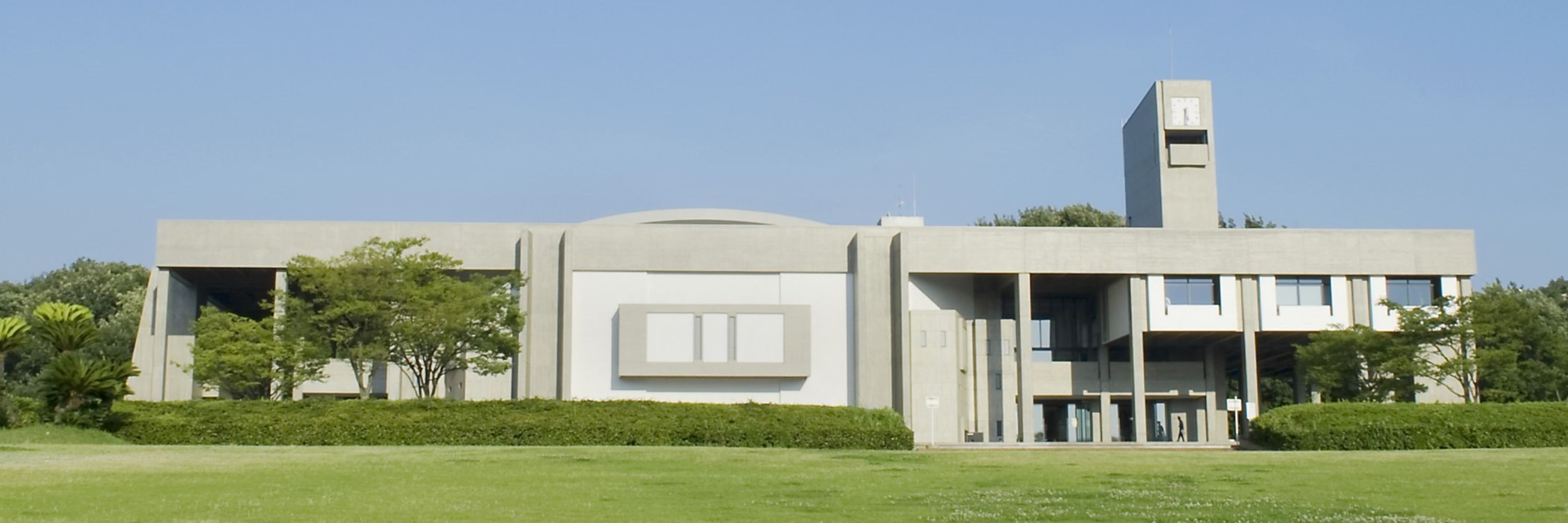
Founded in 1939, Nagoya University (名古屋大学) is one of Japan's leading higher education institutions located in Nagoya, the fourth-largest city in Japan.
[News] On December 2, Nagoya University presented the ISEE Award 2025 posthumously to Prof. Hiroyuki Yamada (Univ. of the Ryukyus) for his achievements in typhoon research. The award ceremony included a commemorative lecture by his collaborators. bit.ly/49qzicJ

Nagoya University ISEE Award recognizes typhoon research that transformed storm intensity forecasting worldwide | News & Events | Nagoya University
Stay informed about research breakthroughs, university announcements, and opportunities to engage with Nagoya University's dynamic global community.
bit.ly
January 9, 2026 at 8:30 AM
[News] On December 2, Nagoya University presented the ISEE Award 2025 posthumously to Prof. Hiroyuki Yamada (Univ. of the Ryukyus) for his achievements in typhoon research. The award ceremony included a commemorative lecture by his collaborators. bit.ly/49qzicJ
[Campus Stories] Students from the National University of Singapore and Nagoya University collaborated on AI and robotics through a new exchange program. From android research to a DENSO tour, 32 students explored cutting-edge tech while building cross-cultural connections. bit.ly/3Z80lo9

Computing exchange program advances cross-cultural learning between National University of Singapore and Nagoya University | News & Events | Nagoya University
Stay informed about research breakthroughs, university announcements, and opportunities to engage with Nagoya University's dynamic global community.
bit.ly
January 9, 2026 at 3:30 AM
[Campus Stories] Students from the National University of Singapore and Nagoya University collaborated on AI and robotics through a new exchange program. From android research to a DENSO tour, 32 students explored cutting-edge tech while building cross-cultural connections. bit.ly/3Z80lo9
[Research] 🪸 Scientists find the genetic mechanism that allows a marine yeast to switch between single cells & multicellular bodies based on nutrient availability. The study helps us understand how multicellular life evolved from single-celled ancestors. bit.ly/49d16m2 🧪 doi.org/qmg3 @nature.com

Nature study identifies a molecular switch that controls transitions between single-celled and multicellular forms | News & Events | Nagoya University
Stay informed about research breakthroughs, university announcements, and opportunities to engage with Nagoya University's dynamic global community.
bit.ly
January 8, 2026 at 8:30 AM
[Research] 🪸 Scientists find the genetic mechanism that allows a marine yeast to switch between single cells & multicellular bodies based on nutrient availability. The study helps us understand how multicellular life evolved from single-celled ancestors. bit.ly/49d16m2 🧪 doi.org/qmg3 @nature.com
[Research] Nagoya University and Tokyo Electron Miyagi validated a new semiconductor etching method achieving five times faster processing. The technique uses hydrogen fluoride plasma at low temperatures and eliminates high global warming potential gases. Read more: bit.ly/4jux0xH 🧪 doi.org/qmgz

Joint research validates new semiconductor etching process, achieving five times speed improvement | News & Events | Nagoya University
Stay informed about research breakthroughs, university announcements, and opportunities to engage with Nagoya University's dynamic global community.
bit.ly
January 8, 2026 at 3:30 AM
[Research] Nagoya University and Tokyo Electron Miyagi validated a new semiconductor etching method achieving five times faster processing. The technique uses hydrogen fluoride plasma at low temperatures and eliminates high global warming potential gases. Read more: bit.ly/4jux0xH 🧪 doi.org/qmgz
Take a walk with us on a sunny winter afternoon at Nagoya University in Japan!
December 30, 2025 at 1:02 PM
Take a walk with us on a sunny winter afternoon at Nagoya University in Japan!
Prof. IIMA Mami has developed diffusion MRI technology that detects tumors without contrast agents. Her system color-codes malignancy levels for precise diagnosis. bit.ly/4pNZsNr

December 29, 2025 at 8:00 AM
Prof. IIMA Mami has developed diffusion MRI technology that detects tumors without contrast agents. Her system color-codes malignancy levels for precise diagnosis. bit.ly/4pNZsNr
[Announcement] Ready to study at Nagoya University in Japan? G30 applications open in January with tight deadlines: Graduate: Jan 6-14, 2026 & Undergraduate: Jan 9-29, 2026
Step-by-step tutorials available to guide you through the process.
Step-by-step tutorials available to guide you through the process.

G30 Graduate and Undergraduate Program Applications to open on Jan 6th and Jan 9th, 2026 | News & Events | Nagoya University
Stay informed about research breakthroughs, university announcements, and opportunities to engage with Nagoya University's dynamic global community.
bit.ly
December 26, 2025 at 6:40 AM
[Announcement] Ready to study at Nagoya University in Japan? G30 applications open in January with tight deadlines: Graduate: Jan 6-14, 2026 & Undergraduate: Jan 9-29, 2026
Step-by-step tutorials available to guide you through the process.
Step-by-step tutorials available to guide you through the process.
[Announcement] Nagoya University will close for the winter break from Saturday, December 27, 2025 to Sunday, January 4, 2026. Regular administrative services will be unavailable during this time. We look forward to seeing you in the new year. bit.ly/4sfjaTK

Nagoya University’s offices closed December 27, 2025 to January 4, 2026 | News & Events | Nagoya University
Stay informed about research breakthroughs, university announcements, and opportunities to engage with Nagoya University's dynamic global community.
bit.ly
December 26, 2025 at 3:47 AM
[Announcement] Nagoya University will close for the winter break from Saturday, December 27, 2025 to Sunday, January 4, 2026. Regular administrative services will be unavailable during this time. We look forward to seeing you in the new year. bit.ly/4sfjaTK
AI meets agriculture & plant science at Nagoya University! International workshop Jan 5-6 exploring how engineering + AI is transforming agricultural research. Free to attend | English language | Open to everyone ES Building, Nagoya University
Register: bit.ly/498tVhV
Register: bit.ly/498tVhV

December 25, 2025 at 2:34 AM
AI meets agriculture & plant science at Nagoya University! International workshop Jan 5-6 exploring how engineering + AI is transforming agricultural research. Free to attend | English language | Open to everyone ES Building, Nagoya University
Register: bit.ly/498tVhV
Register: bit.ly/498tVhV
How do you protect herding communities from dzud—Mongolia's devastating winter disasters? GSES hosted researchers and Mongolian officials to discuss earthquake resilience, climate hazards, and sustainability. Read more:

Workshop Advances Collaboration on Disaster Resilience and Environmental Sustainability between Mongolia and Nagoya University | News & Events | Nagoya University
Stay informed about research breakthroughs, university announcements, and opportunities to engage with Nagoya University's dynamic global community.
bit.ly
December 24, 2025 at 3:58 AM
How do you protect herding communities from dzud—Mongolia's devastating winter disasters? GSES hosted researchers and Mongolian officials to discuss earthquake resilience, climate hazards, and sustainability. Read more:
Nagoya University's Higashiyama Campus was built to follow the natural contours of the land, and every autumn the result is spectacular. Ginkgos and Japanese maples turn vivid shades of gold and red—proof that a university campus can feel connected to nature, even in a major city.

Campus in Autumn | News & Events | Nagoya University
Stay informed about research breakthroughs, university announcements, and opportunities to engage with Nagoya University's dynamic global community.
bit.ly
December 23, 2025 at 11:15 PM
Nagoya University's Higashiyama Campus was built to follow the natural contours of the land, and every autumn the result is spectacular. Ginkgos and Japanese maples turn vivid shades of gold and red—proof that a university campus can feel connected to nature, even in a major city.
Nagoya University's OpenCourseWare turns 20 on December 27th. What started in 2005 as a way to share educational content has grown into 950+ free lectures. Check out the special 20th anniversary features we've just posted:

NUOCW | NUOCW
On the NUOCW (Nagoya University OpenCourseWare) website, anyone from anywhere in the world can see Nagoya University class information and materials for free.
bit.ly
December 23, 2025 at 1:30 PM
Nagoya University's OpenCourseWare turns 20 on December 27th. What started in 2005 as a way to share educational content has grown into 950+ free lectures. Check out the special 20th anniversary features we've just posted:
We are hiring a science writer to produce and edit content communicating research, education and other activities originating from our university. Deadline January 16 #ScienceWriter #ScienceCommunication #ScienceWriter #SciComm #AcademicJobs #WritingJobs #JapanJobs bit.ly/4aVJADN

December 19, 2025 at 8:15 AM
We are hiring a science writer to produce and edit content communicating research, education and other activities originating from our university. Deadline January 16 #ScienceWriter #ScienceCommunication #ScienceWriter #SciComm #AcademicJobs #WritingJobs #JapanJobs bit.ly/4aVJADN
[Campus Stories] Nagoya University graduate Daiki Mizuno has turned his love of linguistics into a bestselling book with over 40,000 copies sold and a YouTube channel with 400,000+ subscribers. Read more: bit.ly/4qjT54s

Nagoya University graduate turns linguistics passion into bestselling book and popular YouTube channel | News & Events | Nagoya University
Stay informed about research breakthroughs, university announcements, and opportunities to engage with Nagoya University's dynamic global community.
bit.ly
December 18, 2025 at 8:30 AM
[Campus Stories] Nagoya University graduate Daiki Mizuno has turned his love of linguistics into a bestselling book with over 40,000 copies sold and a YouTube channel with 400,000+ subscribers. Read more: bit.ly/4qjT54s
On December 4, Nagoya University welcomed a delegation from Korea University led by President Dong-One Kim. The institutions discussed expanding their partnership in research and student exchange. Seven students will join Korea University's International Winter Campus this month.


December 18, 2025 at 3:30 AM
On December 4, Nagoya University welcomed a delegation from Korea University led by President Dong-One Kim. The institutions discussed expanding their partnership in research and student exchange. Seven students will join Korea University's International Winter Campus this month.
[Research]🪱 Is age related decline programmed into our DNA? A study finds a gene that actively turns off the ability to smell food after reproduction in roundworms. The decline may benefit younger generations by reducing competition for resources. bit.ly/44yVzn0 🧪 doi.org/qjs8

Is aging an act of genetic sabotage for the greater good? Scientists find a gene that turns off food detection after reproduction | News & Events | Nagoya University
Stay informed about research breakthroughs, university announcements, and opportunities to engage with Nagoya University's dynamic global community.
bit.ly
December 17, 2025 at 8:00 AM
[Research]🪱 Is age related decline programmed into our DNA? A study finds a gene that actively turns off the ability to smell food after reproduction in roundworms. The decline may benefit younger generations by reducing competition for resources. bit.ly/44yVzn0 🧪 doi.org/qjs8
[News] Nagoya University and Brother Industries have established a joint laboratory to advance technological innovation through collaborative research and development. bit.ly/3Yj9JVX

Brother Industries launches new joint research laboratory at Nagoya University | News & Events | Nagoya University
Stay informed about research breakthroughs, university announcements, and opportunities to engage with Nagoya University's dynamic global community.
bit.ly
December 17, 2025 at 3:30 AM
[News] Nagoya University and Brother Industries have established a joint laboratory to advance technological innovation through collaborative research and development. bit.ly/3Yj9JVX
[Research] 🌱📈 Researchers at Nagoya University found that companies with strong sustainability practices benefit more from audit transparency. Markets appear to reward authentic commitment backed by rigorous disclosure. Read more: bit.ly/4pdswgp 🧪 doi.org/qjh9

Sustainability-focused companies benefit more from audit transparency | News & Events | Nagoya University
Stay informed about research breakthroughs, university announcements, and opportunities to engage with Nagoya University's dynamic global community.
bit.ly
December 16, 2025 at 9:30 AM
[Research] 🌱📈 Researchers at Nagoya University found that companies with strong sustainability practices benefit more from audit transparency. Markets appear to reward authentic commitment backed by rigorous disclosure. Read more: bit.ly/4pdswgp 🧪 doi.org/qjh9
Back in October, over 230 students gathered at Toyoda Auditorium for a party welcoming new international students, featuring food, performances, club booths, and a rock-paper-scissors tournament for Nagoya University t-shirts. We hope to see you there next year!
December 16, 2025 at 8:02 AM
Back in October, over 230 students gathered at Toyoda Auditorium for a party welcoming new international students, featuring food, performances, club booths, and a rock-paper-scissors tournament for Nagoya University t-shirts. We hope to see you there next year!
[Research] 👩🔬 Nagoya University scientists design recyclable aluminum alloys optimized for 3D printing that use iron waste to create parts with superior strength and heat resistance. The study was published in @natcomms.nature.com. bit.ly/48WJRnF 🧪 doi.org/hbfq29

How 3D printing creates stronger vehicle parts by solving aluminum’s high-temperature weakness | News & Events | Nagoya University
Stay informed about research breakthroughs, university announcements, and opportunities to engage with Nagoya University's dynamic global community.
bit.ly
December 16, 2025 at 3:30 AM
[Research] 👩🔬 Nagoya University scientists design recyclable aluminum alloys optimized for 3D printing that use iron waste to create parts with superior strength and heat resistance. The study was published in @natcomms.nature.com. bit.ly/48WJRnF 🧪 doi.org/hbfq29
[Research] 🧠🔬 The thalamus shapes cortical neural circuits. Nagoya University research shows how this brain region promotes neuron development, potentially leading to new treatments for neurodevelopmental disorders. Read more: bit.ly/4acPO21 🧪 doi.org/hbfhwf

Reproduced human neural circuits show the crucial role of the thalamus in shaping the cortical circuit | News & Events | Nagoya University
Stay informed about research breakthroughs, university announcements, and opportunities to engage with Nagoya University's dynamic global community.
bit.ly
December 15, 2025 at 8:30 AM
[Research] 🧠🔬 The thalamus shapes cortical neural circuits. Nagoya University research shows how this brain region promotes neuron development, potentially leading to new treatments for neurodevelopmental disorders. Read more: bit.ly/4acPO21 🧪 doi.org/hbfhwf
[News] The Glyco-Core Symposium 2025 brought together international glycan researchers at Nagoya University in September. The event featured research sessions, a keynote lecture on high-throughput glycomics, and poster presentations. Learn more: bit.ly/4iWY2h3

International glycan researchers gather at Nagoya University for Glyco-Core Symposium 2025 | News & Events | Nagoya University
Stay informed about research breakthroughs, university announcements, and opportunities to engage with Nagoya University's dynamic global community.
bit.ly
December 15, 2025 at 3:30 AM
[News] The Glyco-Core Symposium 2025 brought together international glycan researchers at Nagoya University in September. The event featured research sessions, a keynote lecture on high-throughput glycomics, and poster presentations. Learn more: bit.ly/4iWY2h3
[Campus Stories] Athletes at Nagoya University excel in orienteering, a sport that tests map-reading ability and physical stamina. The university club has produced national and international competitors, with members representing Japan at world championships. Read the full story: bit.ly/3KNCIxE

Orienteering athletes at Nagoya University use navigation and endurance to reach world stage | News & Events | Nagoya University
Stay informed about research breakthroughs, university announcements, and opportunities to engage with Nagoya University's dynamic global community.
bit.ly
December 11, 2025 at 8:30 AM
[Campus Stories] Athletes at Nagoya University excel in orienteering, a sport that tests map-reading ability and physical stamina. The university club has produced national and international competitors, with members representing Japan at world championships. Read the full story: bit.ly/3KNCIxE
[Research] 🧠 First real-time footage of brain immune cells battling cancer seed cells captured! By blocking two "don't eat me" proteins (CD24 & CD47), brain tumor formation is decreased. Early intervention (first ~12 days) identified as critical. @aacrjournals.bsky.social bit.ly/4pGG9pd 🧪

Study captures how cancer cells hide from brain immune cells, shows that removing their “don’t eat me” signals stops their escape. | News & Events | Nagoya University
Stay informed about research breakthroughs, university announcements, and opportunities to engage with Nagoya University's dynamic global community.
bit.ly
December 11, 2025 at 3:30 AM
[Research] 🧠 First real-time footage of brain immune cells battling cancer seed cells captured! By blocking two "don't eat me" proteins (CD24 & CD47), brain tumor formation is decreased. Early intervention (first ~12 days) identified as critical. @aacrjournals.bsky.social bit.ly/4pGG9pd 🧪
[News] Nagoya University Distinguished Professor Ryoji Noyori, recipient of the 2001 Nobel Prize in Chemistry, has been appointed President of the Japan Academy. The three-year term began on November 12, 2025. Read more: bit.ly/48t1gVU

Distinguished Professor Ryoji Noyori appointed President of the Japan Academy | News & Events | Nagoya University
Stay informed about research breakthroughs, university announcements, and opportunities to engage with Nagoya University's dynamic global community.
bit.ly
December 10, 2025 at 8:30 AM
[News] Nagoya University Distinguished Professor Ryoji Noyori, recipient of the 2001 Nobel Prize in Chemistry, has been appointed President of the Japan Academy. The three-year term began on November 12, 2025. Read more: bit.ly/48t1gVU