




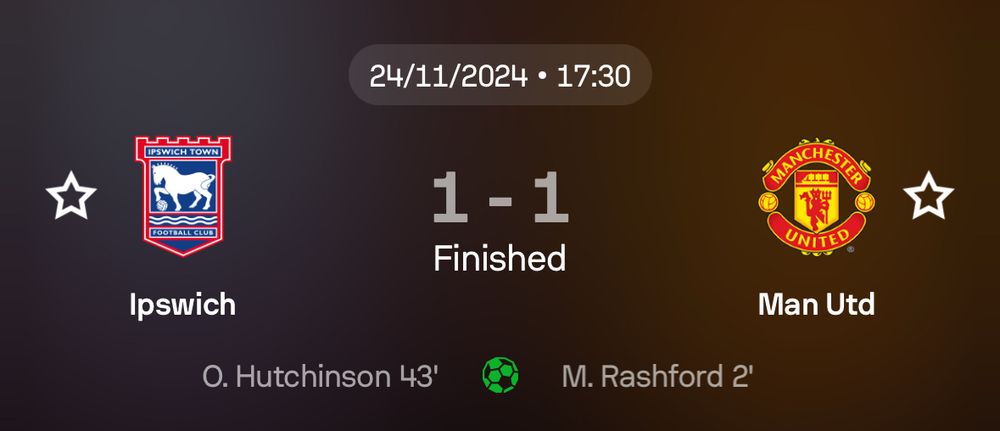
some type of collectible?

January 16, 2025 at 4:54 PM
some type of collectible?

me and i will never stop

November 26, 2024 at 10:28 AM
me and i will never stop
whoever at spotify decided to put this new “create” button on the place where the “library” button used to be at… i hope you step on a lego

November 17, 2024 at 4:24 PM
whoever at spotify decided to put this new “create” button on the place where the “library” button used to be at… i hope you step on a lego
shaboozey shouts out bluesky’s rise on his song let it burn

November 17, 2024 at 10:05 AM
shaboozey shouts out bluesky’s rise on his song let it burn
he can fix the country

November 15, 2024 at 1:40 PM
he can fix the country
hell yeah #Barry2028 is how we fix climate change
November 15, 2024 at 8:39 AM
hell yeah #Barry2028 is how we fix climate change
6. Go back to Namecheap.
Fill in the following values:
- Record Type: TXT
- Host: _atproto
- Value: (paste the value you copied in the previous step)
- TTL: Automatic
Click “Save changes”
Fill in the following values:
- Record Type: TXT
- Host: _atproto
- Value: (paste the value you copied in the previous step)
- TTL: Automatic
Click “Save changes”

November 14, 2024 at 6:24 PM
6. Go back to Namecheap.
Fill in the following values:
- Record Type: TXT
- Host: _atproto
- Value: (paste the value you copied in the previous step)
- TTL: Automatic
Click “Save changes”
Fill in the following values:
- Record Type: TXT
- Host: _atproto
- Value: (paste the value you copied in the previous step)
- TTL: Automatic
Click “Save changes”
5. Before you can proceed with adding the record. Go back to Bluesky. Go to your account settings > Change handle > I have my own domain.
Insert your domain name, (e.g chainedtomaxi.me)
Click “Copy domain value”
Insert your domain name, (e.g chainedtomaxi.me)
Click “Copy domain value”

November 14, 2024 at 6:24 PM
5. Before you can proceed with adding the record. Go back to Bluesky. Go to your account settings > Change handle > I have my own domain.
Insert your domain name, (e.g chainedtomaxi.me)
Click “Copy domain value”
Insert your domain name, (e.g chainedtomaxi.me)
Click “Copy domain value”
4. Click on the dropdown that says “Domain” and choose “Advanced DNS”. Scroll down a bit and click on “+ Add new record”


November 14, 2024 at 6:24 PM
4. Click on the dropdown that says “Domain” and choose “Advanced DNS”. Scroll down a bit and click on “+ Add new record”
3. Once your domain has been registered, go to your Namecheap dashboard and find the domain you just registered.
Click on “Manage”
Click on “Manage”

November 14, 2024 at 6:24 PM
3. Once your domain has been registered, go to your Namecheap dashboard and find the domain you just registered.
Click on “Manage”
Click on “Manage”
2. On namecheap.com, enter the handle you want to use on Bluesky.
It will show you if that domain is available and under which TLD you can register it. Some TLDs are cheaper than others, if you scroll down you’ll see a lot more options.
Once you found the domain, complete your purchase
It will show you if that domain is available and under which TLD you can register it. Some TLDs are cheaper than others, if you scroll down you’ll see a lot more options.
Once you found the domain, complete your purchase


November 14, 2024 at 6:24 PM
2. On namecheap.com, enter the handle you want to use on Bluesky.
It will show you if that domain is available and under which TLD you can register it. Some TLDs are cheaper than others, if you scroll down you’ll see a lot more options.
Once you found the domain, complete your purchase
It will show you if that domain is available and under which TLD you can register it. Some TLDs are cheaper than others, if you scroll down you’ll see a lot more options.
Once you found the domain, complete your purchase
How to get a custom handle on Bluesky
a step-by-step thread 🧵
a step-by-step thread 🧵

November 14, 2024 at 6:24 PM
How to get a custom handle on Bluesky
a step-by-step thread 🧵
a step-by-step thread 🧵