



❓Ryomi Crimson 🐈⬛
@ryomicrimson.com
ねこ #VTuber
✉️ ryomicrimson@gmail.com
pfp meotashi //
ryomicrimson.carrd.co // youtube.com/@RyomiCrimson
✉️ ryomicrimson@gmail.com
pfp meotashi //
ryomicrimson.carrd.co // youtube.com/@RyomiCrimson

Looks like a ruffled a few feathers on this one 😆
Feel free to let me know your take in the comments of the video 🫵
It's down there 👇
Feel free to let me know your take in the comments of the video 🫵
It's down there 👇

November 19, 2025 at 6:52 AM
Looks like a ruffled a few feathers on this one 😆
Feel free to let me know your take in the comments of the video 🫵
It's down there 👇
Feel free to let me know your take in the comments of the video 🫵
It's down there 👇
From there, all you need to do is start stream the way you would on purple site. Then you MUST go back to the YT
Once you see the preview of the screen, hit "Go Live" on the top right, and you must hit that button again to "End Stream"
Once you see the preview of the screen, hit "Go Live" on the top right, and you must hit that button again to "End Stream"

October 29, 2025 at 7:35 PM
From there, all you need to do is start stream the way you would on purple site. Then you MUST go back to the YT
Once you see the preview of the screen, hit "Go Live" on the top right, and you must hit that button again to "End Stream"
Once you see the preview of the screen, hit "Go Live" on the top right, and you must hit that button again to "End Stream"
Go back to OBS, in the multistream dock. hit the plus, "Custom RTMP"
Name the output "YT" > Go back to YT, then as shown as the stream key and stream URL to the designated slots.
You might have to create a new stream key if this is your first YT stream
Name the output "YT" > Go back to YT, then as shown as the stream key and stream URL to the designated slots.
You might have to create a new stream key if this is your first YT stream


October 29, 2025 at 7:33 PM
Go back to OBS, in the multistream dock. hit the plus, "Custom RTMP"
Name the output "YT" > Go back to YT, then as shown as the stream key and stream URL to the designated slots.
You might have to create a new stream key if this is your first YT stream
Name the output "YT" > Go back to YT, then as shown as the stream key and stream URL to the designated slots.
You might have to create a new stream key if this is your first YT stream
Go "Schedule Stream" > "Create New"
Make a Title > Description > Set How you want to go live to "Streaming Software"
From there, the only thing you absolutely have to do is answer the Audience Questions. I advise answering "No" on both
Set Time for stream and then hit done
Make a Title > Description > Set How you want to go live to "Streaming Software"
From there, the only thing you absolutely have to do is answer the Audience Questions. I advise answering "No" on both
Set Time for stream and then hit done


October 29, 2025 at 7:23 PM
Go "Schedule Stream" > "Create New"
Make a Title > Description > Set How you want to go live to "Streaming Software"
From there, the only thing you absolutely have to do is answer the Audience Questions. I advise answering "No" on both
Set Time for stream and then hit done
Make a Title > Description > Set How you want to go live to "Streaming Software"
From there, the only thing you absolutely have to do is answer the Audience Questions. I advise answering "No" on both
Set Time for stream and then hit done
Go To YouTube -> Your Icon in the Top Right > "YouTube Studio"
"Create", then hit "Go Live". This will not start a livestream, don't worry
I am assuming we are all people who do not stream on YT normally. Obviously, afterwards, you can "reuse settings".
"Create", then hit "Go Live". This will not start a livestream, don't worry
I am assuming we are all people who do not stream on YT normally. Obviously, afterwards, you can "reuse settings".


October 29, 2025 at 7:21 PM
Go To YouTube -> Your Icon in the Top Right > "YouTube Studio"
"Create", then hit "Go Live". This will not start a livestream, don't worry
I am assuming we are all people who do not stream on YT normally. Obviously, afterwards, you can "reuse settings".
"Create", then hit "Go Live". This will not start a livestream, don't worry
I am assuming we are all people who do not stream on YT normally. Obviously, afterwards, you can "reuse settings".
Sign into Streamelements
In OBS, click "StreamElements" > SE.LIVE Docks > "Streamelements Multi-Streaming"
That brings up a dock in the bottom-right corner
In OBS, click "StreamElements" > SE.LIVE Docks > "Streamelements Multi-Streaming"
That brings up a dock in the bottom-right corner


October 29, 2025 at 7:17 PM
Sign into Streamelements
In OBS, click "StreamElements" > SE.LIVE Docks > "Streamelements Multi-Streaming"
That brings up a dock in the bottom-right corner
In OBS, click "StreamElements" > SE.LIVE Docks > "Streamelements Multi-Streaming"
That brings up a dock in the bottom-right corner
Go to streamelements.com/selive & Download the thing
Click on the newly downloaded file and go through the installation
"Next" > "I agree" > "Next"
Make sure that on the last slide that "OBS Studio" is unchecked as we don't need to download something we're already using
Then hit "Install"
Click on the newly downloaded file and go through the installation
"Next" > "I agree" > "Next"
Make sure that on the last slide that "OBS Studio" is unchecked as we don't need to download something we're already using
Then hit "Install"


October 29, 2025 at 7:14 PM
Go to streamelements.com/selive & Download the thing
Click on the newly downloaded file and go through the installation
"Next" > "I agree" > "Next"
Make sure that on the last slide that "OBS Studio" is unchecked as we don't need to download something we're already using
Then hit "Install"
Click on the newly downloaded file and go through the installation
"Next" > "I agree" > "Next"
Make sure that on the last slide that "OBS Studio" is unchecked as we don't need to download something we're already using
Then hit "Install"
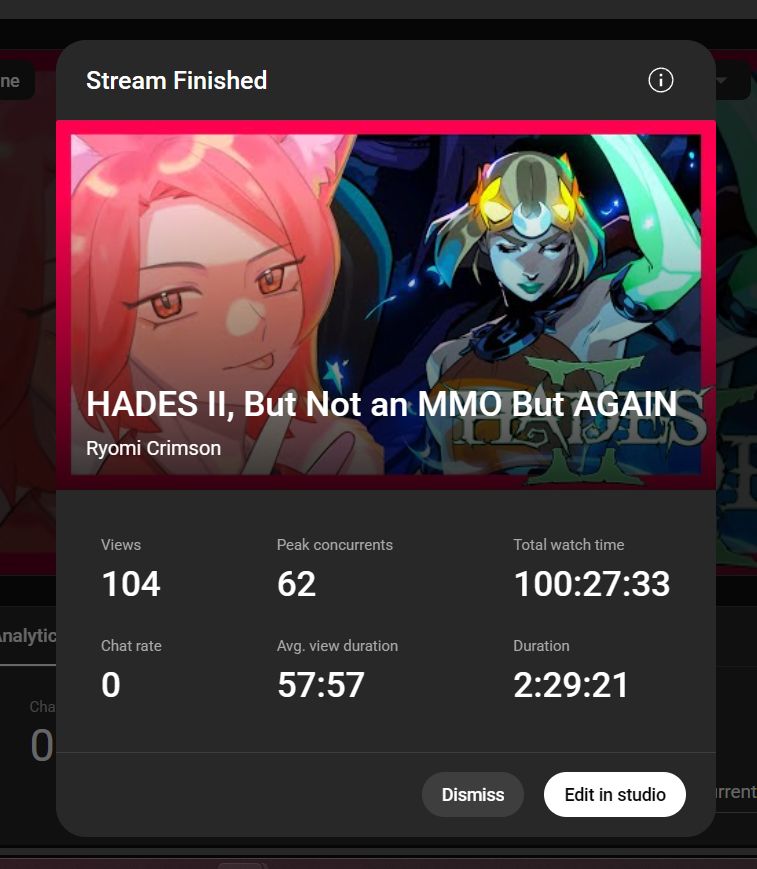
Best 👏 Stream 👏 Ever 👏
On YouTube no less.
Thank you all so much for coming out and lurking. I'm so happy to hear that lurking isn't dead, and I'm really happy that I've been able to entertain you
On YouTube no less.
Thank you all so much for coming out and lurking. I'm so happy to hear that lurking isn't dead, and I'm really happy that I've been able to entertain you
October 15, 2025 at 1:49 AM
Best 👏 Stream 👏 Ever 👏
On YouTube no less.
Thank you all so much for coming out and lurking. I'm so happy to hear that lurking isn't dead, and I'm really happy that I've been able to entertain you
On YouTube no less.
Thank you all so much for coming out and lurking. I'm so happy to hear that lurking isn't dead, and I'm really happy that I've been able to entertain you
Notice anything different? 😎
Anything out of the ordinary? 🤔
Anything out of the ordinary? 🤔

October 6, 2025 at 11:04 AM
Notice anything different? 😎
Anything out of the ordinary? 🤔
Anything out of the ordinary? 🤔
I'm the best 😎
You can't take this away from me 😁
You can't take this away from me 😁

September 15, 2025 at 6:41 PM
I'm the best 😎
You can't take this away from me 😁
You can't take this away from me 😁
I did a subathon before, and it was definitely an experience I've never had before 💭
Right in SubTember no less, here's my experience ✨
Right in SubTember no less, here's my experience ✨
September 7, 2025 at 10:52 PM
I did a subathon before, and it was definitely an experience I've never had before 💭
Right in SubTember no less, here's my experience ✨
Right in SubTember no less, here's my experience ✨
Alright, what is it am I talking about? 🤔
How big is too big? 🎡
How big is too big? 🎡
August 20, 2025 at 6:58 PM
Alright, what is it am I talking about? 🤔
How big is too big? 🎡
How big is too big? 🎡
It's official! The water review is scheduled for Friday @ 7 pm EST 💦
🔗⬇️ for both purple site and red site
🔗⬇️ for both purple site and red site

June 10, 2025 at 9:56 AM
It's official! The water review is scheduled for Friday @ 7 pm EST 💦
🔗⬇️ for both purple site and red site
🔗⬇️ for both purple site and red site
Look I may or may not be making a deck of things that people can easily accuse me with 😏

May 29, 2025 at 9:08 PM
Look I may or may not be making a deck of things that people can easily accuse me with 😏
Any other streamers or vtubers feel embarrassed when doing puzzles on stream? 😵
May 1, 2025 at 4:55 AM
Any other streamers or vtubers feel embarrassed when doing puzzles on stream? 😵

Hey there! 😁
I wasn't expecting to see you, but I have to say, I'm really happy to do so ❤️
🎨 @itzleizy.bsky.social
I wasn't expecting to see you, but I have to say, I'm really happy to do so ❤️
🎨 @itzleizy.bsky.social

March 24, 2025 at 10:47 AM
Hey there! 😁
I wasn't expecting to see you, but I have to say, I'm really happy to do so ❤️
🎨 @itzleizy.bsky.social
I wasn't expecting to see you, but I have to say, I'm really happy to do so ❤️
🎨 @itzleizy.bsky.social
I guess I'll come out for February 🙄
You really think Valentine's Day is really worth the huff puff? Pffftt!! As if 😏
Huh? Wha-? Babe, we're still doing something, what are we doing? ❤️
🎨 by Ransei // x.com/Ransei10
You really think Valentine's Day is really worth the huff puff? Pffftt!! As if 😏
Huh? Wha-? Babe, we're still doing something, what are we doing? ❤️
🎨 by Ransei // x.com/Ransei10

February 5, 2025 at 1:19 PM
I guess I'll come out for February 🙄
You really think Valentine's Day is really worth the huff puff? Pffftt!! As if 😏
Huh? Wha-? Babe, we're still doing something, what are we doing? ❤️
🎨 by Ransei // x.com/Ransei10
You really think Valentine's Day is really worth the huff puff? Pffftt!! As if 😏
Huh? Wha-? Babe, we're still doing something, what are we doing? ❤️
🎨 by Ransei // x.com/Ransei10
In your "Audio Mixer" right-click your music and click "Advanced Audio Properties"
You'll get a new pop-up that looks like the image on the right. Find "Music" uncheck "2". Leave "1" checked
You'll get a new pop-up that looks like the image on the right. Find "Music" uncheck "2". Leave "1" checked


January 16, 2025 at 5:44 PM
In your "Audio Mixer" right-click your music and click "Advanced Audio Properties"
You'll get a new pop-up that looks like the image on the right. Find "Music" uncheck "2". Leave "1" checked
You'll get a new pop-up that looks like the image on the right. Find "Music" uncheck "2". Leave "1" checked
You'll get a new pop-up. In the "Window" drop-down, you're going to click on whatever the source for your music is. In my case, it's YouTube Music
In "Window Match Priority", in the dropdown click "Window title must match"
In "Window Match Priority", in the dropdown click "Window title must match"


January 16, 2025 at 5:41 PM
You'll get a new pop-up. In the "Window" drop-down, you're going to click on whatever the source for your music is. In my case, it's YouTube Music
In "Window Match Priority", in the dropdown click "Window title must match"
In "Window Match Priority", in the dropdown click "Window title must match"
We're going to create a new source called "Music". Then you're going to find your new source in your sources, right-click and in the menu click "Properties"

January 16, 2025 at 5:38 PM
We're going to create a new source called "Music". Then you're going to find your new source in your sources, right-click and in the menu click "Properties"
Next, go to your "Sources" and make a new source. Click "Application Audio Capture (Beta)"


January 16, 2025 at 5:35 PM
Next, go to your "Sources" and make a new source. Click "Application Audio Capture (Beta)"
Then you'll see "Stream Settings" and underneath, audio tracks. You'll want "Audio Track" To be circle number 1.
Go to "Twitch VOD Track" and click anything other than 1. For this example, we're going to click 2. Go to the bottom, click "Apply" Then OK
Go to "Twitch VOD Track" and click anything other than 1. For this example, we're going to click 2. Go to the bottom, click "Apply" Then OK

January 16, 2025 at 5:34 PM
Then you'll see "Stream Settings" and underneath, audio tracks. You'll want "Audio Track" To be circle number 1.
Go to "Twitch VOD Track" and click anything other than 1. For this example, we're going to click 2. Go to the bottom, click "Apply" Then OK
Go to "Twitch VOD Track" and click anything other than 1. For this example, we're going to click 2. Go to the bottom, click "Apply" Then OK
At the top, you should see something called "Output Mode", if you haven't already, change that from "Simple" to "Advanced" in the dropdown

January 16, 2025 at 5:32 PM
At the top, you should see something called "Output Mode", if you haven't already, change that from "Simple" to "Advanced" in the dropdown